Template details
hexo-theme-material-indigo
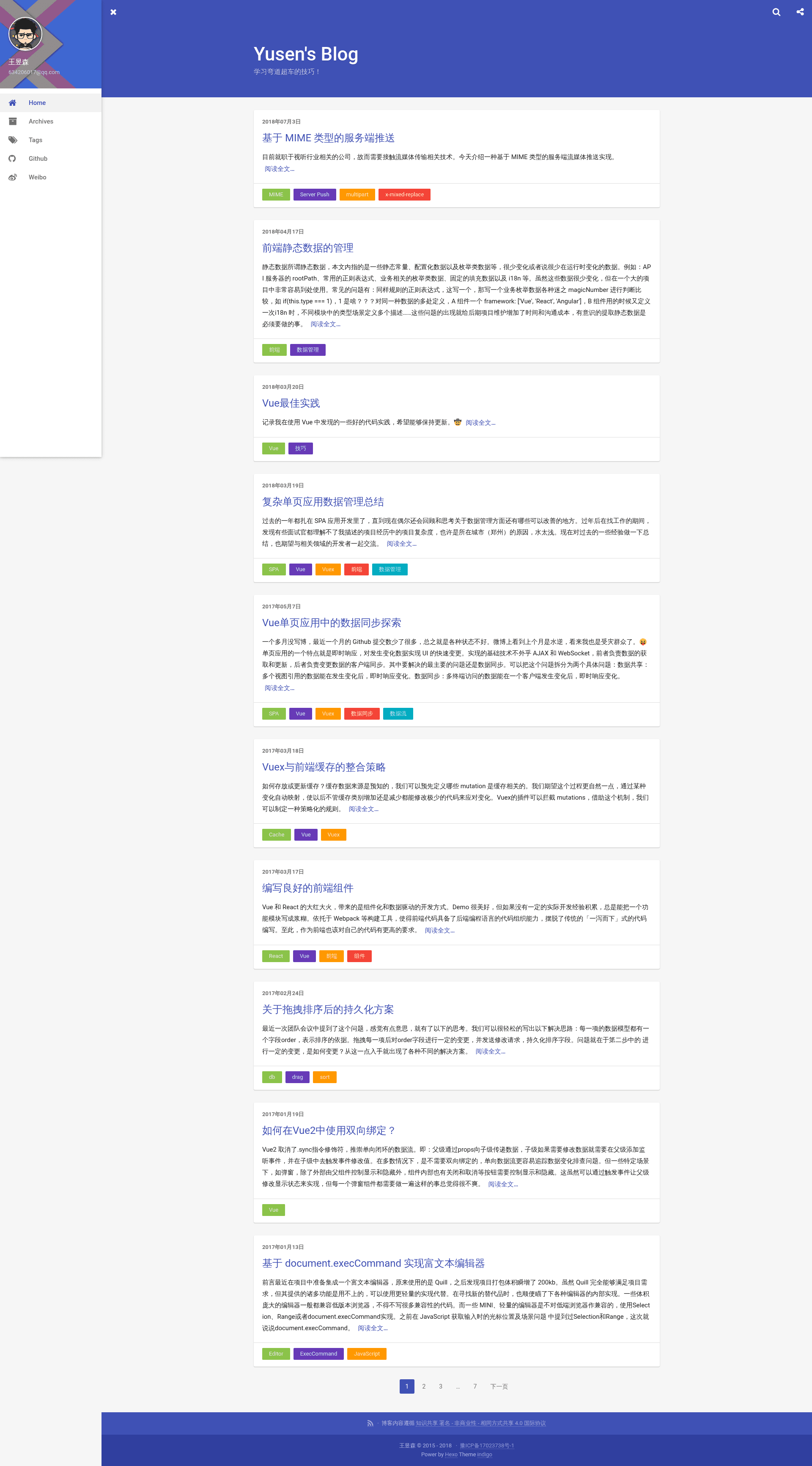
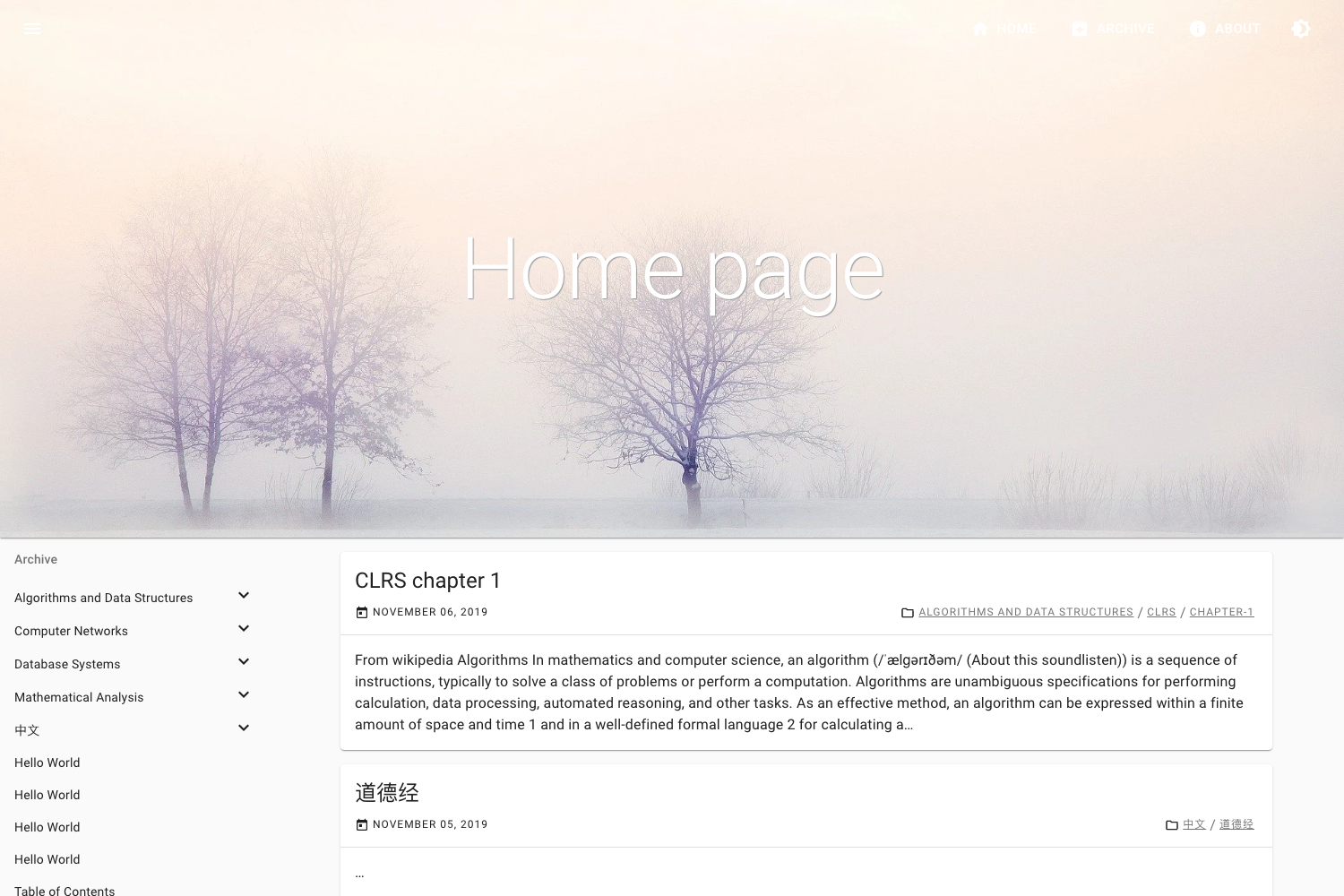
A Material Design styled Hexo theme with card and flat layouts, built for Hexo 3.0+ and modern browsers.
About this template
Hexo Theme Material Indigo is a Material Design–styled theme for the Hexo static site generator, turning Markdown blog posts into a modern, lightweight blog with a choice of card or flat layouts.
What is Hexo Theme Material Indigo?
Hexo Theme Material Indigo is a blog theme for Hexo 3.0+ created by GitHub user yscoder. It reads the Markdown content from your Hexo site and renders it into a static blog with a Material Design visual style. The repository includes two branches: a card branch with a card-based layout (used on the author's own blog at imys.net) and the master branch with the older flat tiled layout. It is built to run only on modern browsers and avoids jQuery for performance.
Key Features
- Modern browser only — Supports only IE10+ and contemporary browsers, dropping legacy support to keep the codebase light.
- No jQuery — The theme relies on native browser APIs, making it lighter than themes that bundle the jQuery library.
- Less CSS preprocessor — Styles are written in Less and require the
hexo-renderer-lessplugin to compile. - Roboto font included — Adds the Roboto typeface for English text, matching Material Design's typography guidelines.
- Ripple effects via Waves — Interactive ripple animations are implemented using the Waves library.
- Dependency-free sharing — Social share buttons are implemented without any frontend dependencies.
- Static-data site search — Search works with local static data, with no third-party search service.
- Article tipping (donations) — A built-in reward feature lets readers tip or donate to the blog author.
Who is it for?
- Hexo bloggers — Anyone running a Hexo-powered blog who wants a Material Design aesthetic without much manual styling.
- Performance-conscious developers — Developers who prefer a jQuery-free theme and are comfortable installing the required Less renderer.
- Open-source enthusiasts — People who like to fork and customize themes; the card and master branches offer two distinct starting points.
What can you do with it?
- Set up a personal blog — Use Hexo's Markdown workflow to write posts and get a Material Design site with a card or flat layout.
- Customize the look — Modify the Less variables and styles to rebrand the theme, then recompile with
hexo-renderer-less. - Add reader support — Enable the tipping feature so readers can support your writing.
Pros and cons
- Pros: Lightweight (no jQuery), two layout branches, built-in search and tipping, no third-party share scripts.
- Cons: Requires a modern browser (IE10+), and you must install the
hexo-renderer-lessplugin to compile the CSS.
Pricing
This is an open-source theme hosted on GitHub, so it is free to download and use. There is no mention of paid tiers or commercial licensing in the repository.
Alternatives
- NexT — A popular Hexo theme known for its multiple built-in layouts and broad plugin ecosystem.
FAQ
Is Hexo Theme Material Indigo free?
Yes, the theme is open source and publicly available on GitHub under the repository yscoder/hexo-theme-indigo. You can download or fork it without payment.
What browsers does Hexo Theme Material Indigo support?
It supports IE10+ and all other modern browsers. Older browsers like IE9 are not supported, which keeps the theme lighter and free of legacy polyfills.
Does Hexo Theme Material Indigo require jQuery?
No. The theme explicitly avoids jQuery and uses native browser APIs instead, making it lighter than many competing themes.
How do I install Hexo Theme Material Indigo?
You need a Hexo site running version 3.0 or higher. Install the hexo-renderer-less plugin to compile the Less styles, then add the theme as your site's theme directory. Full setup instructions are in the project's documentation.