Template details
Gatsby Theme Material Blog
A Gatsby theme for creating a material-design blog with a calendar heatmap and Algolia search.
About this template
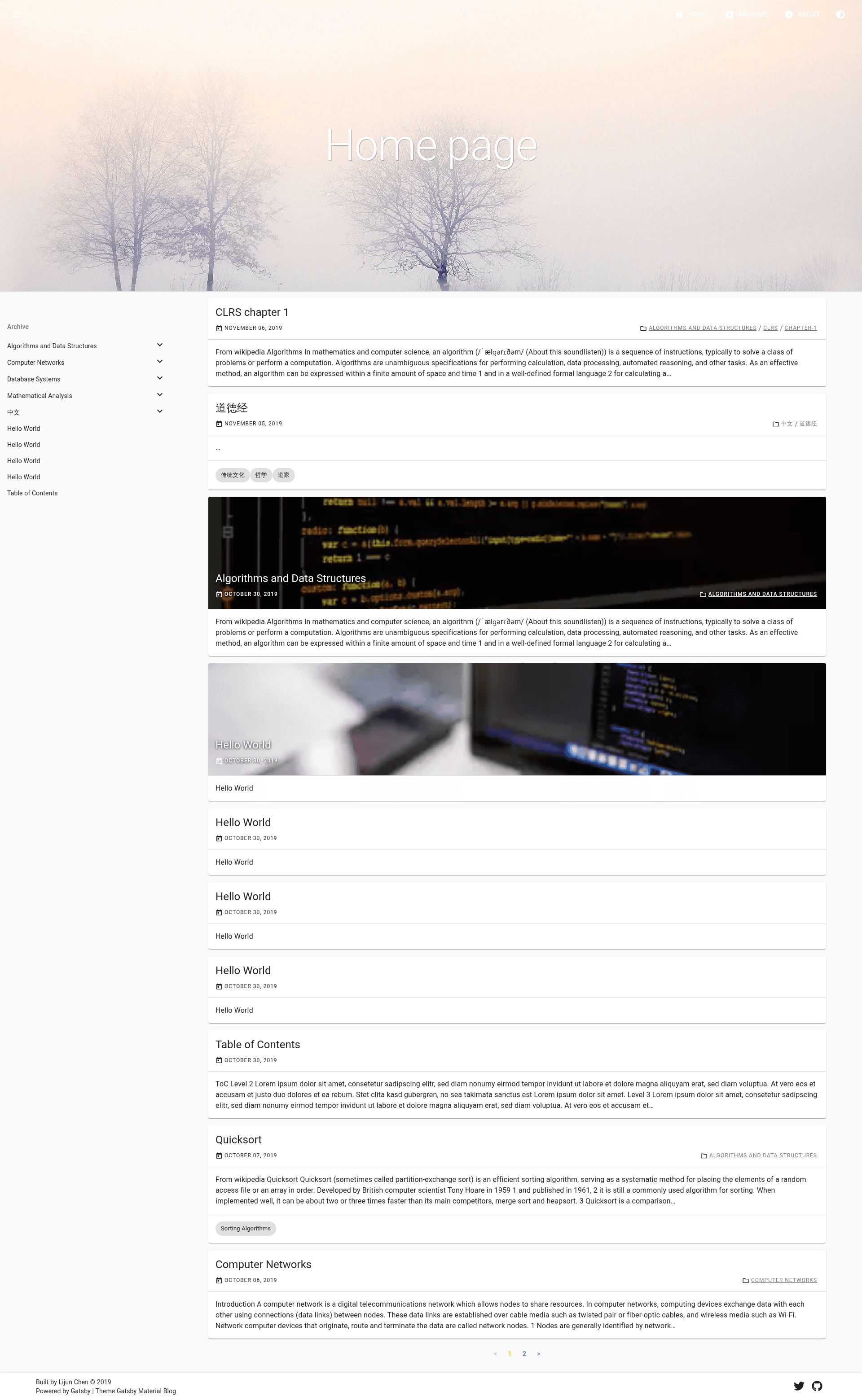
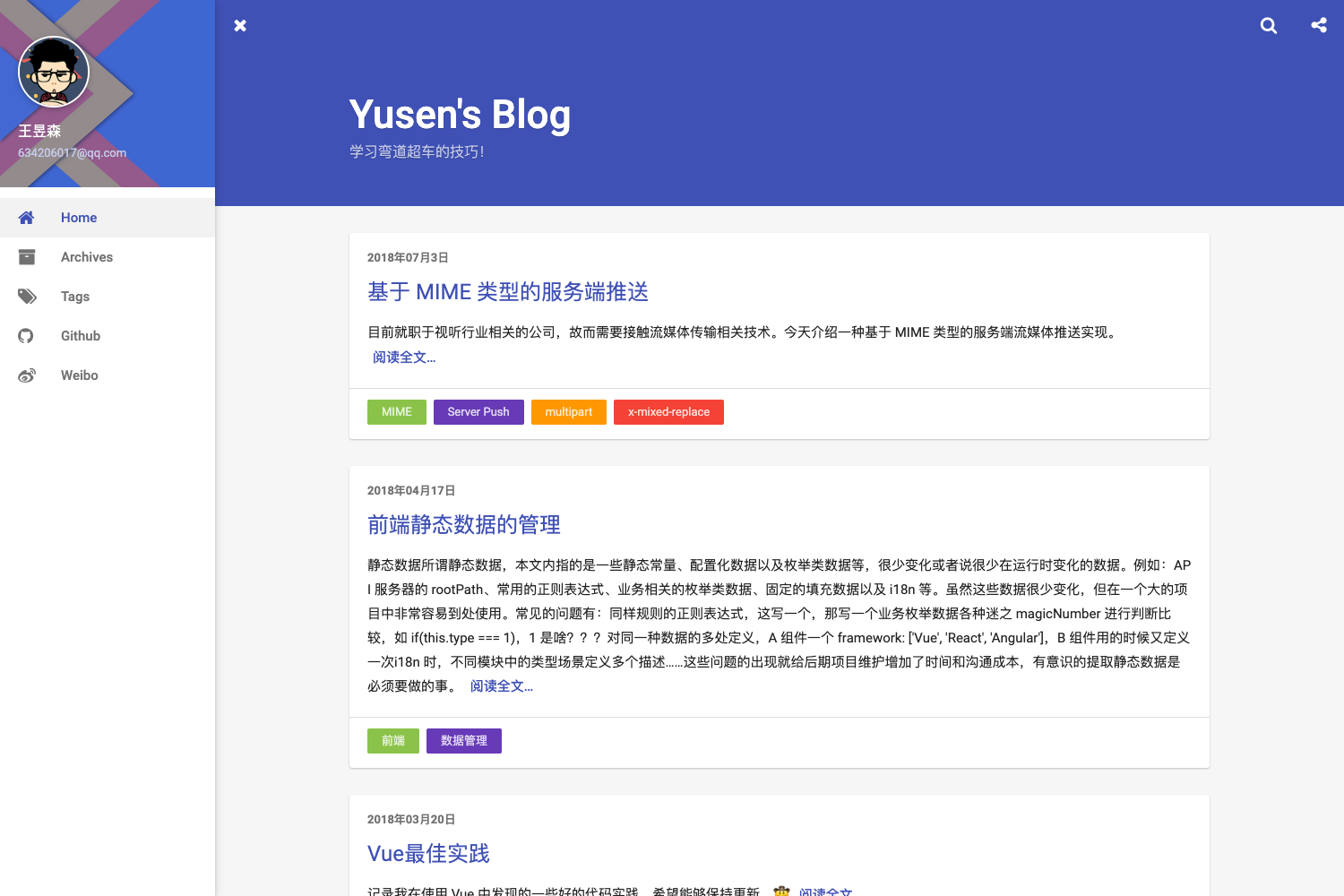
Gatsby Theme Material Blog is a Gatsby theme that transforms Markdown posts into a static, Material Design–styled blog, complete with a GitHub-like calendar heatmap and optional Algolia search. Published on npm as gatsby-theme-material-blog, it is built on the Material-UI component library and is designed to be configured entirely from your site's gatsby-config.js.
What is Gatsby Theme Material Blog?
Gatsby Theme Material Blog is a reusable Gatsby theme for creating a blog with a Material Design look and feel. It takes Markdown blog posts as input from a configurable content directory and outputs a responsive static site with category-based navigation, an activity heatmap, and optional Algolia search. The theme is installed as an npm dependency and added to the plugins array in gatsby-config.js; its source repository lives under the free-easy GitHub organization.
Key Features
The theme ships with a focused set of features that are visible in the README: a Material-UI design system, a calendar heatmap, mobile responsiveness, category organization, and optional Algolia search.
- Material-UI based — The theme is built on the Material-UI component library, so you get Material Design components and styling without hand-coding them.
- GitHub-like calendar heatmap — A built-in activity graph visualizes your posting frequency in a calendar layout, similar to GitHub's contribution chart.
- Mobile-friendly — The layout is responsive by default, so posts look good on phones and tablets.
- Directory (category) organization — Posts placed in subfolders of the content path are organized into categories, which the theme uses for navigation.
- Algolia search — Optional full-text search is available by setting the environment variables
GATSBY_ALGOLIA_APP_ID,GATSBY_ALGOLIA_SEARCH_KEY, andALGOLIA_ADMIN_KEY. - Configurable base path — The
basePathoption lets you serve posts from a subpath, for instance/bloginstead of the site root. - Configurable content path — The
contentPathoption sets where the theme looks for Markdown posts; it defaults tocontent/posts. - siteMetadata integration — The blog title, author, SEO description, and social links for the footer are read from the
siteMetadataobject in your Gatsby config.
Who should use Gatsby Theme Material Blog?
This theme fits developers and writers who want a Material Design blog without building the UI themselves.
- Gatsby developers who want a Material Design blog theme they can drop into an existing Gatsby site and customize through options and site metadata.
- Technical writers and bloggers who write in Markdown and want a tidy, responsive layout with an activity heatmap to showcase their publishing history.
- Developers needing site search — because Algolia search is built in as a feature, sites that need full-text search can enable it with three environment variables instead of integrating search manually.
What can you do with Gatsby Theme Material Blog?
With this theme you can ship a blog that is styled with Material Design and ready for search.
- Personal bloggers: Put Markdown files in
content/posts, set the title and author insiteMetadata, and get a complete blog with SEO metadata and a heatmap. - Project or team blogs: Use directory subfolders to group posts into categories and set
basePathto mount the blog at a subpath of your main site. - Search-enabled content sites: Add the three Algolia environment variables to your build pipeline to give readers instant full-text search over all published posts.
How does Gatsby Theme Material Blog work?
Install the theme with the npm command npm install --save gatsby-theme-material-blog, then list it inside the plugins array of your gatsby-config.js. Pass the optional basePath and contentPath theme options to control the URL prefix and the location of your Markdown posts. During a Gatsby build, the theme reads the Markdown files, renders them with Material-UI components, and indexes them in Algolia if the required environment variables are present.
FAQ
How do I install gatsby-theme-material-blog?
Run npm install --save gatsby-theme-material-blog in your Gatsby project folder. Then add the theme to the plugins array in gatsby-config.js and set any theme options you need, such as basePath.
Can I change the URL where blog posts are served?
Yes. Set the basePath theme option when you add the theme to your Gatsby config. For example, setting it to /blog makes posts available under the /blog path on your site.
How do I enable Algolia search?
Define three environment variables in your build environment: GATSBY_ALGOLIA_APP_ID, GATSBY_ALGOLIA_SEARCH_KEY, and ALGOLIA_ADMIN_KEY. When all three are present, the theme automatically indexes posts and provides search.
What metadata does the theme need?
The theme uses these fields from the siteMetadata object: title for the site title and SEO, author for avatar alt text, description for SEO, and social as an array of name and url pairs for footer links.