Template details
Celeris Web
Free and open-source Vue 3 + Vite + TypeScript front-end development template with monorepo architecture, auto-importing, and C-end focused UI.
About this template
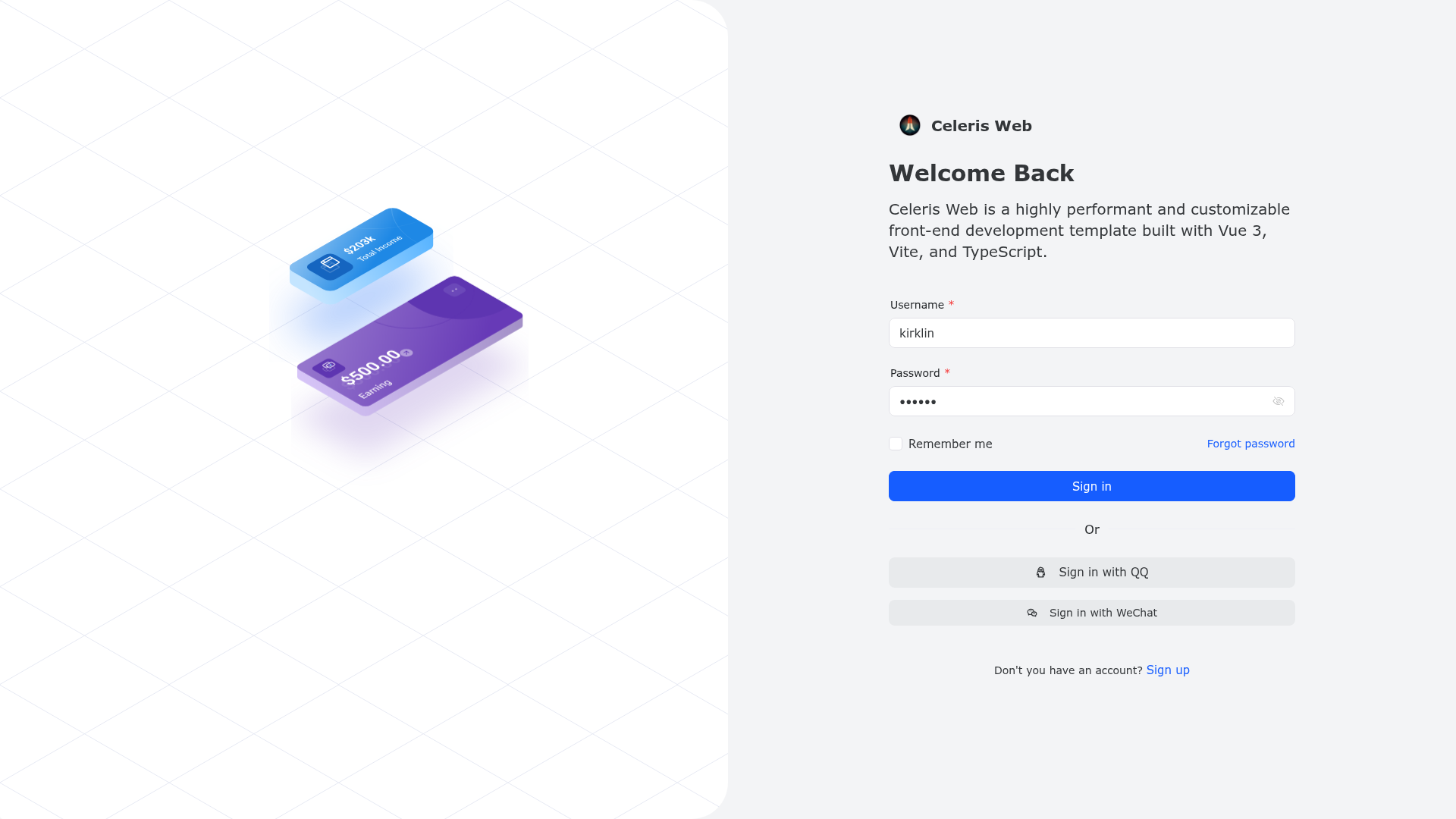
Celeris Web is a free and open-source front-end development template built on Vue 3, Vite, and TypeScript, designed to accelerate the creation of both admin dashboards and customer-facing (C-end) web products.
What is Celeris Web?
Celeris Web is a monorepo-based front-end template that packages together an admin application, shared components, hooks, locale files, request utilities, styles, types, and utility functions. It runs on a development server at http://localhost:8888 and produces a static dist folder when built, deployable to Netlify or via Docker. The project is maintained by Kirklin on GitHub and has received 496 stars at the time of this writing. Its source code uses the new <script setup> syntax and offers bilingual Chinese-English comments on every function to support learning and collaboration.
Key Features
- Vue 3 + Vite + TypeScript — The template uses the latest Vue 3 with the
<script setup>syntax, Vite as the build tool, and pnpm for package management. - Monorepo with shared packages — Code is split into packages such as
components,hooks,locale,request,styles,types, andutils, making dependencies easier to manage and reuse across projects. - Automated imports — Components and APIs are imported automatically using
unpluginVueComponentsandunplugin-auto-import, reducing manual boilerplate. - Routing and state management — Comes with Vue Router v4 for navigation, Pinia for state management, and NProgress for page-loading feedback.
- Internationalization and Chinese font preset — Includes a
localepackage ready for i18n and a UnoCSS preset for Chinese fonts. - Deployment options — Zero-config deployment to Netlify is supported, and a Dockerfile is provided for production container builds via
docker buildx build . -t celeris-web:latest. - Bilingual comments — Every method is documented in both Chinese and English, making the code more accessible to a global contributor base.
- ChatGPT API integration — Repository metadata lists integration with OpenAI's ChatGPT API, enabling natural-language features in your frontend.
Who is it for?
- Frontend developers — who want a modern, type-safe boilerplate to start a Vue 3 project without manually configuring Vite, Pinia, Router, and auto-imports.
- Startups and product teams — that need to ship both an admin console and a polished user-facing web experience quickly; the template explicitly focuses on C-end user experience, unlike typical admin-only templates.
- Open-source contributors — who appreciate bilingual code comments and a modular monorepo layout that makes collaboration straightforward.
- Developers building AI-powered UIs — can leverage the stated OpenAI ChatGPT integration to add conversational or natural-language capabilities.
What can you do with Celeris Web?
- Build an admin dashboard — Use the
adminpackage and the available routing, state management, and auto-imported components to scaffold a management interface. - Create a customer-facing product page — Rely on the aesthetic UI design, customizable themes, and smooth interactions to launch a C-end website.
- Internationalize your application — Use the
localepackage to add multi-language support from the start. - Deploy to production — Run
pnpm run buildto generate static assets indist, or build the provided Docker image and run it withdocker run --rm -it -p 8080:80 celeris-web:latest.
How does Celeris Web work?
The workflow starts by cloning the repository with npx degit kirklin/celeris-web my-vite-app, installing dependencies with pnpm i, and running pnpm run dev to start the development server at localhost:8888. For production, pnpm run build outputs a dist folder that can be served directly or deployed to Netlify in a few clicks. The template's monorepo structure keeps all shared packages in one place, so changes to a component or utility are reflected across the admin app and any other consuming project.
Pricing
Celeris Web is free and open-source. You can use it for personal or commercial projects, modify it, and contribute back through GitHub.
FAQ
Is Celeris Web free?
Yes, Celeris Web is a free and open-source project. The repository is publicly available under the GitHub template option, so you can create a new repo from it without cost.
What tech stack does Celeris Web use?
It uses Vue 3, Vite, TypeScript, pnpm, Vue Router v4, Pinia, NProgress, UnoCSS (with a Chinese font preset), and the repository metadata also lists Naive UI and OpenAI ChatGPT integration.
How do I start a new project with Celeris Web?
Use npx degit kirklin/celeris-web my-vite-app to clone the template, then run pnpm i and pnpm run dev. The dev server starts at http://localhost:8888.
Can I deploy Celeris Web to Netlify?
Yes, the template supports Netlify with zero configuration. Connect your repository to Netlify and it will build and deploy automatically.
Does Celeris Web support multiple languages?
Yes, the locale package provides internationalization support, and the codebase includes Chinese and English comments on functions to make the code bilingual.