Template details
Chatty
Chat app template built with Next.js, Chakra UI, and Firebase featuring real-time messaging and Google Auth.
About this template
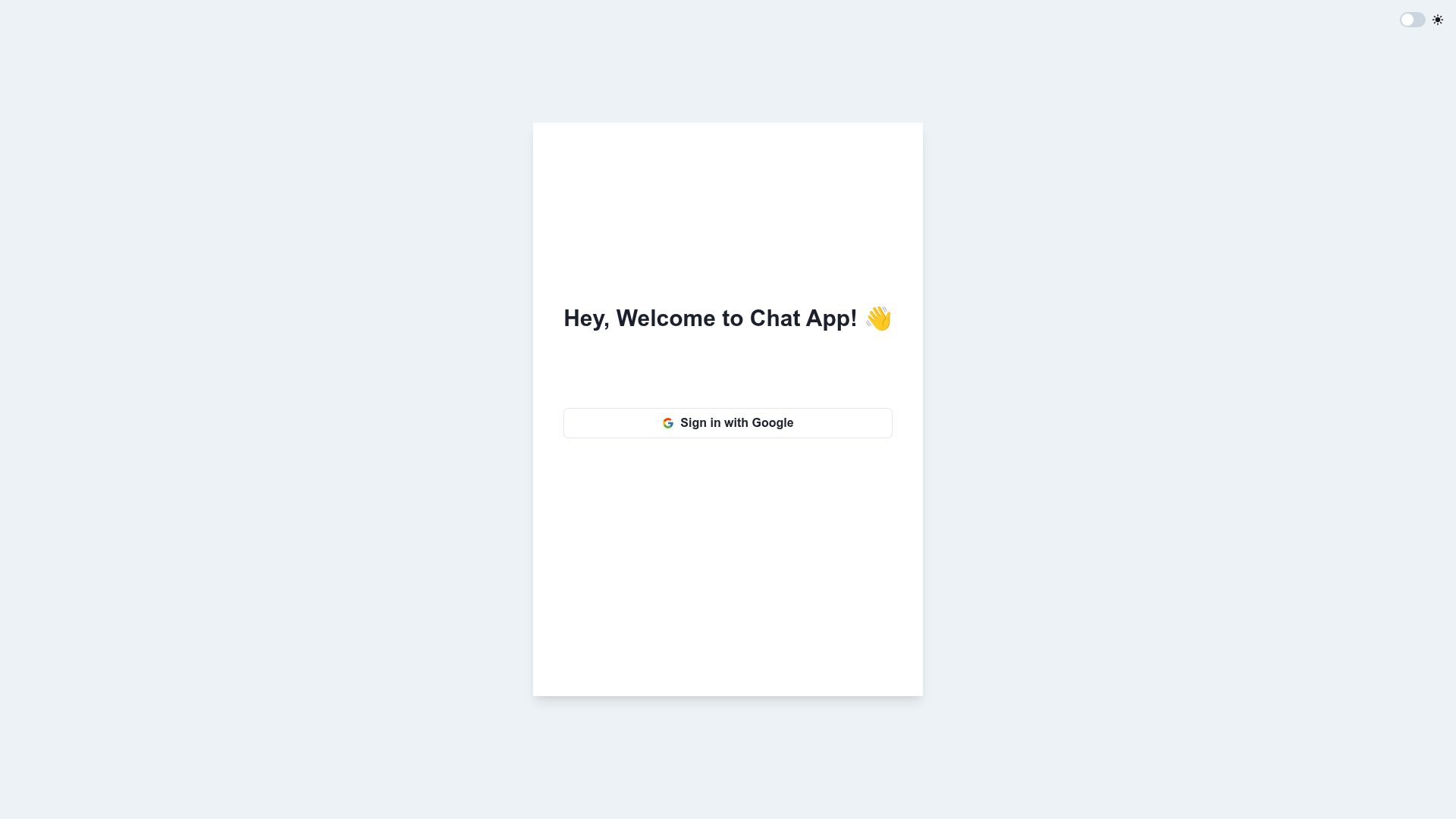
Chatty is a real-time chat application template built with Next.js, Chakra UI, and Firebase, providing Google authentication, chat rooms, private messaging, and message history out of the box.
What is Chatty?
Chatty is a chat app starter repository that combines Next.js, Chakra UI, and Firebase to deliver a functional multi-room messaging application. It takes Firebase project credentials and user input (email/photo via Google) and produces a deployable web app with authenticated chat rooms, real-time message sync, and persistent history. The codebase runs on Next.js for the React framework, Chakra UI for styled components, and Firebase Authentication plus Firestore (database schema shown) for backend services. The repository is publicly available and can be run locally with npm scripts or deployed to Firebase Hosting using the firebase deploy command.
Key Features
- Google User Authentication — Users log in and log out using Google accounts via Firebase Authentication, with the user's email and photo stored in the Users collection.
- Chat Rooms — Users can create, join, and leave chat rooms, each tracked in the Chats collection with a timestamp and a users array.
- Real-Time Messaging — Messages sent in a room appear to all participants instantly through Firebase's real-time data synchronization.
- Message History — Every message is stored in the Messages collection with a timestamp and body, so past conversations load when a user joins a room.
- Private Messaging — Users can send direct messages to other users in addition to group chat rooms.
- Deployment Ready — The project includes configuration for Firebase deployment, and local setup requires only npm install and npm run dev.
Who is it for?
Chatty is aimed at developers who need a working chat system without building the authentication and real-time plumbing from scratch. Frontend developers can use it as a reference for integrating Next.js with Chakra UI and Firebase. Firebase practitioners can use it as a foundation for adding chat features to existing projects or as a learning tool for Firestore data modeling with Users, Chats, and Messages collections. Teams building internal communication tools can fork the repository and customize room logic to suit their workflow.
What can you do with Chatty?
- Startup founders: launch a minimal community chat in a day by cloning the repo, connecting a Firebase project, and deploying to Firebase Hosting.
- Freelance developers: repurpose Chatty as a white-label messaging widget or support chat for client websites, replacing the UI with the client's branding.
- Students and self-learners: study how Google OAuth, Firestore listeners, and real-time rendering work together in a Next.js application by stepping through the small, readable codebase.
How does Chatty work?
To run Chatty locally, clone the repository, run npm i to install dependencies, then npm run dev to start the development server. After wiring up a Firebase project and adding the required config, you can deploy to production with firebase deploy. The database schema is split into three collections: Users stores email and photo per authenticated Google account, Chats stores a timestamp, message references, and the users in each room, and Messages stores each chat message's timestamp and body.
FAQ
Is Chatty free to use?
Chatty is an open-source repository with no listed licensing restrictions, so you can clone and use it without cost. Keep in mind that Firebase itself charges based on usage once you exceed the free tier.
Does Chatty support private messages?
Yes, private messaging is listed as a feature. Users can send direct messages to other users, alongside the public chat rooms.
What stack does Chatty use?
Chatty uses Next.js as the React framework, Chakra UI for the component library and styling, and Firebase for authentication, database, and hosting. The repository's top-level metadata confirms the Next.js, Chakra UI, and Firebase combination.
How do I deploy Chatty?
You can deploy Chatty to Firebase by running the firebase deploy command in the project root after installing dependencies and configuring your Firebase project. The repository includes standard Firebase hosting setup steps.
Can I customize the chat rooms?
Yes, the Chats collection schema includes users and timestamp fields, so you can extend room creation and joining logic based on your needs. The code is a template, meaning you have full control over room behavior, permissions, and UI.