Template details
Chalk
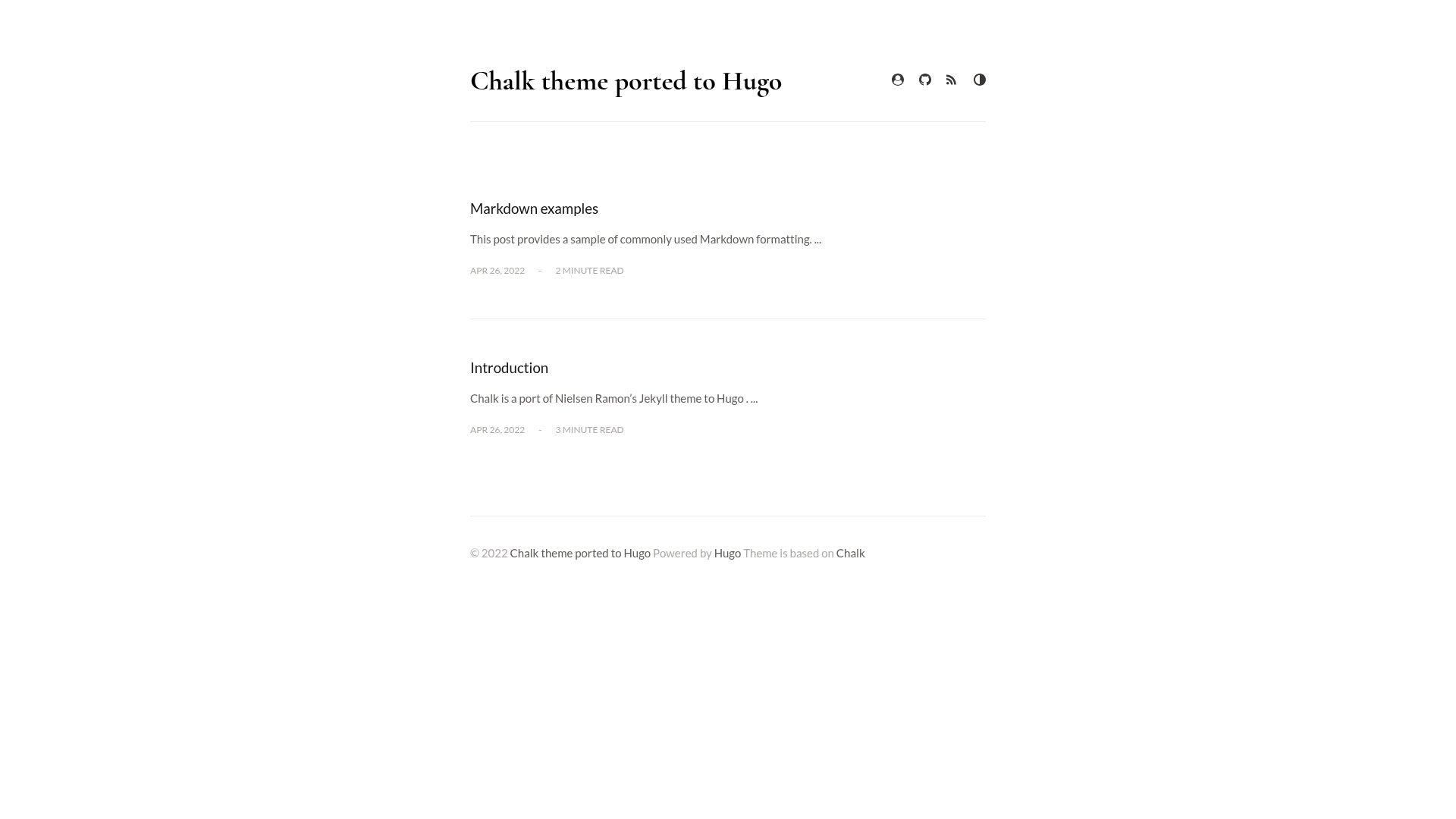
A Hugo port of the Jekyll Chalk blog theme featuring dark/light toggle, zoomable images, and SCSS customization.
About this template
Chalk is a Hugo port of Nielsen Ramon's Jekyll blog theme that translates the original's minimal, editorial design into the Hugo static site generator, complete with a demo site at chalk-hugo-demo.onrender.com. The theme is maintained by Dzmitry Kishylau (ph-ph) and is available on GitHub under the MIT license.
What is Chalk?
Chalk is a Hugo theme designed for personal blogs and editorial-style content, taking Hugo site content as input and producing a blog with article listings, individual posts, an about page, and RSS output. It runs on the Hugo static site generator and is a direct port of the Jekyll theme of the same name by Nielsen Ramon, with most features preserved. The port drops the optional tag-based navigation and theme-specific CSS for syntax highlighting that existed in the original.
Key Features
- Dark/light theme toggle — the theme_toggle config option adds a switch in the nav header; when enabled, the default scheme is always light.
- SCSS variable customization — colors, fonts, grid sizes, and effects can be changed in assets/stylesheets/_variables.scss, plus separate light.scss and dark.scss files for per-theme changes.
- Zoomable image shortcode — the image shortcode inserts Medium-style images with retina support via path and optional path_detail attributes.
- Google Fonts with local fallback — uses Lato and Cormorant Garamond via webfonts.js by default, but setting local_fonts to true serves fonts from the repository.
- Configurable navigation — about_enabled shows an about-page icon, and rss_enabled adds an RSS link in the header.
- Social account links — the params.social section supports a variety of sites defined in data/social/sites.toml.
- Scroll-appear effects — scrollappear_enabled fades elements in as the reader scrolls.
- Disqus and Google Analytics — legacy options discus_identifier and ga_analytics are available, though the author notes they may be removed in favor of standard Hugo configuration.
Who is it for?
Chalk suits Hugo users who want a clean, magazine-like blog theme without building a design from scratch. Bloggers and writers can use it to publish posts with a reading-focused layout and optional dark mode. Developers comfortable with SCSS can customize the theme's variables to match a personal brand, and anyone migrating from Jekyll will recognize the original Chalk design.
What can you do with Chalk?
- Personal bloggers: set up a blog with an about page, RSS feed, and social links by editing only config.toml.
- Designers: change the theme's entire look by editing SCSS variables in _variables.scss, light.scss, and dark.scss.
- Photo-centric writers: use the image shortcode to embed zoomable, high-resolution images inside posts.
- Jekyll migrants: reuse the same design they had on Jekyll after porting content to Hugo.
How to install Chalk
Installation follows the standard Hugo theme workflow: add the repository as a submodule in themes/chalk with the git submodule add command, then set your default theme to chalk in config.toml. Theme parameters live under the params.chalk section, where you can enable the theme toggle, about page icon, RSS, and other options.
Pros and cons
Pros: free and open source under MIT; preserves the original Jekyll theme's design; extensive SCSS customization; both Google Fonts and local font options; zoomable images shortcode. Cons: the author does not plan to actively support or develop the theme; tag-based navigation and theme-specific syntax-highlighting CSS from the original are not included.
Pricing
Chalk is free, open-sourced under the MIT license.
Alternatives
The original Jekyll Chalk theme by Nielsen Ramon is the direct source for this port, and is a fitting choice for Jekyll-based sites. For Hugo, other minimal blog themes exist, but their specific feature sets are not compared here.
FAQ
Is Chalk free?
Yes, Chalk is open-sourced under the MIT license, so it is free to use and modify for personal or commercial projects.
Does Chalk support dark mode?
Yes, set theme_toggle to true in the params.chalk section to enable a dark/light switch in the nav header. When the toggle is enabled, the default scheme is always light.
How do I change the theme colors?
Edit the SCSS variables in assets/stylesheets/_variables.scss for base colors, fonts, and sizes, or use light.scss and dark.scss to style each scheme individually.
What fonts does Chalk use?
By default, Chalk loads Google Fonts Lato and Cormorant Garamond via assets/javascripts/webfonts.js. Set local_fonts to true in config to serve fonts from the repository instead.
Does Chalk have a demo?
Yes, a live demo is available at chalk-hugo-demo.onrender.com.