Template details
I / O Briefs
A Gatsby blog starter featuring MDX content, advanced code blocks with react-live, dark mode, SEO, and offline support.
About this template
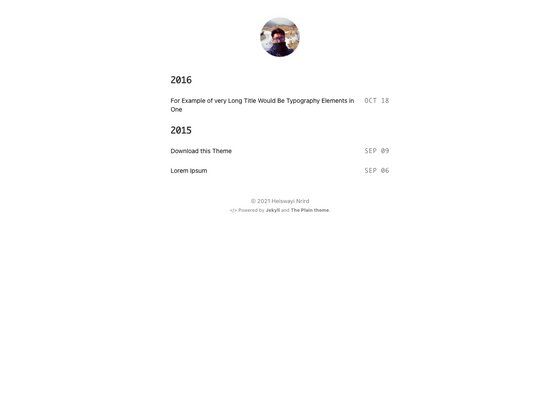
I / O Briefs is a free, open-source Gatsby blog starter that bundles the @lekoarts/gatsby-theme-minimal-blog theme to produce a typography-focused, MDX-based blog with advanced code-block features like live previews and line highlighting.
What is I / O Briefs?
I / O Briefs is a Gatsby starter project that installs and configures the @lekoarts/gatsby-theme-minimal-blog theme from LekoArts. It takes Markdown and MDX content files placed in content/posts and content/pages and generates a static blog site with dark/light modes, RSS feed, Google Analytics, and offline support. The starter is developed by Tamojit Das and includes a live demo at iobriefs.netlify.app.
Key Features
- MDX content — Write posts and pages as Markdown with embedded JSX, using frontmatter for
title,date,description,tags, andbannerimage. - Code highlighting — Uses prism-react-renderer and react-live to support language tabs, file titles, line highlighting, hidden line numbers, and live React previews in code blocks.
- Dark / Light mode — The Theme UI-based theme includes a color mode toggle and can be restyled by shadowing the theme-ui config.
- Tags and categories — Add tags in frontmatter to generate tag pages; categories are also supported for organizing posts.
- SEO and analytics — Built-in sitemap, OpenGraph tags, Twitter tags, Google Analytics, and RSS feed for blog posts.
- Offline support — The site includes a web app manifest and offline support, making it installable as a PWA.
- Typography-driven design — The minimal-blog theme emphasizes clean typography and a distraction-free reading layout.
Who is it for?
- Developers who write — Publish technical tutorials with rich code blocks that include line highlighting and live interactive previews.
- Students and learners — Create a personal knowledge base or class notes site with tag-based organization and a simple writing workflow.
- Gatsby beginners — Learn how Gatsby Themes work by customizing the starter through component shadowing and theme options.
What can you do with it?
- Start a tech blog — Add MDX files to
content/posts, and the three most recent posts appear on the homepage. - Add static pages — Create "About" or "Contact" pages as MDX in
content/pages, then link them in the navigation. - Customize the homepage — Edit the hero text by shadowing
hero.mdxand the "Projects" section viabottom.mdx. - Enhance code documentation — Use language tabs, code titles, and
react-liveto build interactive code samples for readers.
How does it work?
Run gatsby new project-name https://github.com/LekoArts/gatsby-starter-minimal-blog to scaffold the site, then gatsby develop starts a local server at http://localhost:8000. Content is added as MDX files with frontmatter, and the theme can be customized by placing overrides in src/@lekoarts/gatsby-theme-minimal-blog/. The underlying theme supports shadowing for components and Theme UI files.
Pros and cons
- Pros: Free and open source (MIT license); extensive code block features; dark mode; SEO, RSS, and PWA support out of the box.
- Cons: Customizing beyond content requires learning Gatsby Themes shadowing; the included example posts use Harry Potter themed content that needs to be replaced.
Pricing
The starter is free and open source, distributed under the MIT license as shown by the GitHub license badge. The underlying theme and starter repository have no paid tiers.
Alternatives
- gatsby-starter-blog — the official Gatsby blog starter with a simpler, single-author layout.
FAQ
How do I add a new blog post?
Create a new folder inside content/posts, add an index.mdx file with frontmatter including title and date (format YYYY-MM-DD), and optionally description, tags, and banner. Write your content below the frontmatter, and it will appear on the index page if it is among the three most recent posts.
Can I use react-live in my posts?
Yes. Add react-live to a code block's language tag (e.g., js react-live), and the component will render below the code block, allowing readers to interact with it.
How do I change the hero text?
Create a file at src/@lekoarts/gatsby-theme-minimal-blog/texts/hero.mdx to edit the hero text. Similarly, bottom.mdx changes the "Projects" section below the latest posts.
Does the theme support Google Analytics?
Yes. Google Analytics integration is listed among the features of the minimal-blog theme, and the README confirms it is supported.
Is there a demo website?
Yes. A live demo of the starter is available at iobriefs.netlify.app, showing the typography-focused blog layout and code block features.