Template details
The Plain
A minimalist Jekyll theme for personal blogs that focuses on distraction-free writing.
About this template
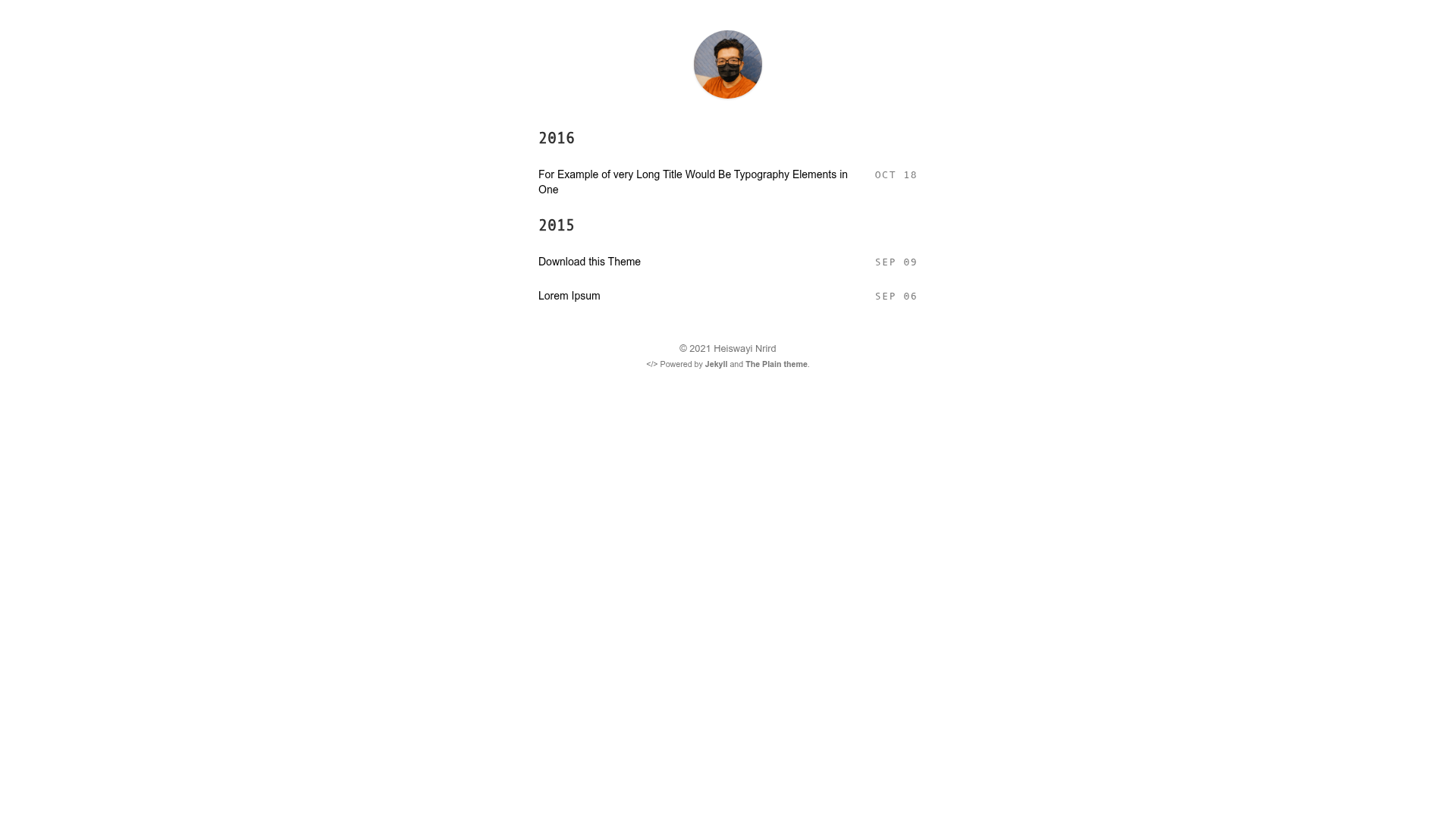
The Plain is a minimalist Jekyll theme for personal blogs, built to strip away visual clutter so the focus stays on the written word.
What is The Plain?
The Plain is a Jekyll theme created by Heiswayi Nrird for personal blogging. It takes your Jekyll site content, written in Markdown, and renders it as a clean, typography-focused blog. The theme is distributed as a Ruby gem named 'the-plain' and is also available directly from GitHub for use with the jekyll-remote-theme plugin. While it is currently at version 4.0, the design remains deliberately simple, inspired by Leonard Lamprecht's leo theme.
Key Features
- Minimalist design — The layout intentionally reduces visual distractions, using a single-column reading experience oriented toward long-form text.
- Personal blog focus — Built specifically for personal blogging, with support for posts and pages typical of a personal site.
- Jekyll integration — Works as a standard Jekyll theme; add the gem to your Gemfile and set 'theme: the-plain' in your _config.yml.
- GitHub Pages compatible — Use the 'remote_theme: heiswayi/the-plain' setting with the jekyll-remote-theme plugin to deploy directly on GitHub Pages.
- MIT license — Free to use, modify, and distribute; the repository includes a LICENSE file.
- Version 4.0 — The current release is version 4.0, and a live demo is available at https://heiswayi.github.io/the-plain/.
Who is it for?
- Personal bloggers — Writers who want a no-nonsense journal or blog without sidebars, widgets, or social media clutter.
- Jekyll users — Developers already using Jekyll who want a lightweight theme they can drop into their existing site.
- GitHub Pages users — Anyone hosting a personal page or project site on GitHub Pages who needs a theme that works with the remote_theme mechanism.
What can you do with The Plain?
- Publish a personal blog — Write Markdown posts and have them rendered as a clean, minimal blog without configuration overhead.
- Self-host on any Jekyll host — Install the 'the-plain' gem and set it as your theme on services that support arbitrary Jekyll themes.
- Deploy to GitHub Pages — Use the jekyll-remote-theme plugin to pull the theme directly from the repository and build your site on GitHub's infrastructure.
How does The Plain work?
Installation is a two-step process. For non-GitHub hosts, add 'gem "the-plain"' to your Gemfile, run bundle install, and set 'theme: the-plain' in _config.yml. For GitHub, add 'jekyll-remote-theme' to your Gemfile, activate it in the plugins list, and set 'remote_theme: heiswayi/the-plain'—the theme is then fetched directly from the GitHub repository at build time.
FAQ
Is The Plain free?
Yes, The Plain is released under the MIT license, so it is free to use, modify, and distribute for personal or commercial projects.
Does The Plain work on GitHub Pages?
Yes, but not with the standard 'theme:' setting. GitHub's Pages only supports a limited set of themes; you need to use the jekyll-remote-theme plugin with 'remote_theme: heiswayi/the-plain'.
How do I install The Plain?
Add the gem to your Gemfile, run bundle install, then set the theme in _config.yml. For GitHub, add the jekyll-remote-theme plugin and use the remote_theme setting instead.