Template details
Chirpy Jekyll Theme
A minimal, responsive, and feature-rich Jekyll theme for technical writing.
About this template
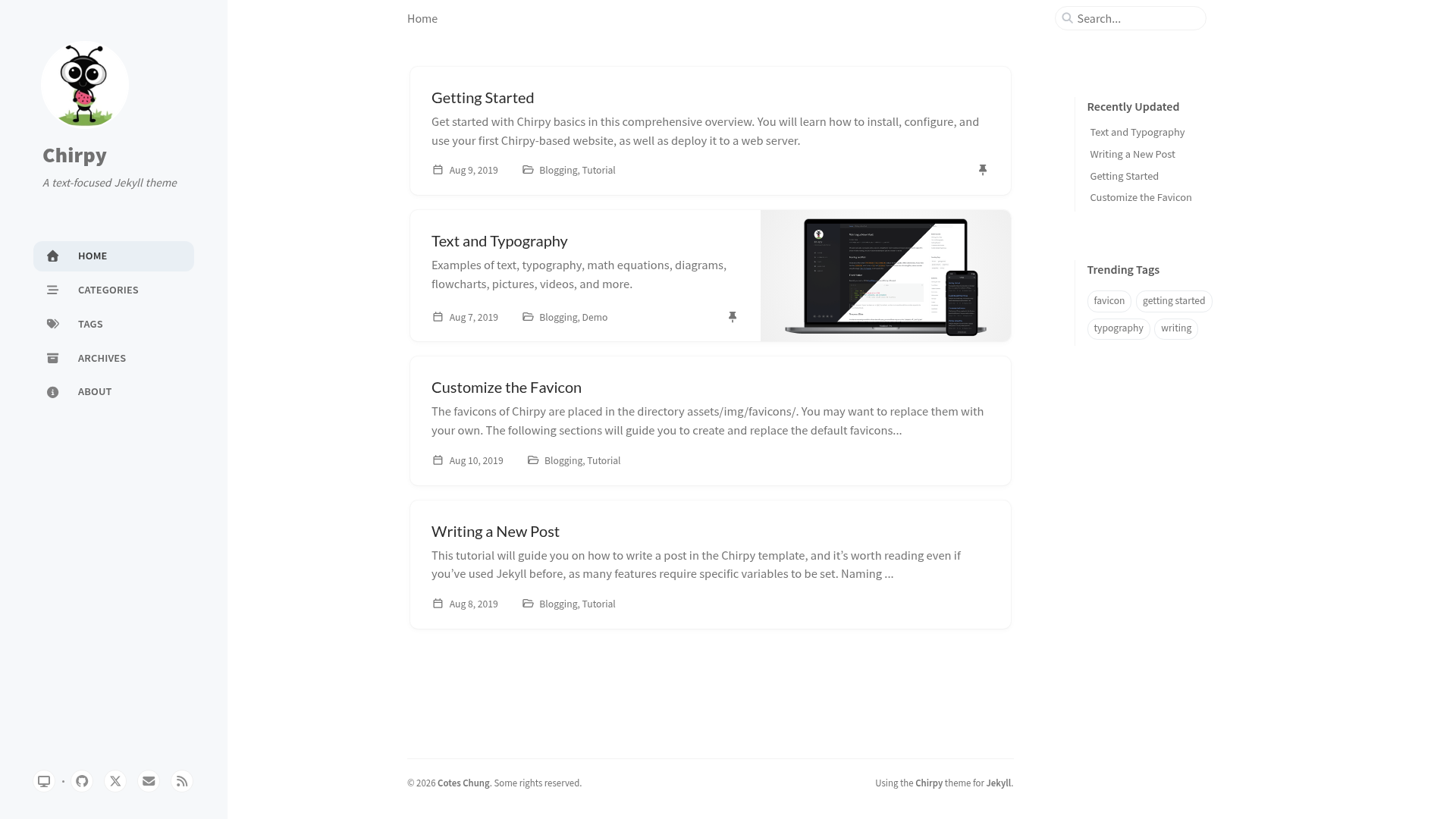
Chirpy is a Jekyll blog theme for technical writing that converts Markdown content into a responsive, searchable static website with dark mode, PWA support, and built-in SEO features.
What is Chirpy Jekyll Theme?
Chirpy is a feature-rich Jekyll theme created by cotes2020 and published as the RubyGems package "jekyll-theme-chirpy". It takes Jekyll-compatible Markdown files and generates a static site with a responsive layout, auto-generated table of contents, and localized UI. The theme is open-source under the MIT License and is described by its author as minimal, responsive, and feature-rich for technical writing.
Key Features
- Design & UX — Responsive layout that works on mobile and desktop, with Dark/Light modes and dark-mode-aware images.
- Content Management — Pinned posts, hierarchical categories, trending tags, auto-generated Table of Contents, and last modified dates displayed on pages.
- Rich Text Support — Syntax highlighting for code blocks, mathematical expressions, Mermaid diagrams and flowcharts, and embedded media support.
- Interactivity & Outreach — Built-in search, multiple comment system options, and Atom feeds for syndication.
- System & Optimization — Progressive Web App (PWA) support, integrated web analytics, and advanced SEO performance features.
- Tech Stack — Built on the Jekyll ecosystem and listed with topics including Bootstrap, HTML5, Jamstack, PWA, responsive-web-design, and devcontainer, making it a solid choice for static site hosting.
Who is it for?
- Technical bloggers — Publish long-form posts with code snippets, math equations, and diagrams, using syntax highlighting and Mermaid to make complex topics clear.
- Documentation teams — Maintain organized documentation sets using hierarchical categories, trending tags, and a generated table of contents for easy navigation.
- Personal site owners — Launch a portfolio or blog with dark mode, PWA installability, and built-in search for a polished visitor experience.
- Open-source developers — Use the provided Dev Container configuration and RubyGems package to quickly scaffold and develop a documentation site for a project.
What can you do with Chirpy?
- Write technical tutorials — Compose in Markdown with code blocks, mathematical formulas, and Mermaid diagrams, then publish to a fast static site.
- Run a personal blog — Organize posts by categories and tags, pin important posts, and let readers search content or subscribe via Atom feeds.
- Create documentation sites — Use the auto table of contents and hierarchical categories to present multi-page docs, with last-modified dates and analytics to track usage.
- Deploy a PWA-ready site — Turn your Jekyll site into a PWA so visitors can install it on their devices and read content offline.
FAQ
Is Chirpy free?
Yes, Chirpy is open source and released under the MIT License, so you can use it freely for personal or commercial projects.
Does Chirpy support syntax highlighting?
Yes, Chirpy includes syntax highlighting for code blocks, which is essential for technical writing that features programming examples.
Can I use dark mode?
Yes, the theme provides Dark/Light modes and supports images that adapt to the current color scheme for a consistent experience.
How do I install Chirpy?
Chirpy is published as the RubyGems package "jekyll-theme-chirpy", and the repository includes a Dev Container configuration for a quick development setup.