Template details
gh-pages-minima-starter
A minimal example for running Github Pages with the minima theme.
About this template
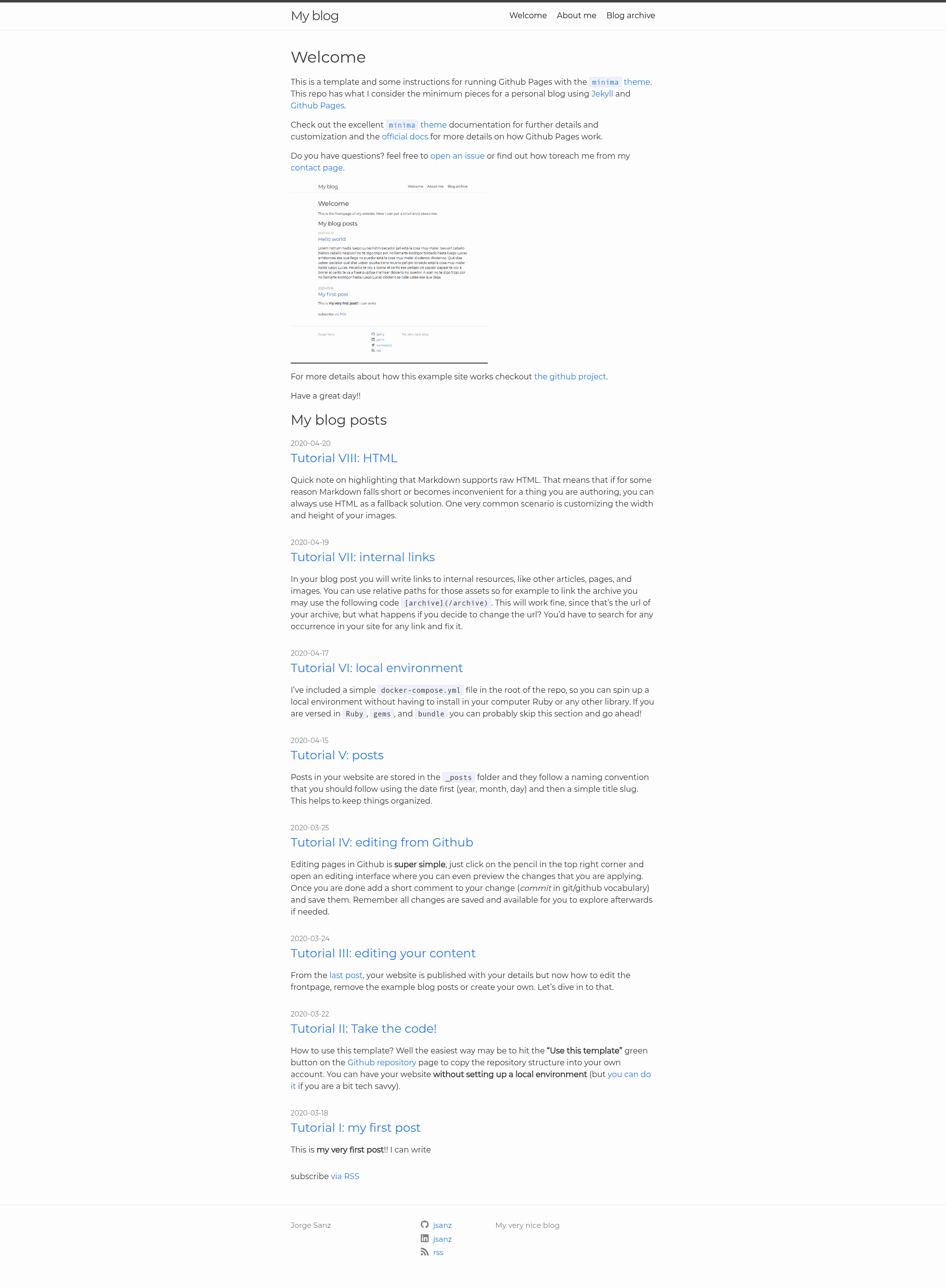
gh-pages-minima-starter is a minimal Jekyll template for running a personal blog on GitHub Pages using the official minima theme. It provides the smallest practical file set—frontpage, archive, about, 404, config, CSS, and footer—so you can start publishing without building a site from scratch.
What is gh-pages-minima-starter?
gh-pages-minima-starter is a Jekyll template that runs on GitHub Pages and comes with the minima theme preconfigured. The repository contains the minimum files needed for a personal blog: a frontpage that lists your latest posts, an archive of all posts, an about page, a 404 page, a minimal _config.yml, an example assets/main.scss for CSS overrides, and a custom _includes/footer.html. It was created by Jorge Sanz (jsanz) and is maintained as an open-source repository on GitHub.
Key features
- Frontpage —
_pages/frontpage.mdautomatically shows your most recent blog posts. - Archive —
_pages/archive.mdlists every post you publish, giving readers a full index. - About page —
_pages/about.mdis a static page for your bio or profile. - Custom 404 —
_pages/404.mdprovides a simple error page for broken links. - Minimal metadata —
_config.ymlcontains only the settings needed to run the site, keeping configuration overhead low. - Example CSS —
assets/main.scssdemonstrates how to override the minima theme's default styles. - Custom footer —
_includes/footer.htmllets you replace the default footer with your own content. - GitHub Pages ready — the template works directly with GitHub Pages, and also runs locally with Jekyll.
Who is it for?
- Jekyll beginners who want a working personal blog on GitHub Pages without learning theme design.
- Developers who need a clean, minimal starting point for a personal website or project page.
- Technical writers who publish long-form content and want a simple archive and frontpage layout.
What can you do with it?
- Publish blog posts: write Markdown files in the
_postsfolder and push to GitHub; they appear on the frontpage and archive. - Customize the look: edit
assets/main.scssto change colors and fonts, or modify the footer include to add links and branding. - Learn Jekyll structure: study the included
_pages,_includes, and_config.ymlto understand how a Jekyll site is assembled.