Template details
Clean Blog Jekyll
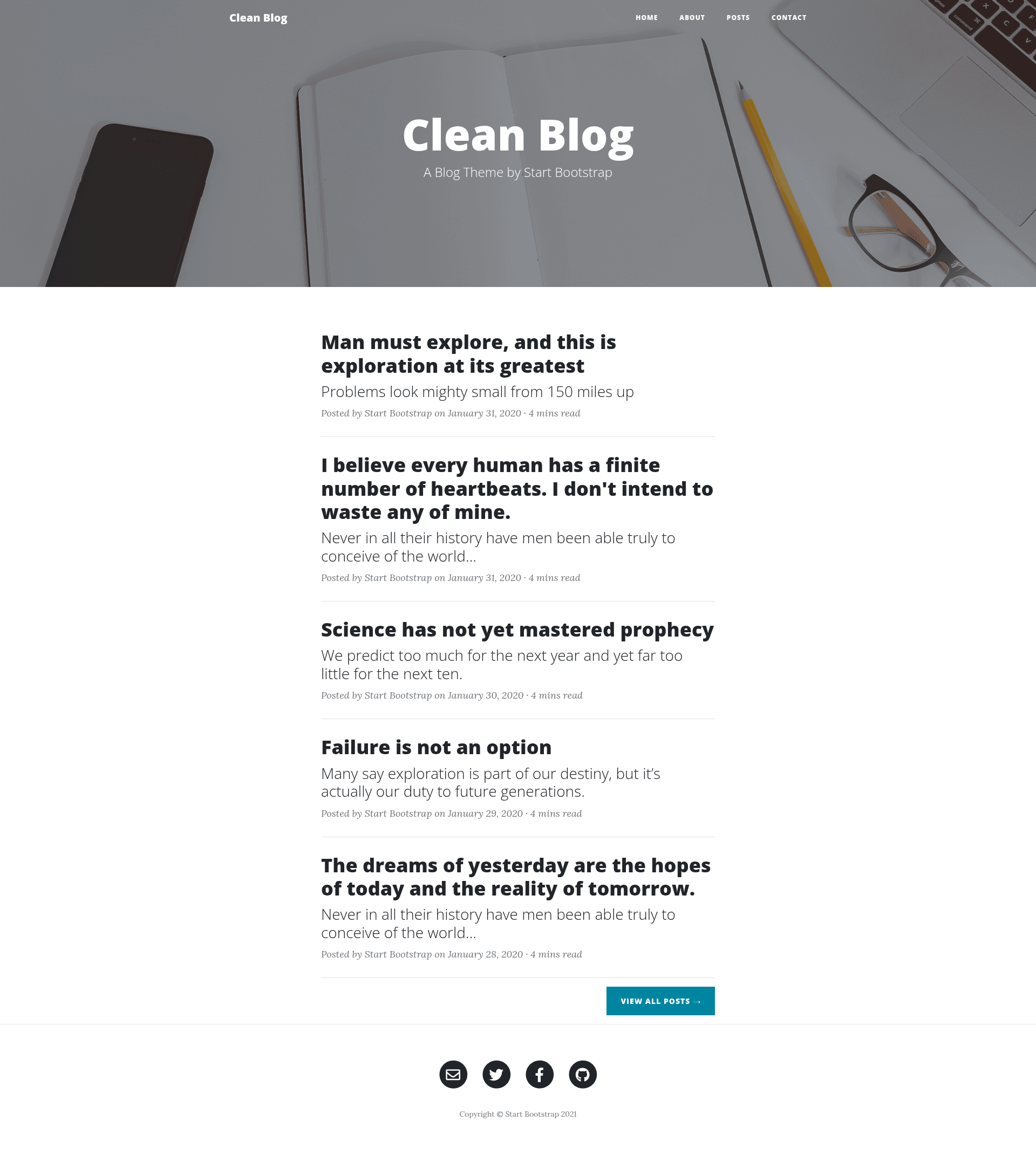
Free Jekyll theme from Start Bootstrap featuring a blog homepage, about/contact pages, and a Formspree-powered contact form.
About this template
Clean Blog Jekyll is a free, open-source Jekyll theme from Start Bootstrap that transforms a standard Bootstrap site into a multi-page blog with a working contact form. It is the official Jekyll port of the popular Clean Blog theme and is maintained by Start Bootstrap founder David Miller, released under the MIT license.
What is Clean Blog Jekyll?
Clean Blog Jekyll is a Jekyll-based blog theme built on Bootstrap 4, created and maintained by Start Bootstrap. As input it takes Markdown posts and page files with YAML front matter; as output it produces a static blog site featuring a homepage, about page, contact page, and post layout. The theme runs on Jekyll and is available both as a RubyGem (jekyll-theme-clean-blog) and as a downloadable repository with demo content.
Key Features
- Bootstrap 4 styling — Built on the Bootstrap 4 framework, giving responsive grids, utility classes, and a familiar front-end stack out of the box.
- Formspree contact form — The included contact page provides working name, email, phone, and message fields; after setting your email in the config and verifying via Formspree, submissions are forwarded to your inbox.
- Multiple page layouts — Offers
home,page, andpostlayouts, with documented front matter fields liketitle,description,subtitle,background, anddatefor hero images and metadata. - RubyGems install — Installable via the
jekyll-theme-clean-bloggem; add it to yourGemfileand settheme: jekyll-theme-clean-blogin_config.yml. - Core-files download — Cloning or downloading the repository directly includes demo images, posts, and pages, so you can start with sample content immediately.
- MIT licensed — Free to use for personal and commercial projects, including proprietary ones.
Who is it for?
- Bloggers familiar with Jekyll — Publish a clean personal blog by dropping Markdown posts into the
_postsdirectory and setting front matter fields likebackgroundandsubtitle. - Developers building static sites — Start from a Bootstrap 4 and Jekyll stack with a pre-built contact form, then customize the page layouts and config.
- Portfolio and company sites — Adapt the about and contact pages to introduce a team or business, and collect messages without running a backend server.
What can you do with Clean Blog Jekyll?
- Start a personal blog — Create Markdown posts, assign each a full-width background image via front matter, and build a static site with
bundle exec jekyll serve. - Add a contact form without a backend — Set your email in
_config.yml, embed the provided form HTML oncontact.html, and verify with Formspree to receive submissions. - Customize the theme's pages — Edit
index.html,about.html,contact.html, andposts/index.htmlto change titles, descriptions, and background paths.
How does Clean Blog Jekyll work?
The theme follows standard Jekyll conventions. For the gem installation, you create index.html with layout: home, plus about.html, contact.html, and posts/index.html with layout: page, then add front matter. For each post in _posts, use layout: post with optional subtitle and background fields. Build the site locally with bundle exec jekyll serve and the static files are generated.
Pros and cons
Pros: Free to use under the MIT license; includes a working Formspree contact form; installable either as a gem or with demo content from the repository. Cons: The RubyGems version does not include demo images, posts, or pages, so you must create those structures yourself; the contact form requires a working email address and Formspree verification before it will forward messages.
Pricing
Clean Blog Jekyll is free to use. Because it is released under the MIT license, there are no license fees, and it can be used in commercial projects.
FAQ
Does Clean Blog Jekyll include demo content?
The core-files download from GitHub includes demo images, posts, and pages. The RubyGems installation does not, so you need to manually create the index, about, contact, and posts pages before building the site.
How do I set up the contact form?
Add the provided form HTML to contact.html, set the email field in _config.yml to a working address, build the site, and submit the form once. You will receive a verification email from Formspree; after clicking the link, future submissions go to your inbox.
Is Clean Blog Jekyll free?
Yes, the theme is released under the MIT license by Start Bootstrap. You can use it for personal or commercial projects without paying a license fee.
What Jekyll version does it require?
The theme is a standard Jekyll theme installed by adding jekyll-theme-clean-blog to your Gemfile and running bundle install. The setup instructions assume you have Jekyll and Bundler installed.
Can I change the background image of a post?
Yes, each post's front matter supports a background field where you provide a path to an image, for example background: '/PATH_TO_IMAGE'. The same field works on pages like about and contact.