Template details
Hydure
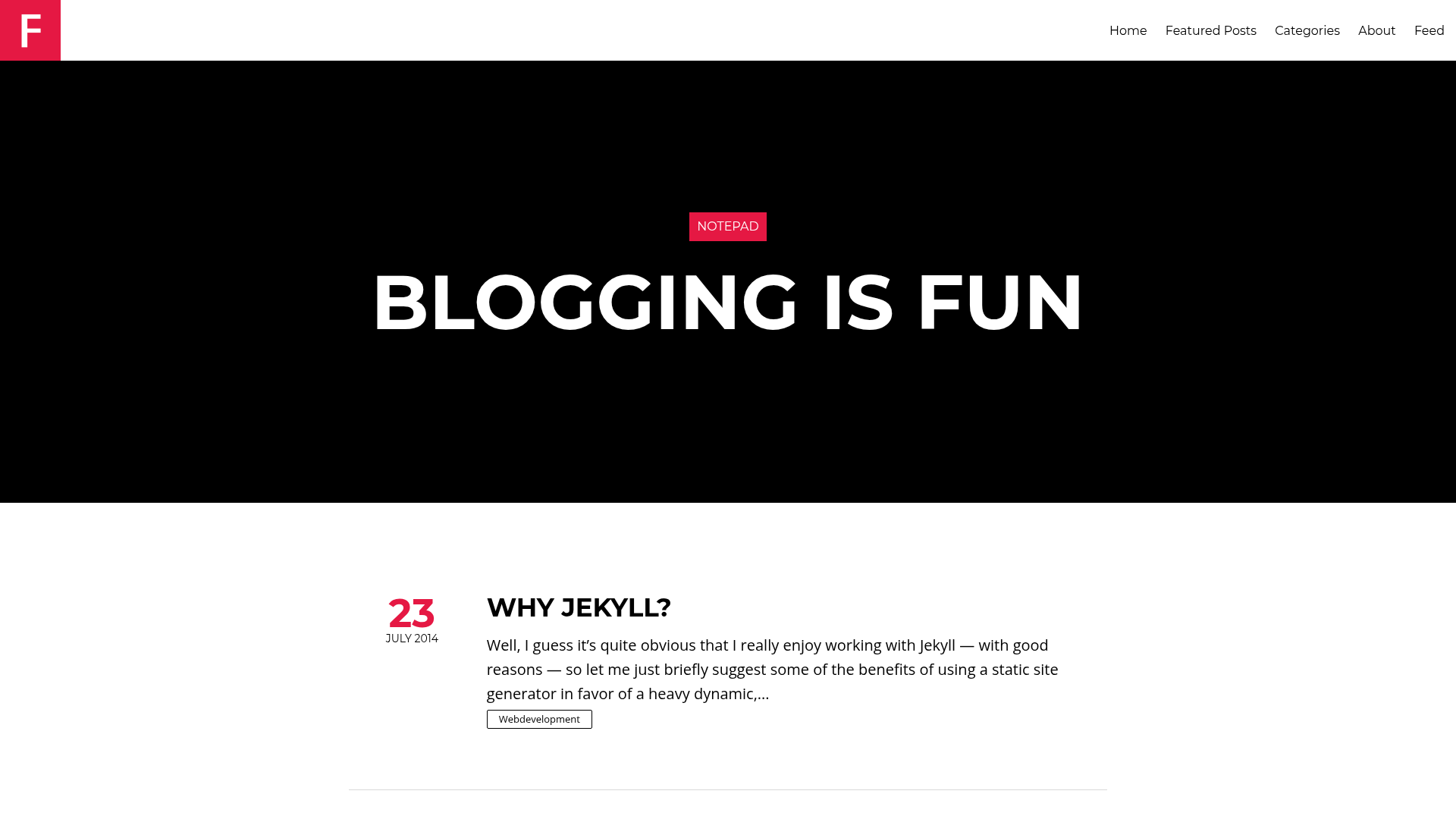
A concise two-column Jekyll blog theme built on Pure.css with dark mode, MathJax, Disqus, and Google Analytics.
About this template
Hydure is a Jekyll blog theme that arranges content into a two-column layout using the Pure.css CSS framework. It takes a standard Jekyll site — posts, pages, and configuration — and outputs a static blog with a responsive sidebar, dark mode, and integrated publishing features. The theme is maintained by zivong and distributed as a gem named jekyll-theme-hydure, with a demo at zivong.blog/jekyll-theme-hydure.
What makes Hydure stand out?
- Dark mode — Automatically switches to a dark palette via the CSS
prefers-color-schememedia query, with no JavaScript required. - Math support — MathJax is built in; enable it per post by setting
math: truein the front matter. - Comments and analytics — Disqus shortname and Google Analytics 4 Measurement ID are configured through global variables, so readers can comment and traffic is tracked out of the box.
- Archive pages — Year, category, and tag archives are generated in pure Liquid — no plugins needed — by creating a page with
layout: archiveand atypeof years, categories, or tags. - Pagination and feeds — Includes Jekyll Paginate for splitting post lists and Jekyll Feed for Atom/RSS output.
- SEO support — Jekyll SEO Tag injects meta tags for search engines and social sharing.
- Icons and colors — Font Awesome icons for social links and the Open Color palette for a consistent, accessible color scheme.
- Customization hooks — Navigation is defined in
_data/navigation.yml, social links in_data/social.yml, and extra head content can be added via an_includes/custom-head.htmlfile.
Who should use Hydure?
- Jekyll bloggers — Writers who want a clean two-column blog with minimal setup can install the gem and start publishing posts with Markdown.
- Developers — Those comfortable with Jekyll data files can customize navigation, social links, and the page head without editing theme layouts.
- Academics or technical writers — Anyone publishing math-heavy posts can enable MathJax per page to render LaTeX equations.
- GitHub Pages users — Since the theme supports
jekyll-remote-theme, hosting on GitHub Pages is straightforward by settingremote_theme: zivong/jekyll-theme-hydure.
What can you do with Hydure?
- Publish a personal blog — Create posts with front-matter options for descriptions, last-modified dates, and multiple authors, and let pagination organize them.
- Build a documentation site — Use archive pages and custom navigation to structure content by year or topic, and add alert messages with the built-in
messageclass. - Launch a portfolio — The two-column layout with sidebar cover image and social links can present a personal profile plus a blog.
How does Hydure work?
To install, add gem "jekyll-theme-hydure" to your Gemfile and set theme: jekyll-theme-hydure in _config.yml, then run bundle. For GitHub Pages, add jekyll-remote-theme to your Gemfile and set remote_theme: zivong/jekyll-theme-hydure. After that, create a homepage with layout: home, add data files for navigation and social links, and start writing posts.
Pricing
Hydure is free to use and released under the MIT License, so you can use, modify, and redistribute it without licensing fees.
FAQ
Is Hydure free?
Yes, Hydure is an open-source Jekyll theme released under the MIT License. There are no paid tiers or fees for using it, and you can modify the source for your own projects.
How do I install Hydure?
Install it as a Ruby gem by adding gem "jekyll-theme-hydure" to your Gemfile and theme: jekyll-theme-hydure to _config.yml, then run bundle. On GitHub Pages, use jekyll-remote-theme and set remote_theme: zivong/jekyll-theme-hydure.
Does Hydure support dark mode?
Yes, dark mode is implemented using the CSS prefers-color-scheme media query. The theme automatically applies a dark color scheme when your operating system is set to dark mode, no configuration needed.
Does Hydure support MathJax?
Yes, MathJax is integrated. To render math on a post, set math: true in that post's front matter. By default it is disabled.
Can I use Hydure on GitHub Pages?
Yes, because it supports jekyll-remote-theme. Add jekyll-remote-theme to your Gemfile, list it in the plugins section of _config.yml, and set remote_theme: zivong/jekyll-theme-hydure to load the theme directly from GitHub.