Template details
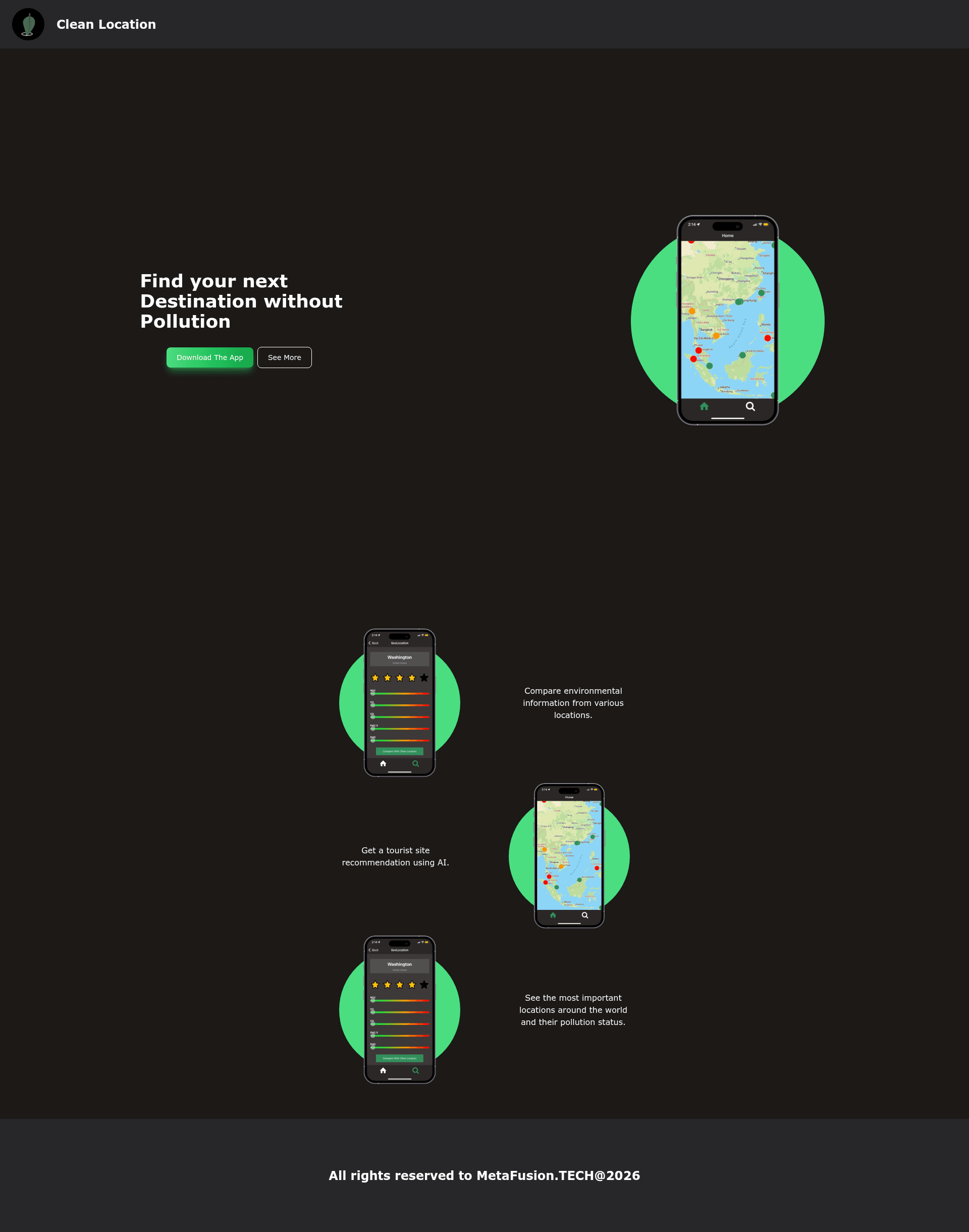
Clean Location Landing
Gatsby landing page for Clean Location, built with Tailwind CSS and PostCSS during the WeCanCode Hackathon.
About this template
Clean Location Landing is a Gatsby-powered landing page template built with Tailwind CSS and PostCSS, created by a team during the WeCanCode Hackathon to promote the Clean Location project.
What is Clean Location Landing?
Clean Location Landing is a static landing page built on the Gatsby minimal starter, which provides a single-page site rendered as static HTML. It uses Tailwind CSS for styling and PostCSS for CSS processing, as listed in the project metadata. The page's core function is to promote the Clean Location initiative by serving as a fast, deployable web presence. The repository includes the standard Gatsby folder structure, with the main page located at src/pages/index.js.
What makes Clean Location Landing stand out?
- Gatsby minimal starter — A stripped-down starting point that includes only the essential files needed to run a Gatsby site, making it easy to customize.
- Tailwind CSS — Utility-first styling is already configured, allowing rapid design changes with predefined classes.
- PostCSS — The project uses PostCSS for processing styles, enabling modern CSS features and tooling.
- One-click Gatsby Cloud deploy — The README includes a Deploy to Gatsby Cloud button, letting you publish the site without configuring a hosting environment.
- Hackathon origin — Built collaboratively in the WeCanCode Hackathon, giving it a real-world purpose as a project promotional page.
Who is Clean Location Landing for?
- Hackathon participants — Teams that need a quick, attractive landing page to showcase their project during or after a competition.
- Gatsby beginners — Developers who want a lightweight starting point with Tailwind already installed to learn Gatsby by editing a single page.
- Project promoters — Organizations or individuals launching a new initiative like Clean Location who want a minimal website to direct traffic to their cause.
What can you do with Clean Location Landing?
- Showcase a project — Replace the default content on
src/pages/index.jswith details about Clean Location, including mission and call-to-action. - Deploy instantly — Use the Gatsby Cloud deploy button to get a live URL in one click.
- Rapid prototyping — Use the Tailwind CSS setup to iterate on page design without writing custom CSS files.
- Educational starter — Follow the Gatsby quick start steps to learn how to run a Gatsby site locally with
npm run develop.
How does Clean Location Landing work?
To start, create a Gatsby site with npm init gatsby, then navigate to the directory and run npm run develop. The development server runs at http://localhost:8000, and editing src/pages/index.js updates the page in real-time. For deployment, use the provided Deploy to Gatsby Cloud button for a one-click publish.