Template details
CMS.js
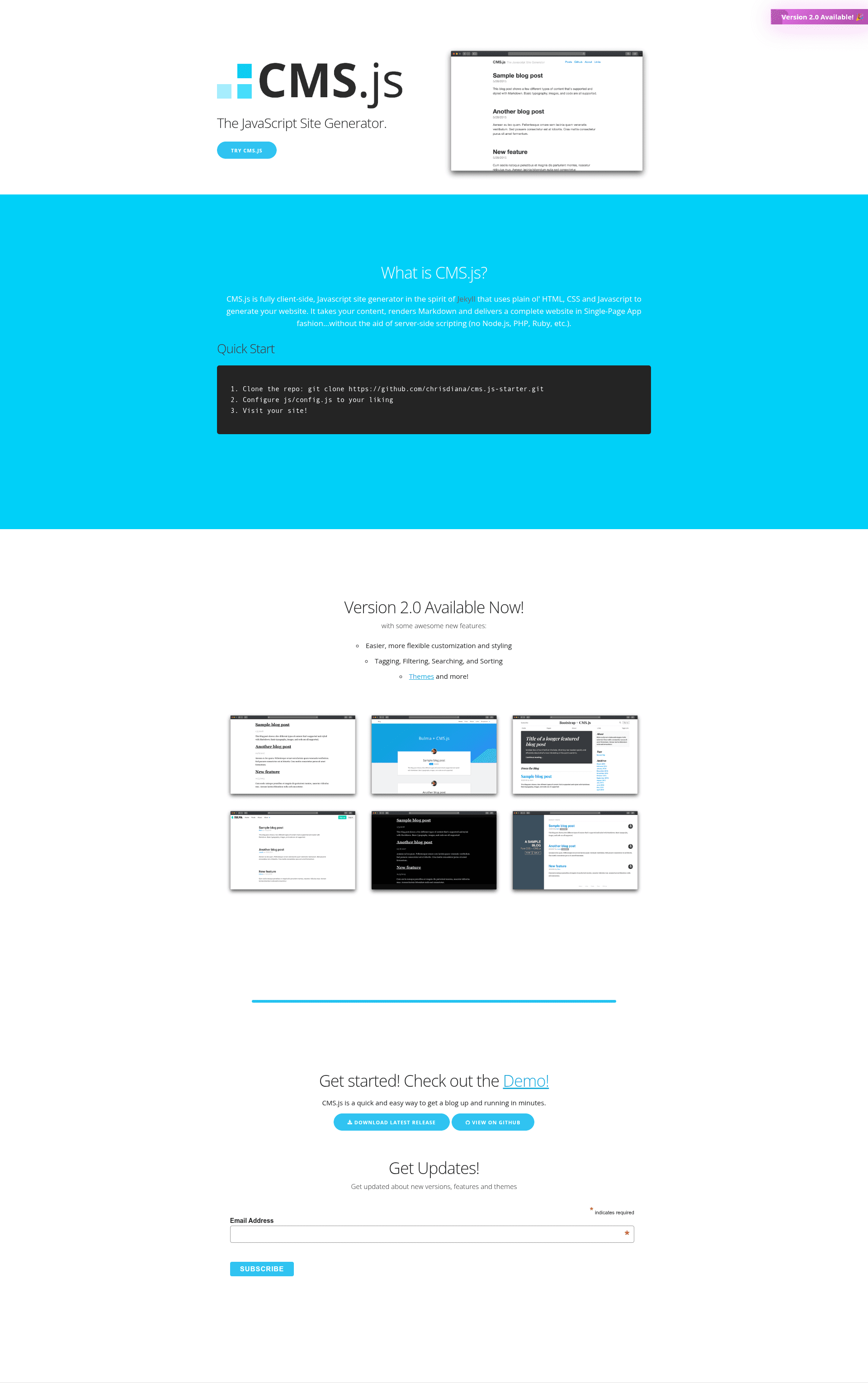
CMS.js is a client-side JavaScript Markdown site generator that builds a complete website in single-page app fashion without server-side scripting.
About this template
CMS.js is a client-side JavaScript Markdown site generator that builds a complete website in single-page app fashion entirely in the browser — no Node.js, PHP, or Ruby required.
What is CMS.js?
CMS.js is an open-source, client-side JavaScript site generator that takes Markdown and HTML content and renders a complete website in single-page app fashion. It runs on plain HTML, CSS, and JavaScript, with no server-side processing required, and can be hosted on GitHub Pages or any static server with directory indexing enabled. The project is maintained by GitHub user chrisdiana and is available under the MIT license; version 2.0 advertises zero dependencies and a 10kb minified footprint.
Key Features
- Zero dependencies — Version 2 has no external libraries; everything runs in the browser with plain JavaScript.
- Abstract types — Define custom content types beyond posts and pages, allowing flexible content structures.
- Custom Templates — Override or create your own templates to control rendering.
- Search, Filtering, Tagging and Sorting — Built-in client-side search and filtering over your content.
- Github & Server Mode — Work with GitHub via the GitHub API or self-host with directory indexing; covers both hosted and self-hosted workflows.
- Extendable Markdown Renderer and Plugins — Extend the Markdown rendering pipeline with your own plugins.
- Super small footprint — 10kb minified, fast to load on any connection.
- Easy migration from Jekyll — Copy your posts and pages directly from a Jekyll project into the CMS.js folders.
Who should use CMS.js?
- Markdown-first bloggers who want a lightweight, client-side alternative to Jekyll with the same authoring workflow.
- Static site hosts who prefer GitHub Pages and want to avoid a build step or server-side dependencies.
- Developers building custom template-driven sites who need to extend the Markdown renderer or create abstract content types.
- Teams migrating from Jekyll who can reuse their existing Markdown content with minimal changes.
What can you do with CMS.js?
- Publish a blog from Markdown files — Write posts in Markdown, commit them to a GitHub repo, and CMS.js generates a searchable, taggable SPA on GitHub Pages.
- Build a portfolio or small business site — Use custom templates and content types to structure projects, testimonials, or products.
- Self-host a lightweight site — Use Server mode on a host with directory indexing; no server-side code or database needed.
- Prototype a content-driven prototype — Quickly spin up a static site from a CDN script and local files without installing anything.
How does CMS.js work?
- Github Mode — CMS.js uses the GitHub API to fetch the content of your repository and renders it as a website. Configure your GitHub settings in js/config.js, then push a branch named gh-pages.
- Server Mode — CMS.js sends AJAX requests to your configured folders, uses the server's directory indexing to discover Markdown or HTML files, and renders them in the browser.
- Quick start — Clone the starter repo, edit js/config.js, and either host via GitHub Pages or run in Server mode. You can also load the library directly from the CDN at unpkg.com/@chrisdiana/cmsjs.
Alternatives
- Jekyll — A server-side static site generator (written in Ruby) that requires a build step; CMS.js processes everything in the browser instead.
Pros and cons
- Pros: No server-side build; works on GitHub Pages; tiny 10kb payload; zero dependencies.
- Cons: No pagination yet; template caching, loader, and CLI utilities are listed as "coming soon."
FAQ
Is CMS.js free and open-source?
Yes, CMS.js is released under the MIT license, so it is free to use, modify, and distribute. You can find the source on GitHub.
Does CMS.js require Node.js or a backend?
No. CMS.js runs entirely in the client browser using plain JavaScript. It fetches content via the GitHub API (Github mode) or through server directory indexing (Server mode) — no server-side scripting is used.
How do I migrate from Jekyll?
Copy every post from your Jekyll project's _post folder into your designated CMS.js posts folder, and copy all Markdown pages from the root into your pages folder. Then re-apply your theme or templates as needed.
What content formats does CMS.js support?
CMS.js renders Markdown (.md) and HTML files. You can organize them into custom folders and use abstract types to create structured content like team members, roadmaps, or reviews.
Are there any missing features?
The project's "Coming soon" list includes pagination, template caching, a loader, and CLI utilities. As of the current version, these are not yet implemented, so very large blogs may need to wait for pagination.