Template details
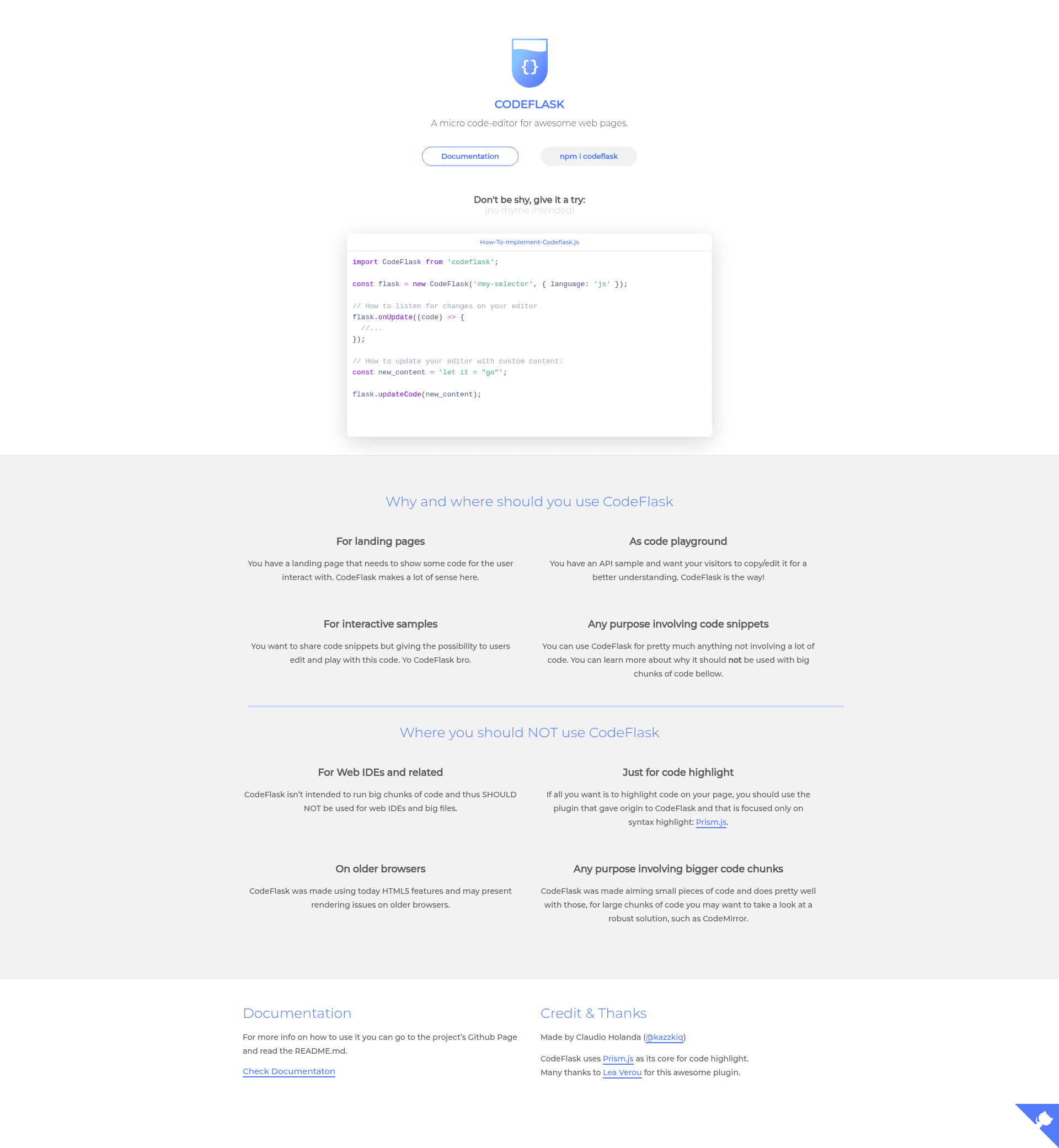
CodeFlask
A micro code-editor for awesome web pages.
About this template
CodeFlask is an open-source JavaScript library that converts any DOM element or CSS selector into a micro, syntax-highlighted code editor for web pages, using Prism.js for tokenization.
What is CodeFlask?
CodeFlask is a lightweight browser-based code editor library. It takes a CSS selector or a DOM element as its first argument and an options object with a language (such as 'js', 'css', or 'html') as its second, and renders an editable, syntax-highlighted text area in place of the target element. The library is maintained by kazzkiq on GitHub and distributed through npm and the unpkg CDN. It exposes methods to read, update, and subscribe to code changes, making it a self-contained editing widget rather than a full IDE.
Key Features
- Prism-based highlighting — Syntax highlighting is powered by Prism.js; by default CodeFlask includes Markup (HTML/XML), CSS, C-like, and JavaScript definitions, and you can add more with the
addLanguage()method, as shown in the docs with Ruby. - Instant setup — Create an editor with one line:
new CodeFlask('#my-selector', { language: 'js' }), or pass a DOM element directly; the library works without any build step. - Programmatic API —
getCode()returns the current source,updateCode(code)sets new source and triggersonUpdate(), andonUpdate(callback)fires the callback on every change. - Line numbers — Enable the
lineNumbers: trueoption to show a gutter with line numbers next to the code. - Right-to-left support — The
rtl: trueoption renders the editor for right-to-left writing systems. - Read-only mode — Setting
readonly: truemakes the editor display code without allowing edits, useful for static presentation. - Custom themes — The default CodeNoon theme can be disabled with
defaultTheme: false, letting you style the editor with your own CSS. - Shadow DOM support — For web-component developers, pass a
styleParentoption so the editor inherits and applies styles inside a shadow root.
Who is it for?
- Front-end web developers building documentation sites who need editable code samples without pulling in a full IDE.
- Blog and tutorial authors who want readers to modify example code directly on the page.
- Component and design-system maintainers who need a minimal editor for code previews in style guides.
- Web app creators who require a small code input for custom snippets, scripts, or configuration inside a larger interface.
What can you do with CodeFlask?
- Documentation sites: Embed runnable, editable examples for JavaScript, CSS, and HTML with syntax highlighting, letting visitors experiment before copying.
- Online playgrounds: Combine multiple CodeFlask editors to build a lightweight sandbox; the
updateCode()andgetCode()methods make it easy to save and restore snippets. - Learning tools: Set
readonly: trueto present code samples that emphasize syntax without accidental modification, or enable line numbers to reference specific lines in tutorials. - Internationalized editing: Use the
rtl: trueoption to build code editors for right-to-left languages, which is uncommon in small editor libraries.
How does CodeFlask work?
After installing via npm or loading the unpkg bundle, you create an instance with a selector or DOM element and a language option. The library renders a plain textarea for editing plus a highlighted overlay generated by Prism.js, and synchronizes the two. You then interact with the editor through the getCode(), updateCode(), and onUpdate() methods; adding languages involves calling flask.addLanguage(name, prismDefinition) where the definition follows Prism's language-specification format.
Alternatives
CodeMirror, which offers a large ecosystem of modes and addons; Monaco Editor, the editor that powers VS Code and includes many built-in language features; and Ace, a standalone embeddable editor with a broad feature set. CodeFlask is positioned as a micro alternative, focusing on core editing and relying on Prism.js for highlighting.
FAQ
How do I install CodeFlask?
Install with npm using npm install codeflask, or load the minified build directly from unpkg at https://unpkg.com/codeflask/build/codeflask.min.js in a script tag. No build step is required for CDN usage.
Which languages are supported by default?
CodeFlask ships with Prism's definitions for Markup (HTML/XML), CSS, C-like, and JavaScript. To use another language, call flask.addLanguage('ruby', Prism.languages['ruby']) after importing Prism.
Can I enable line numbers?
Yes, pass lineNumbers: true in the options object when creating the instance. This adds a gutter with line numbers to the left of the editor.
Does CodeFlask work with Shadow DOM?
Yes. When mounting inside a shadow root, pass the editor element from this.shadowRoot.querySelector(...) and set styleParent: this.shadowRoot so the editor's styles apply correctly.
Is CodeFlask free?
CodeFlask is an open-source project distributed on npm and via CDN; the repository is publicly available on GitHub. No pricing or paid tiers are mentioned in its documentation.