Template details
Rocket
The modern web setup for static sites with a sprinkle of JavaScript
About this template
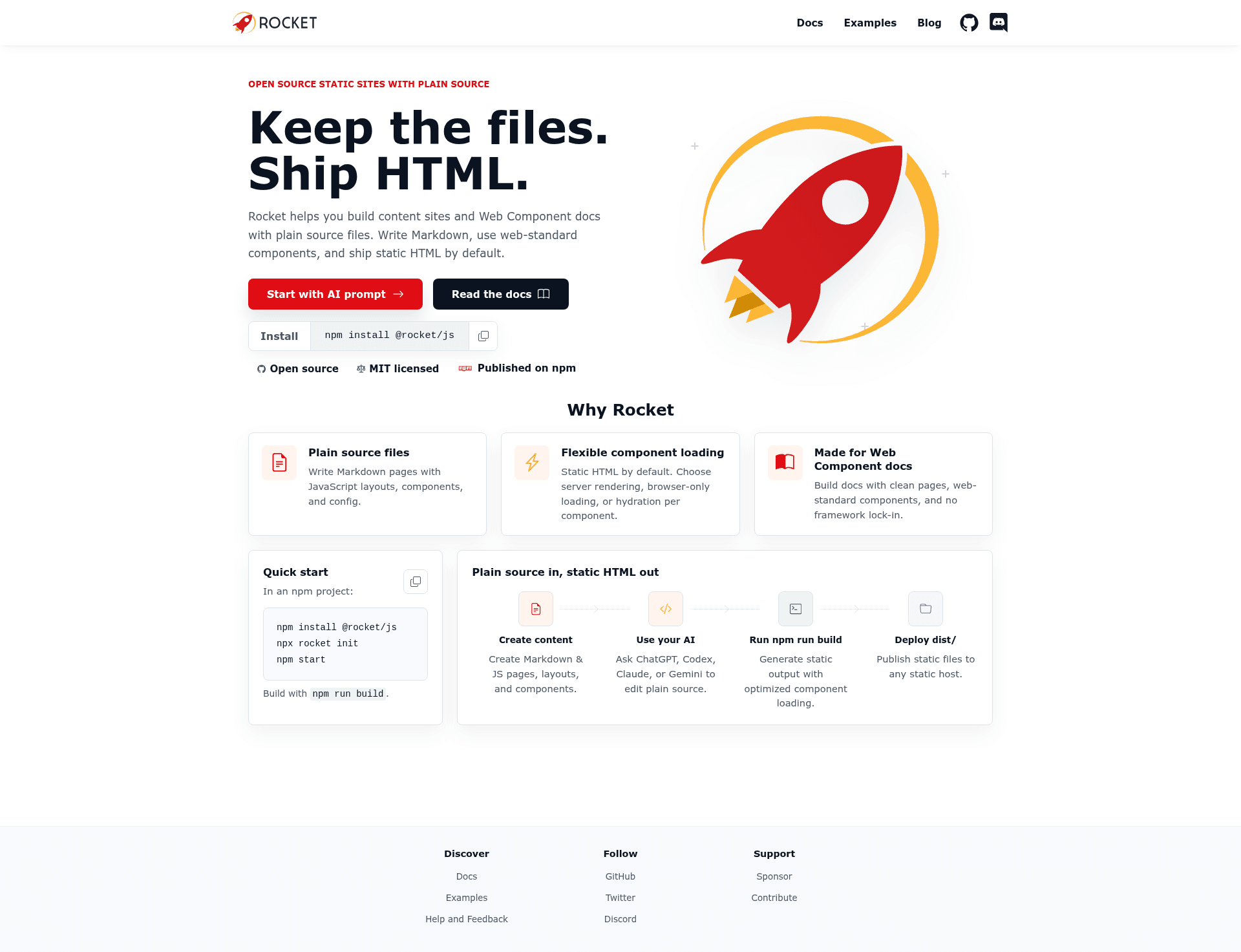
Rocket is a static-site metaframework for content sites and Web Component docs that is HTML-first, ships zero JavaScript by default, and is built on the Modern Web stack of Lit, Vite, and Modern Web tooling. It takes Markdown and JavaScript files as input and produces a fully static site in a dist/ folder that can be deployed anywhere.
What is Rocket?
Rocket is a static-site metaframework from the Modern Web family that converts Markdown-based content into static HTML. It accepts plain Markdown pages, JavaScript config, and colocated component files, and outputs a static site in a dist/ directory. Rocket requires Node.js 22 or newer and is distributed as the npm package @rocket/js. It is currently in public alpha at version 0.1.x, so APIs and documentation may change before 1.0.
Key Features
- AI-friendly setup — Copy the provided starter prompt into Claude, Cursor, Codex, or another coding agent, and the agent generates a deployable Rocket site made of plain files.
- Content-first pages — Write durable pages in Markdown, and opt into JavaScript only when needed; pages ship as HTML before JavaScript by default.
- Explicit routing — Each page owns its public URL via config.path, independent of its file location on disk.
- Component loading strategies — Choose server, client, or hydrate modes per registered component with a simple configuration.
- Modern Web stack — Built on Lit, Vite, and Modern Web tooling, with the underlying configuration exposed rather than hidden.
- Minimal output — The build writes static HTML and assets to dist/, with browser JavaScript emitted only for loading strategies you select.
- Starter scaffolding — npx rocket init creates a compact Atlas docs starter including rocket-config.js, shared data, a theme stylesheet, starter Markdown pages, and a static JSON page.
Who is it for?
- Documentation teams — Create documentation sites for APIs, design systems, or components with Markdown content and component reference pages.
- Web Component maintainers — Build docs that colocate component reference pages under src/ and render them with Lit server-side rendering.
- Content site owners — Publish content-first static sites that stay HTML-first and load fast without a JavaScript framework.
- Developers using AI coding agents — Use the Start with AI flow to generate a site with Claude, Cursor, or Codex, then keep the plain files as the source of truth.
What can you do with Rocket?
- Build a documentation site — Run npx rocket init to scaffold a docs starter, then edit Markdown pages and shared data to publish a docs site.
- Generate a site with an AI agent — Paste the Rocket prompt plus a short site brief into a coding agent to get files, then run npm run build to verify output.
- Deploy static output — Run rocket build to produce a dist/ folder with index.html and assets that can be hosted on any static host, including Netlify with the generated config.
- Create component docs — Use colocated .rocket.md or .rocket.js files under src/ to document web components alongside their source.
How does Rocket work?
Rocket runs on Node.js 22+ and processes Markdown and JavaScript files matched by configurable globs. The quick start flow is: npm install @rocket/js, run npx rocket init, then npm start for development and npm run build to generate static output. In the default generated config, general docs pages are discovered under docs/pages and colocated component reference pages under src.
Pros and cons
- Pros: HTML-first output with zero JavaScript by default; AI-friendly for coding agents; explicit control over routes and component loading; single package @rocket/js includes build pipeline, Markdown processing, dev server, and Lit rendering.
- Cons: Public alpha status means APIs may change before 1.0; requires Node.js 22 or newer; not intended for SPA products with complex client-side routing or backend applications; no large plugin ecosystem yet.
Alternatives
- Astro — a content-focused static site builder that supports islands architecture.
- Eleventy — a minimal static site generator that emphasizes low JavaScript.
- VitePress — a Vue-powered documentation site generator.
FAQ
Is Rocket free?
Yes, Rocket is open source and released under the MIT License, so it is free to use and modify.
What does Rocket do?
Rocket is a static-site metaframework that converts Markdown and JavaScript files into static HTML sites. It is designed for content-first sites and Web Component documentation, with optional JavaScript loading strategies.
What are Rocket's system requirements?
Rocket requires Node.js version 22 or newer. It is installed via npm as @rocket/js.
Can I use Rocket for a single-page application?
Rocket is not a SPA framework. It is intended for sites that should mostly be static HTML. For complex client-side routing or backend application needs, other frameworks are recommended.