Template details
Composable UI
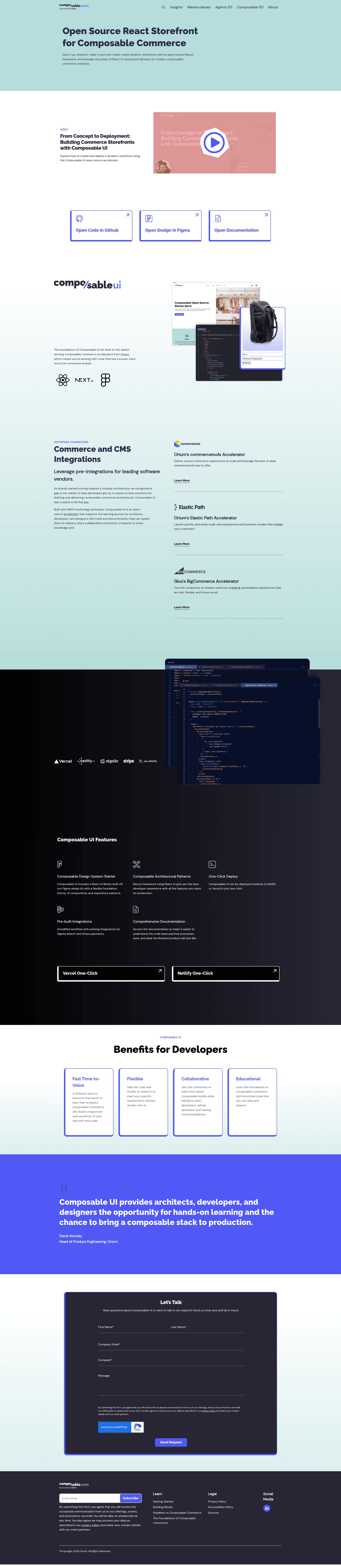
Open source React and Next.js accelerator for building composable commerce storefronts with Algolia and Stripe pre-integrated.
About this template
Composable UI is an open source React and Next.js accelerator that provides a UI component library and starter application for building composable commerce storefronts.
What is Composable UI?
Composable UI is a monorepo starter kit for headless commerce sites, built with React, Next.js, TypeScript, Chakra UI, React Query, and tRPC. It takes configuration for headless commerce and CMS services as input and produces a deployable storefront application with product listing, checkout, and UI components. The project is maintained by Composable and distributed under the MIT license.
Key Features
- Tech stack — Next.js app with TypeScript, Chakra UI, React Query, and tRPC, managed as a pnpm monorepo with shared packages for UI, types, and ESLint config.
- Pre-integrated services — Algolia for product filtering and Stripe for payments, plus mocked commerce and CMS engines to run without external credentials.
- Figma Design Kit — A ready-to-use components library and design kit available at figma.composable.com.
- Documentation — Full docs powered by Docusaurus, deployable alongside the app and viewable at docs.composable.com.
- Deployment options — Run locally with Node.js 18.14+ and pnpm 8+, via Docker Compose, or with one-click deploys to frontend cloud providers.
- Extensible architecture — Generic CMS and commerce packages allow integration with any MACH-aligned headless service.
Who is it for?
- Ecommerce developers who need a production-ready starting point for a Next.js storefront with prebuilt UI components.
- Agencies building composable commerce sites for clients that want MACH architecture and quick integration of Algolia, Stripe, or other services.
- Teams evaluating headless commerce who want to see a working reference implementation with mocked backend services.
What can you do with Composable UI?
- Build a custom storefront: use the included components and pages to assemble a storefront and wire it to your own commerce and CMS backends.
- Add search and filtering: configure Algolia using its free tier to power the product listing page and faceted search.
- Accept payments: connect a Stripe account to enable checkout transactions on the prebuilt checkout pages.
- Deploy anywhere Next.js runs: host the app on Vercel, Netlify, or any provider supporting Next.js by setting environment variables such as NEXTAUTH_SECRET.
How does Composable UI work?
After cloning the repository, install dependencies with pnpm and start the dev server, or run docker-compose up --build to launch the app in a container. To use the base features, you must configure Algolia and Stripe; otherwise the product listing and checkout pages won't function correctly.
Pricing
Composable UI is free and open source under the MIT license.
FAQ
Is Composable UI free?
Yes, Composable UI is open source and freely available under the MIT license, and the project states it will always remain so.
What are the system requirements to run it locally?
You need Node.js v18.14.0 or higher and pnpm v8.0 or higher. The repository is cloned via git, and pnpm install pulls all workspace dependencies.
Do I need to configure Algolia and Stripe?
For the full experience, yes. The product listing page (PLP) and checkout pages require working Algolia and Stripe integrations; Composable provides setup instructions in its documentation.
Can I deploy Composable UI to Vercel?
Composable UI can be hosted on any service that supports Next.js, including Vercel and Netlify. When deploying, you must set the NEXTAUTH_SECRET environment variable.