Template details
Full Width Pics
A free Bootstrap HTML starter template with full-width background image sections, from Start Bootstrap.
About this template
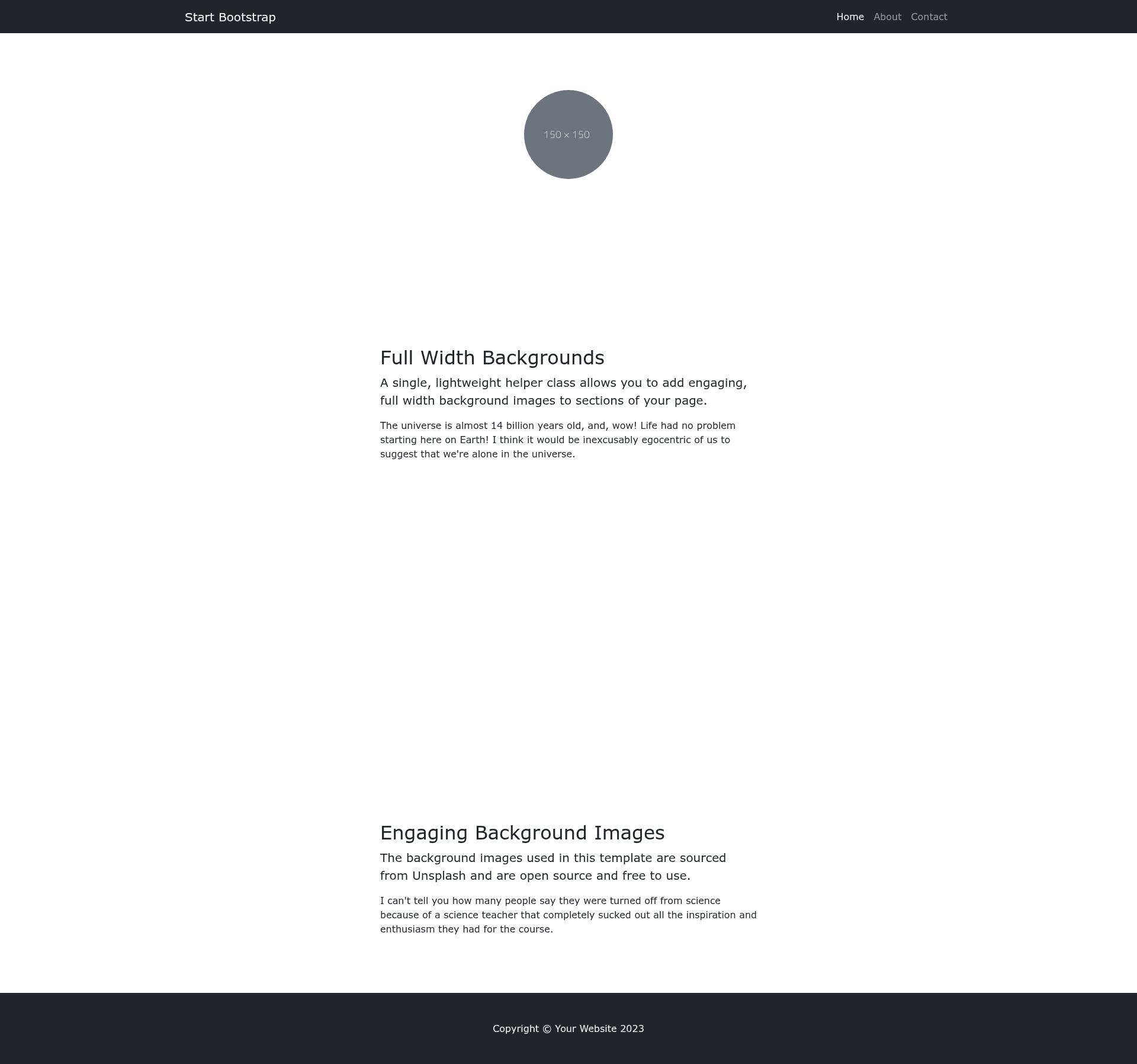
Full Width Pics is a free, open-source Bootstrap HTML starter template from Start Bootstrap that builds pages around full-width background image content sections.
What is Full Width Pics?
Full Width Pics is an HTML starter template built on the Bootstrap framework. It takes editable source files written in HTML, CSS, SCSS, and Pug and produces a compiled static site in a dist directory, with a single page composed of multiple full-width background image sections. Start Bootstrap, an open-source library of free Bootstrap themes created and maintained by David Miller, distributes this template under the MIT license.
Key Features
- Full-width background sections — The template structures page content as full-width sections with background images, with text and call-to-action buttons overlaid on each section.
- Bootstrap framework — Built on Bootstrap (getbootstrap.com), the responsive front-end component library originally created by Mark Otto and Jacob Thornton.
- Pug and SCSS sources — Advanced customization is done through Pug templates and SCSS stylesheets located in the
src/pugandsrc/scssdirectories, compiled into thedistfolder via npm scripts. - npm build environment — Includes eight npm scripts (
build,build:assets,build:pug,build:scripts,build:scss,clean,start:debug, andstart) to compile assets, HTML, JS, and CSS, and a live-reload preview withnpm start. - Basic dist usage — The pre-built
distdirectory contains editable HTML and CSS files that can be opened directly in a web browser without any build step or Node.js installation. - MIT license — Free for any purpose, including commercial projects, with no attribution required.
- Version compatibility — The repository metadata lists topics for both Bootstrap 4 and Bootstrap 5, indicating the template supports both major versions.
Who is it for?
- Web developers who need a minimal, image-heavy Bootstrap starting point for a landing page or a simple site.
- Designers who want to prototype a visually striking page quickly without writing CSS from scratch.
- Photographers and creatives who want to showcase their work in a full-width, immersive layout that keeps the focus on imagery.
What can you do with Full Width Pics?
- Landing pages: Build a promotional page by alternating full-width background image sections with text blocks and call-to-action buttons.
- Photography portfolios: Present a series of full-bleed images with captions and navigation, using the template's section structure.
- Product showcases: Highlight individual product features with distinct full-width background images for each feature.
How does Full Width Pics work?
To begin, either download the latest release from Start Bootstrap, install via npm with npm i startbootstrap-full-width-pics, or clone the GitHub repository. For basic use, edit the HTML and CSS files in the dist directory and preview index.html in a browser. For advanced development, run npm install, then npm start to launch a live preview in your default browser that watches source files and reloads on changes; npm run build compiles everything into dist.
Pricing
Full Width Pics is free to download and use. The template is released under the MIT license, with no fees, no watermarks, and no attribution requirements.
FAQ
Is Full Width Pics free?
Yes, Full Width Pics is completely free. It is released under the MIT license, which allows you to use, modify, and distribute it for both personal and commercial projects without payment or credit.
What do I need to run this template?
For the basic dist version, you only need a web browser to open index.html. For the advanced build workflow, you need Node.js and npm installed, plus the project files cloned or downloaded.
Does it work with Bootstrap 4 or 5?
The repository metadata lists both bootstrap-4 and bootstrap-5 topics, meaning the template is compatible with both major versions. The latest release is built with Bootstrap 5, but older releases target Bootstrap 4.
Can I use this template commercially?
Yes. The MIT license grants you the freedom to use Full Width Pics in commercial projects, including selling the resulting website or incorporating it into a paid product, with no obligations beyond including the original license text.
What pages or sections are included?
The template ships with a single-page layout designed around multiple full-width background image content sections. The preview shows a header, several full-width image sections with text and buttons, and a footer. You can add or duplicate sections in the src/pug/index.pug file when using the advanced workflow.