Template details
Cubedeck
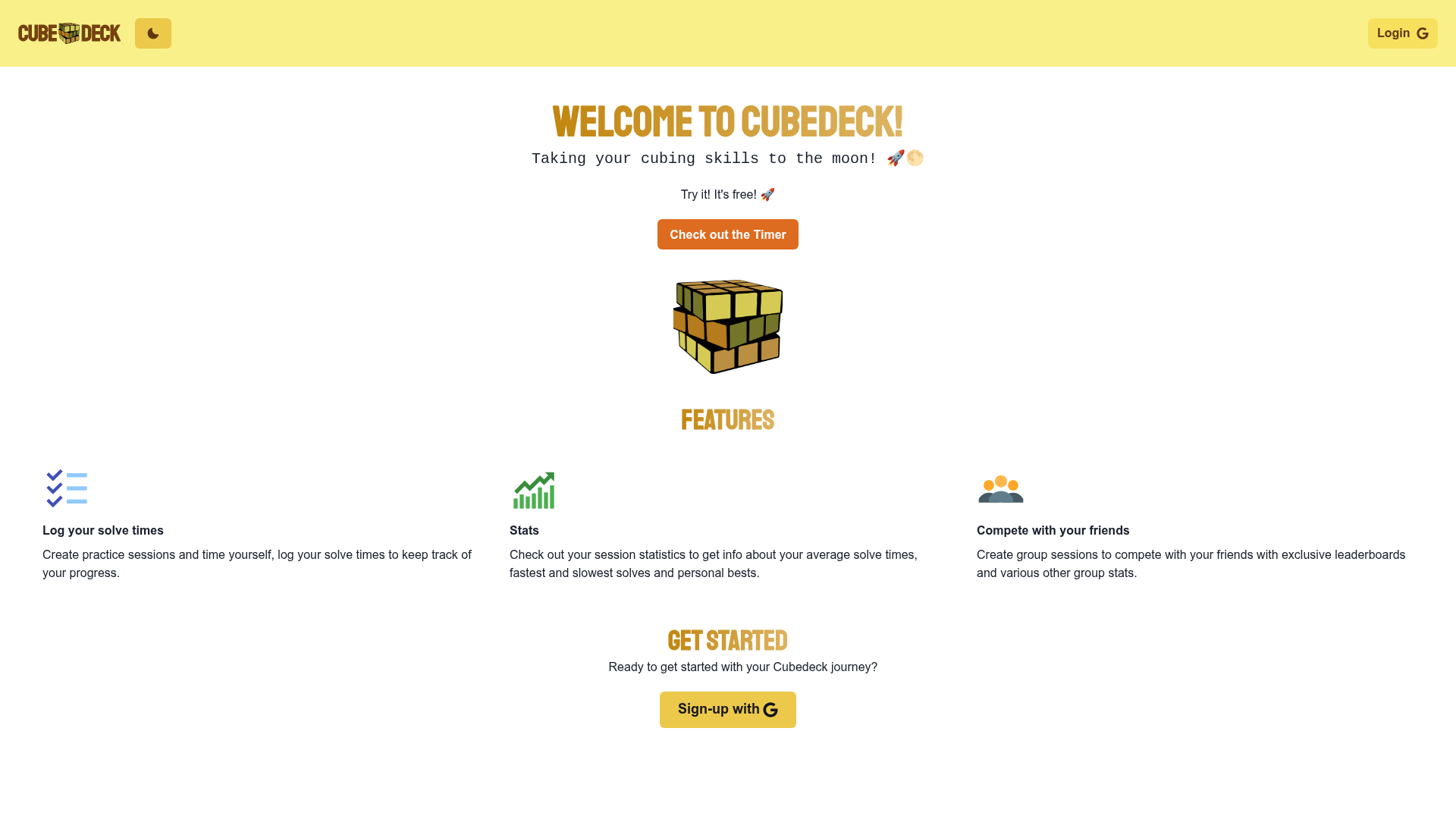
Open-source Next.js app for speedcubers to log solve times, organize practice sessions, and compete in friend groups.
About this template
Cubedeck is an open-source Next.js web app that helps speedcubers log solve times, track session statistics, and compete in friend groups — deployed live at cubedeck.netlify.app.
What is Cubedeck?
Cubedeck is a web application built with React, Next.js, TypeScript, and ChakraUI that lets Rubik's cube enthusiasts record their solve times and analyze their performance. The app takes user-submitted solve times as input and produces statistics, session breakdowns, and group leaderboards as output. Authentication is handled by Firebase Auth, data is stored in Firestore, and the app runs on Netlify with Netlify Functions for serverless logic. The project is maintained by carrotfarmer and originated as a hackathon entry, with source code available on GitHub.
Key Features
- Solve logging and stats — Users can log each solve time and the app aggregates the entries into statistics that summarize performance.
- Practice sessions — Create separate sessions to keep solves organized by event, drill, or goal.
- Friend groups — Create new groups or join existing ones to compare best solve times on a shared leaderboard.
- Firebase Auth — User accounts and login flows are managed with Firebase Authentication.
- Firestore storage — Sessions, solves, and group data are saved in Firestore, the NoSQL database from Firebase.
- Netlify deployment — The repo is configured for Netlify hosting and Netlify Functions, and the README includes a deploy status badge for the live site.
Who is it for?
- Speedcubers who want a dedicated tool to log their solve times and look at their results over time.
- Cubing communities — Friends or clubs can create groups and run competitions around fastest solves.
- Developers — The project is a practical example of a Next.js app with Firebase and ChakraUI that you can run locally or fork.
What can you do with Cubedeck?
- Log and analyze solves: Record times for each solve and see aggregated statistics for that session.
- Organize practice sessions: Keep different practice types separate so you can focus on specific skills or puzzles.
- Compete in groups: Create or join a friend group, then view the leaderboard to see the best solves among members.
FAQ
Is Cubedeck free?
The live app is publicly accessible at cubedeck.netlify.app, and the source code is open source under the license shown in the GitHub repo. No pricing information is listed, so it appears to be a free tool.
Do I need a Firebase project to run Cubedeck?
Yes. To run it locally you need to set up a Firebase project and add the API keys to a .env file. The repository includes an .env.example file that lists the required keys, including the API key, auth domain, project ID, and app ID.
Can I deploy Cubedeck to Netlify?
Yes. The project uses Netlify Functions for serverless logic, and the README has a Netlify deploy status badge. You can fork the repository, connect it to Netlify, add the environment variables, and deploy.
What technologies does Cubedeck use?
Cubedeck uses React and Next.js for the front end, ChakraUI for the component library, TypeScript for static typing, Firebase for authentication and Firestore for data, and Netlify Functions for backend logic.