Template details
Lotrek UI
A free, open-source collection of ready-to-use UI components and micro layouts written in HTML & CSS.
About this template
Lotrek UI is a free, open-source collection of ready-to-use UI components and micro layouts built with plain HTML and CSS, designed to speed up interface assembly without forcing a specific JavaScript framework.
What is Lotrek UI?
Lotrek UI is a UI kit created by the Lotrek agency and published on GitHub under the MIT License. It consists of a set of Vue single-file components that contain HTML templates and, when needed, starter CSS and JavaScript. The core output is a collection of copy-paste-ready HTML blocks plus a single stylesheet (lotrek-ui.css) that makes them render correctly. The project is developed on a NuxtJS demo site that also serves as documentation.
Key Features
- Tiny stylesheet — the compressed lotrek-ui.css is less than 3 KB with GZIP, adding almost no overhead to a website.
- Plain HTML/CSS components — each block is written as a Vue component with a template tag, but the HTML inside is framework-agnostic and can be copied into any project.
- SCSS with BEM and mobile-first — styles are authored in SCSS following BEM naming and a mobile-first approach, making the codebase modular and predictable to extend.
- Normalize.css reset — a slightly modified version of Normalize.css is included to level out cross-browser rendering differences.
- NuxtJS demo environment — the documentation site runs on NuxtJS and Vue, with PrismJS providing code syntax highlighting for every snippet.
- Rollup.js build — the CSS dist file is bundled with rollup.js, which keeps the output small and enables easy publishing.
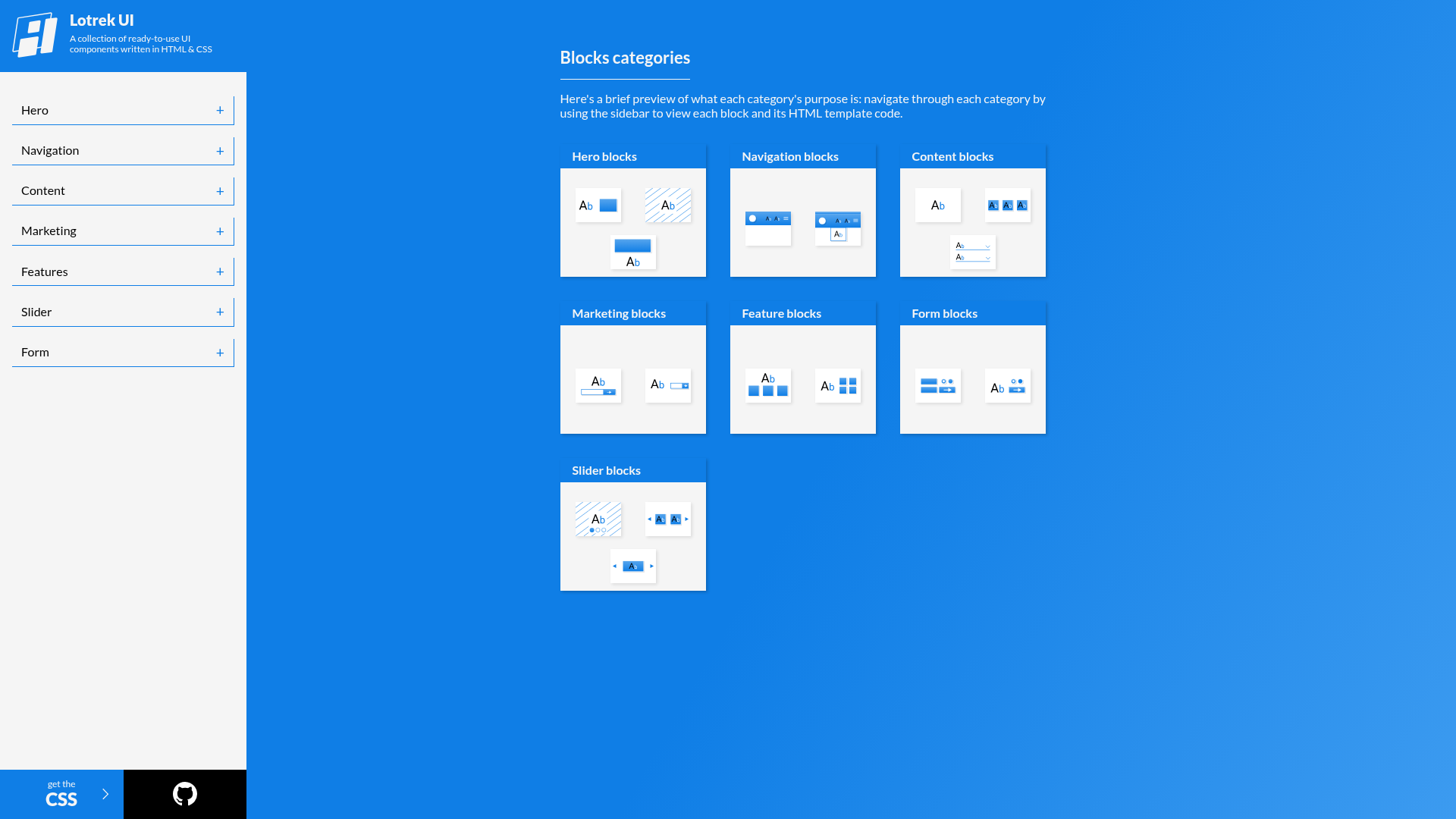
- Component categories — blocks are organized by category in the /components directory, so you can find the micro-layout you need without digging.
- MIT licensed — the entire collection is free to use, modify, and include in commercial projects.
Who is it for?
- Front-end developers who want a lightweight, dependency-free way to add common UI patterns to existing sites without pulling in a large UI framework.
- Rapid prototypers who need to mock up a page with real, responsive HTML/CSS blocks and can copy the markup directly from the demo.
- Designers comfortable with code who want to customize a clean, BEM-structured SCSS base rather than writing styles from scratch.
What can you do with Lotrek UI?
- Assemble page sections quickly — copy the HTML template from any component and drop it into your own markup with the Lotrek UI stylesheet linked.
- Keep your bundle light — replace a heavy CSS framework with the under-3-KB lotrek-ui.css for static layouts and simple interactions.
- Learn component architecture — study how the blocks are structured in Vue single-file components and how styles are organized by category.
How does Lotrek UI work?
To use a block, find a component file under /components/category/name-of-block.vue, copy the HTML inside its template tag, and add the lotrek-ui.css stylesheet to your project. You can install the stylesheet via yarn add lotrek-ui-css and import it in your JavaScript. To run the demo locally, run yarn install and yarn dev, then open http://localhost:3000/.
Pricing
Lotrek UI is free and open source. The MIT License allows unlimited use, modification, and distribution, including inside commercial products, with no attribution or license fee required.
FAQ
Is Lotrek UI free?
Yes. The repository is licensed under the MIT License, so you can freely use, copy, modify, and redistribute it, even in commercial applications.
Do I need to use Vue or Nuxt to use Lotrek UI?
No. While the demo and component files use Vue single-file components, the actual HTML blocks are plain HTML and CSS. You only need to copy the markup and link the CSS file.
How do I install the CSS?
You can install the npm package lotrek-ui-css with yarn add lotrek-ui-css, then import it in your JavaScript with import 'lotrek-ui-css/build/lotrek-ui.css'. Or you can use the built file from the /styles/build directory.
How small is the CSS file?
The lotrek-ui.css file is less than 3 KB when compressed with GZIP, which makes it one of the smallest CSS-only UI kits available.
How can I contribute to Lotrek UI?
The project welcomes pull requests. Create a branch like feature/myblock from master, add a Vue component file to the /components/category folder, write the SCSS in /styles/blocks/category, import it in main.scss, and submit a pull request.