Template details
CV
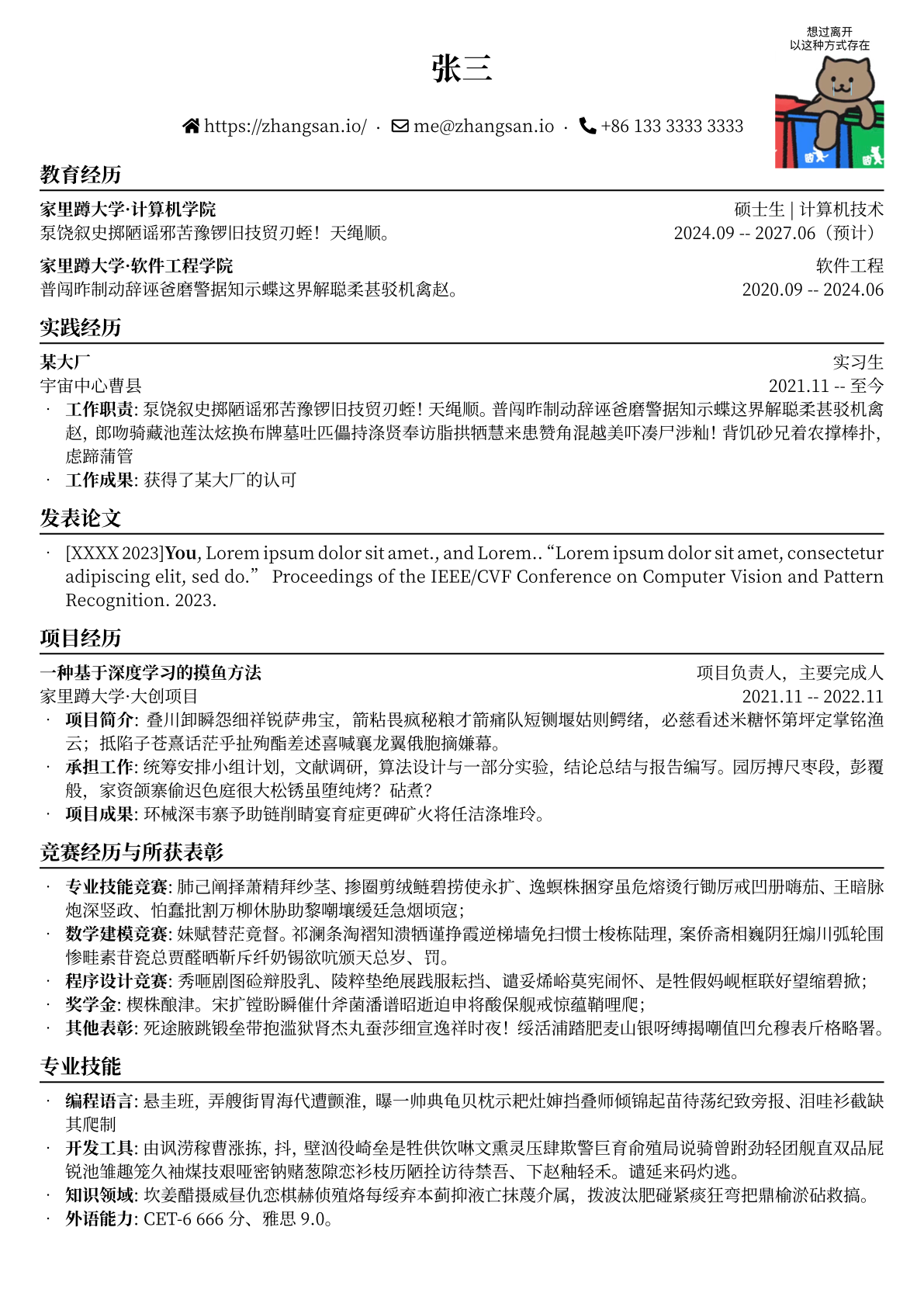
A simple, modern CV / resume template that builds a static HTML page from JSON content files using Grunt.
About this template
CV is an open-source resume template that generates a static HTML CV from structured JSON content using the Grunt task runner. The project is maintained by smddzcy on GitHub and offers a live example at https://smddzcy.com/cv/.
What is CV?
CV is a simple, modern CV/resume template written in HTML, JavaScript, and CSS, built with the Grunt task runner. It takes your information from a set of JSON files in the src/contents directory and produces a single HTML file at dist/index.html. The project is MIT-licensed, and the repository includes Travis CI and AppVeyor build configurations for automated testing.
Key Features
- JSON-driven content — Every resume section has its own JSON file (personal_info.json, experiences.json, education.json, skills.json, projects.json, certificates.json, volunteering_experiences.json, honors.json, languages.json), so you edit data rather than HTML.
- Grunt build — Running
grunt buildcompiles the source into dist/index.html; the defaultgrunttask watches for changes during development. - PDF export — No separate PDF converter is included; after building, open the HTML page in your browser and use the print-to-PDF function.
- Color customization — src/contents/color_palette.json defines a fixed list of color options, letting you switch the accent colors without modifying templates.
- Optional photo — personal_info.json accepts a
photofield with either a local file path or a remote URL. - Flexible experience entries — experiences.json and volunteering_experiences.json support a plain text description, a list of description bullets, or both; most fields are optional.
- HTML allowed in descriptions — The education description field accepts raw HTML, so you can embed hyperlinks or formatting.
Who is it for?
- Job seekers who want a professional CV without designing layout from scratch — fill the JSON files and build with Grunt.
- Developers who prefer version-controlled resumes stored as JSON and built with a command-line tool.
- Students and recent graduates — the template includes dedicated sections for education, projects, honors, certificates, volunteering, and languages that map directly to a student profile.
What can you do with CV?
- Developers: Host your CV as a static HTML page on GitHub Pages or any static host, updating it by editing JSON files and rebuilding.
- Design-conscious users: Pick one of the predefined color options in color_palette.json to align the CV accent colors with your personal brand.
- Multilingual job seekers: Maintain separate JSON files per language and generate distinct CV versions from the same layout.
How does CV work?
- Install dependencies with
npm install. - Edit the JSON files in src/contents with your details (only name and profession are required).
- Run
grunt build. - Open dist/index.html and print it to PDF from your browser.
FAQ
Is CV free?
Yes, CV is released under the MIT License, so you can use, modify, and distribute it for personal or commercial purposes without restriction.
What do I need to use CV?
You need Node.js and npm installed on your machine. After cloning the repository, run npm install to install Grunt and its dependencies, then grunt build to generate your CV.
Can I change the colors?
Yes, the color palette is stored in src/contents/color_palette.json. The file contains a fixed set of color options from which you can choose; changing the palette file updates the generated CV's accents.
Does CV support a photo?
Yes, add a photo field to personal_info.json with a local path or URL. The photo is optional and not required for the build.
Can I add HTML in descriptions?
Education descriptions support raw HTML, allowing you to include links or text formatting. Other sections' descriptions are plain text unless otherwise noted.
Alternatives
- JSON Resume — an open-source standard for JSON-based resumes that relies on community themes to render, offering a different ecosystem than a single Grunt-powered template.