Template details
Dark Particle
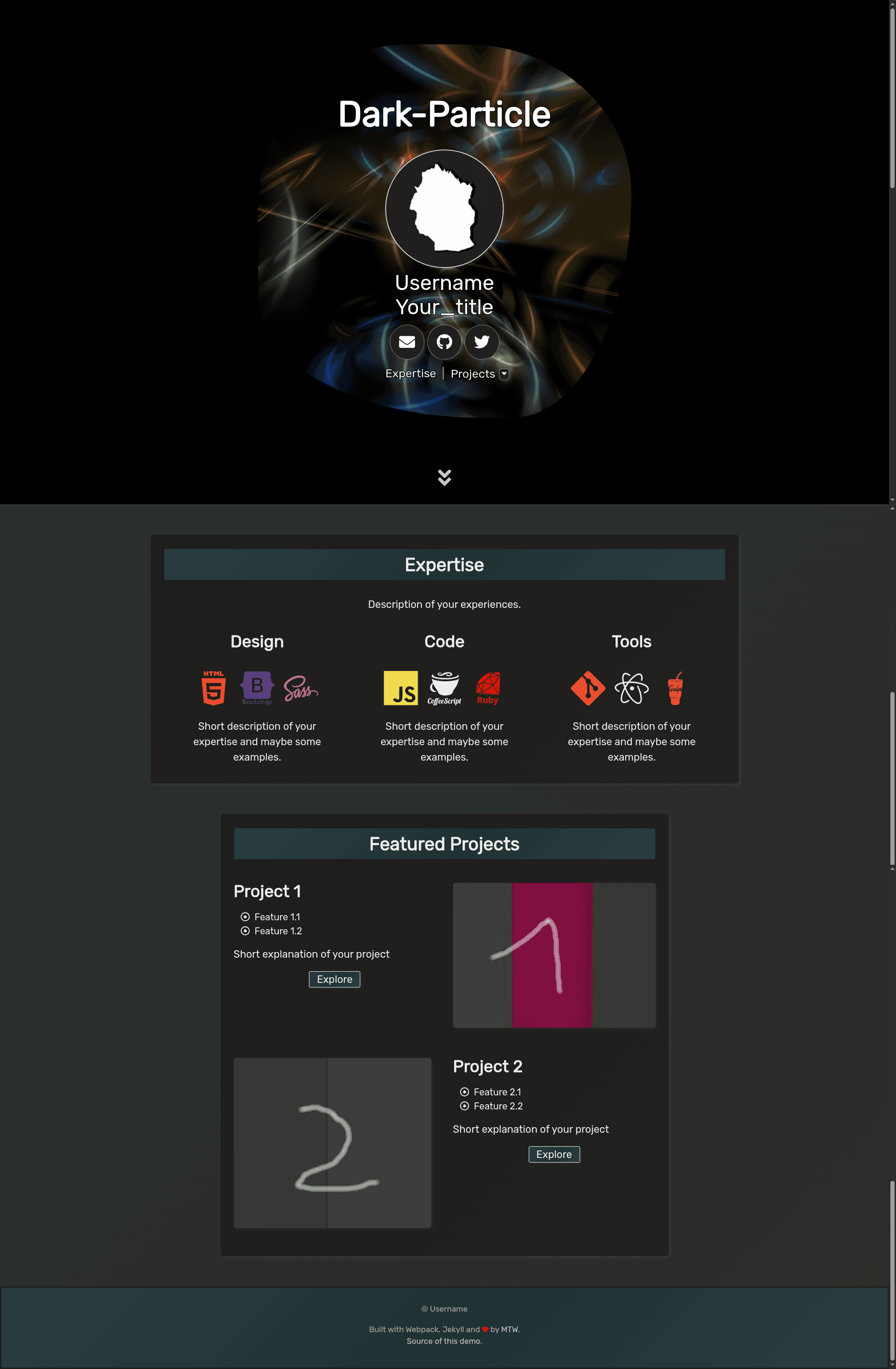
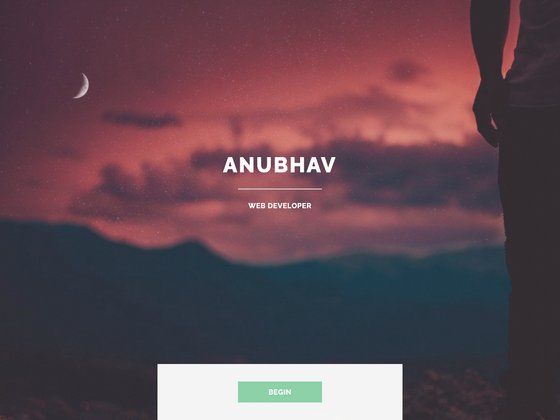
Dark-theme blog + portfolio website boilerplate combining Webpack, Jekyll, and Bootstrap with an exchangeable WebGL header.
About this template
Dark Particle is an open-source dark-theme website boilerplate that combines Webpack, Jekyll, and Bootstrap to develop and build a cross-browser, cross-device blog and portfolio website with an exchangeable WebGL canvas header.
What is Dark Particle?
Dark Particle (also known as Dark Particle Website Boilerplate) is a GitHub-hosted project by MyThemeWay (Sitdisch) that outputs a static blog-and-portfolio site ready to deploy on GitHub Pages. It takes a Jekyll content structure plus npm/RubyGems packages as input and produces a minified, optimized website bundle with a WebGL header. The boilerplate runs on Node.js (nvm-managed, versions 14 to 16 across releases) and uses Webpack (4.44 to 5.65), Bootstrap (4.6 to 5.1), and Dart Sass for styling.
Key Features
- Exchangeable WebGL header — three included canvas presets (Disks by default, Malachite, and Blacksea) plus optional Spiral; each is a GLSL shader you can swap or extend from Shadertoy or GLSL Sandbox.
- Live shader reload — GLSLX shader files are watched in development mode, so edits are recompiled and reloaded immediately without a manual rebuild.
- Screen size adaption — the layout and canvas header adjust across device widths, demonstrated in the README for header, About, and Projects sections.
- Image optimization pipeline — Webpack loaders route images through image-webpack-loader and image-minimizer-webpack-plugin, using Squoosh (mozjpeg/oxipng) and imagemin (svgo); imagemin-mozjpeg, -pngquant, and -gifsicle are disabled by default due to unresolved vulnerabilities.
- Build tooling — TerserWebpackPlugin for JS minification, mini-css-extract-plugin and css-minimizer-webpack-plugin for CSS extraction/minification, html-minifier-terser for HTML, and ShellJS scripts for local orchestration.
- Local development server — a watcher (chokidar-based) enables localhost development, and sweet-scroll provides smooth scrolling integration.
- Foundation libraries — jQuery, Babel, Font Awesome icons, Devicon, and RubyGems support are prewired, plus Google Search Console integration metadata.
- Dark theme by default — a two-column dark layout with navbar, scrollspy, follow buttons, project pages, and an About section; a bright counterpart, Light Particle, is available separately.
Who is it for?
- Front-end developers — who want a preconfigured Webpack+Jekyll pipeline and a starting point for custom GLSL shader headers.
- Portfolio owners — who need a dark-themed personal site with project pages and screen-size-responsive sections.
- Technical bloggers — who want a Jekyll-based blog with localhost editing, image optimization, and one-command builds for GitHub Pages.
What can you do with Dark Particle?
- Build a personal portfolio: clone the repo, replace the content in the About and Projects sections, and deploy to GitHub Pages as shown in the README's setup guide.
- Customize the WebGL header: edit the included GLSLX fragment/vertex shaders or drop in new ones inspired by Shadertoy and GLSL Sandbox.
- Optimize images automatically: let the Webpack pipeline compress JPG/PNG/SVG assets via Squoosh and imagemin during the build.
How does Dark Particle work?
Development runs through a local watcher: edit Jekyll content, Sass styles, or GLSLX shaders, and the boilerplate recompiles and reloads the browser automatically. For production, Webpack bundles, minifies, and optimizes the site into static files that can be hosted on GitHub Pages or any static host. If you only need the WebGL canvas component, the separate mtw-boilerplate-graphics project offers a minimal live editor.
Alternatives
- Light Particle — the bright-themed counterpart of the same boilerplate.
- Particle by Nathan Randecker — the original dark particle background project (MIT licensed) that inspired this boilerplate's name and concept.
- mtw-boilerplate-graphics — a separate MyThemeWay boilerplate for a quick WebGL canvas live editor without the full Jekyll site.
FAQ
Is Dark Particle free?
Yes. The repository is publicly hosted on GitHub under MyThemeWay and can be cloned, forked, or downloaded without payment. The README does not mention any paid tier or license restriction for the boilerplate itself, though dependencies carry their own open-source licenses.
What do I need to run Dark Particle?
You need Node.js (the README shows Node 14.1 through 16.13 across releases) and nvm, plus the npm and RubyGems packages listed in the repository. The master branch shows webpack, Bootstrap, Jekyll, Sass, and TWGL as core dependencies.
Does Dark Particle include a WebGL header?
Yes. The default header uses the mtw-canvas-disks shader, and mtw-canvas-malachite and mtw-canvas-blacksea are also included. mtw-canvas-spiral and other canvas presets must be added manually. The fragment shaders are based on Shadertoy works under MIT or CC BY licenses.
Can I use Dark Particle without WebGL?
The boilerplate is structured around the WebGL canvas header, but you can presumably replace the header section in the template files. The README doesn't document a no-WebGL mode, and the note warns that WebGL headers increase CPU usage until you scroll down.
What are the main limitations?
The README notes that WebGL canvas headers can make your CPU work harder, and several image-optimization plugins (imagemin-mozjpeg, -pngquant, -gifsicle) are disabled by default due to unresolved vulnerabilities. The repository also has a relatively small star count (3) and is maintained by a single author.