Template details
Gatsby Starter Highlights
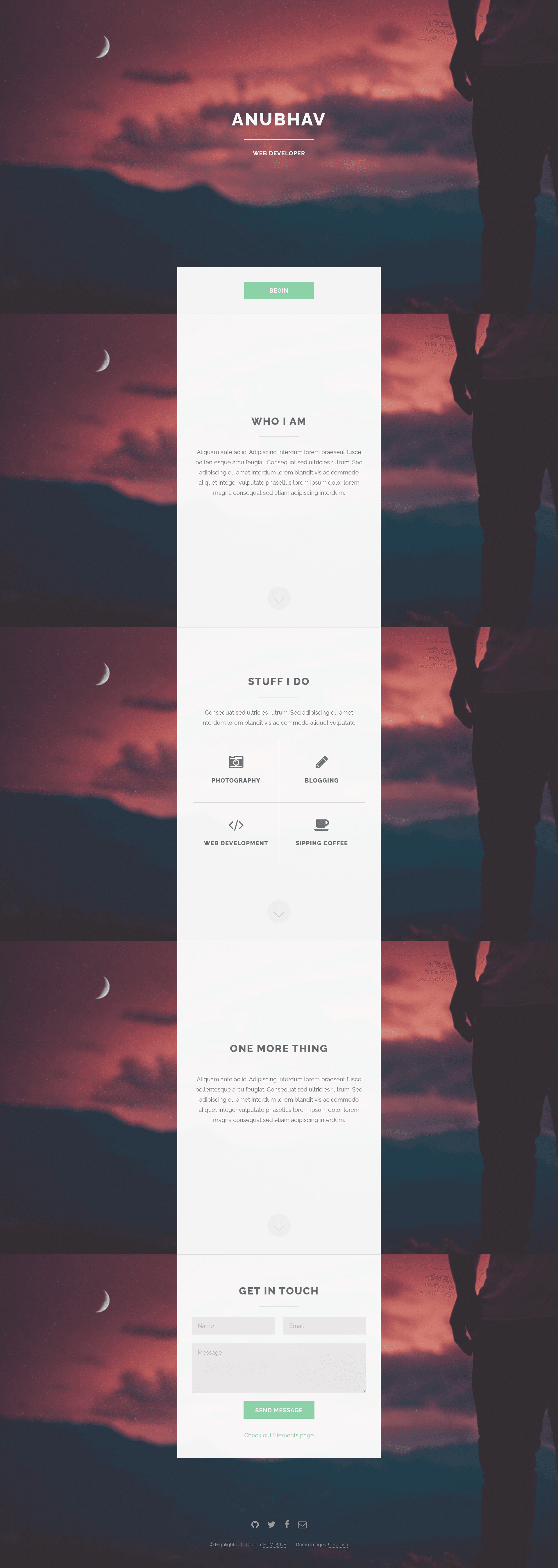
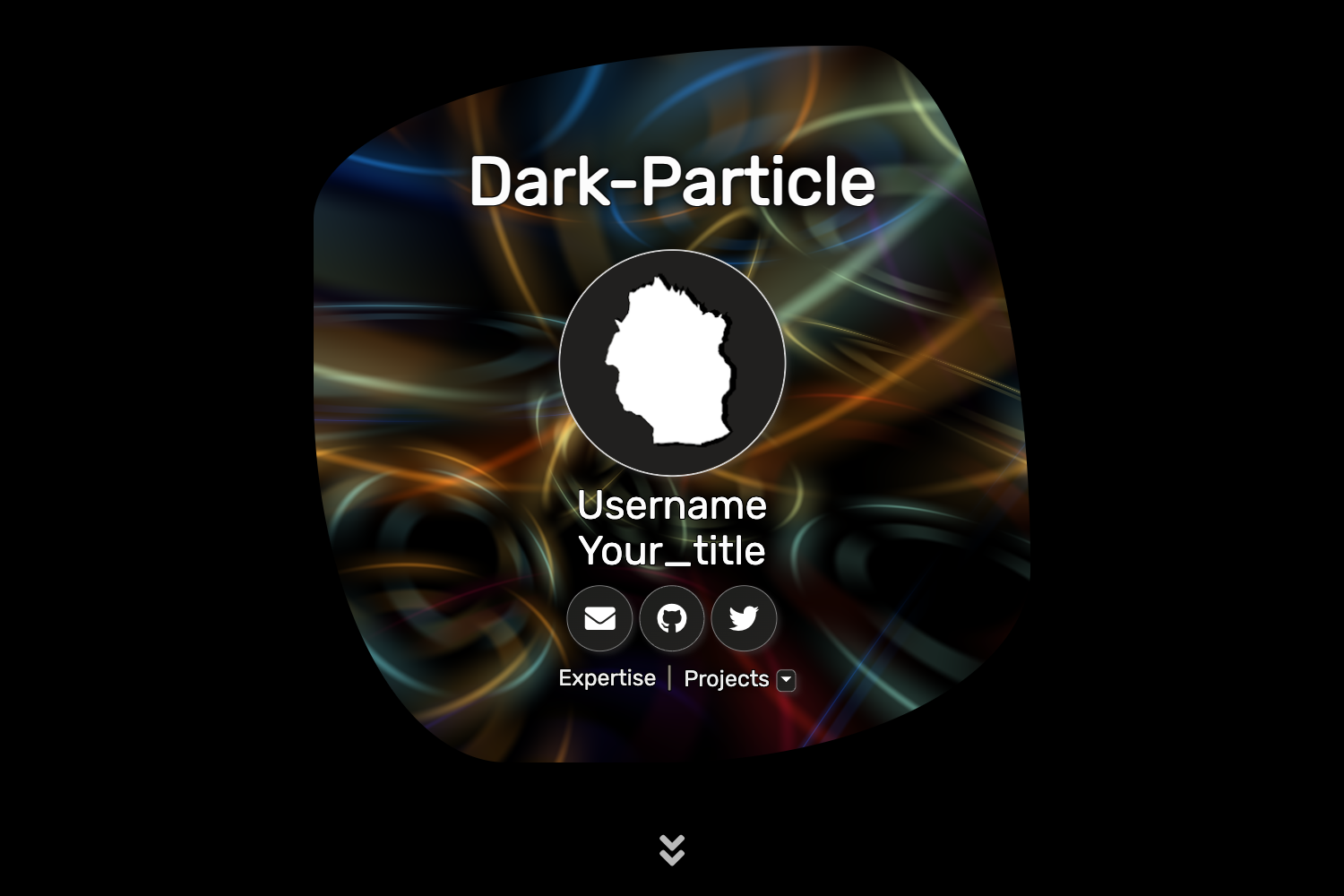
Gatsby.js V4 starter template based on the Highlights design by HTML5 UP for one-page portfolio sites.
About this template
Gatsby Starter Highlights is a Gatsby.js V4 starter template for building one-page portfolio sites, based on the Highlights design by HTML5 UP.
What is Gatsby Starter Highlights?
Gatsby Starter Highlights is a Gatsby.js V4 starter template that builds a one-page personal portfolio site using the Highlights design from HTML5 UP. It takes configuration from a central config.js file (site title, heading, subheading, social links) and outputs a static site with those details rendered in the Highlights layout. The template is developed by Anubhav Srivastava, with a live preview available at anubhavsrivastava.github.io/gatsby-starter-highlights, and is released under the MIT license.
Key Features
- Gatsby V4 project structure — Built on Gatsby.js V4, leveraging the Gatsby CLI for development and build, with the standard src/assets/img folder for images.
- HTML5 UP Highlights design — Based on the responsive Highlights template by HTML5 UP, giving the site its one-page visual style.
- Config.js personalization — Edit config.js to set siteTitle, heading, subHeading, and socialLinks (with icon names like fa-github and URLs); no code changes needed for basic customization.
- Social links with Font Awesome icons — The socialLinks array uses Font Awesome icon classes, making it easy to add GitHub, Twitter, and other profiles.
- GitHub Pages deployment — package.json includes a default script using gh-pages; running npm run deploy publishes the site to GitHub Pages.
- Path prefix support — The Gatsby config has pathPrefix set in config.js, allowing the site to be hosted on a subpath like https://theanubhav.com/somePath/; removing it enables root-domain hosting.
- MIT License — The project is open-sourced under the MIT license, permitting free use and modification.
Who is it for?
- Developers — who want a fast, config-driven portfolio starter without hand-coding React components; they can replace the sample content in config.js and deploy.
- Design-conscious professionals — who prefer the clean, single-page Highlights aesthetic from HTML5 UP for showing off their work or resume.
- Gatsby learners — who are exploring Gatsby's project structure and want a working example with Gatsby CLI setup and gh-pages deployment.
What can you do with it?
- Personal portfolio: Customize siteTitle and heading to display your name and role, then list your GitHub and social profiles in socialLinks.
- Quick project landing page: Use the starter as a minimal one-page presence for a side project, hosted at a subpath with pathPrefix.
- Experiment with Gatsby: Run gatsby develop to preview changes locally, then npm run deploy to push the built site to GitHub Pages.
Alternatives
Other Gatsby starters from the same author include gatsby-starter-casual, gatsby-starter-spectral, and gatsby-starter-resume, each also based on an HTML5 UP design.
How does Gatsby Starter Highlights work?
Install the starter with the Gatsby CLI: gatsby new <site-name> https://github.com/anubhavsrivastava/gatsby-starter-highlights. After that, run npm install and gatsby develop to start a local dev server. To customize, edit config.js with your own site title, heading, and social links, then use npm run deploy to publish via gh-pages.
FAQ
Is Gatsby Starter Highlights free?
Yes. The starter is released under the MIT license, as indicated by the badge in the README, so you can use and modify it freely, including for commercial projects.
Does the template require the Gatsby CLI?
Yes. The installation instructions assume you have the Gatsby CLI installed globally (npm install --global gatsby-cli) so you can run gatsby new to create a project from this starter.
Can I host it on a subpath of my domain?
Yes. The project includes a pathPrefix value in config.js specifically for subpath hosting. If your site lives at https://example.com/somePath/, adjust pathPrefix accordingly; if it's at the root, remove the pathPrefix configuration.
What is the Highlights design?
Highlights is one of the free responsive website templates by HTML5 UP. This starter adapts that design to Gatsby, providing a ready-made layout for a single-page portfolio with sections and social links.