Template details
Dark Side
A dark theme for Jekyll, ready to deploy on GitHub Pages by forking.
About this template
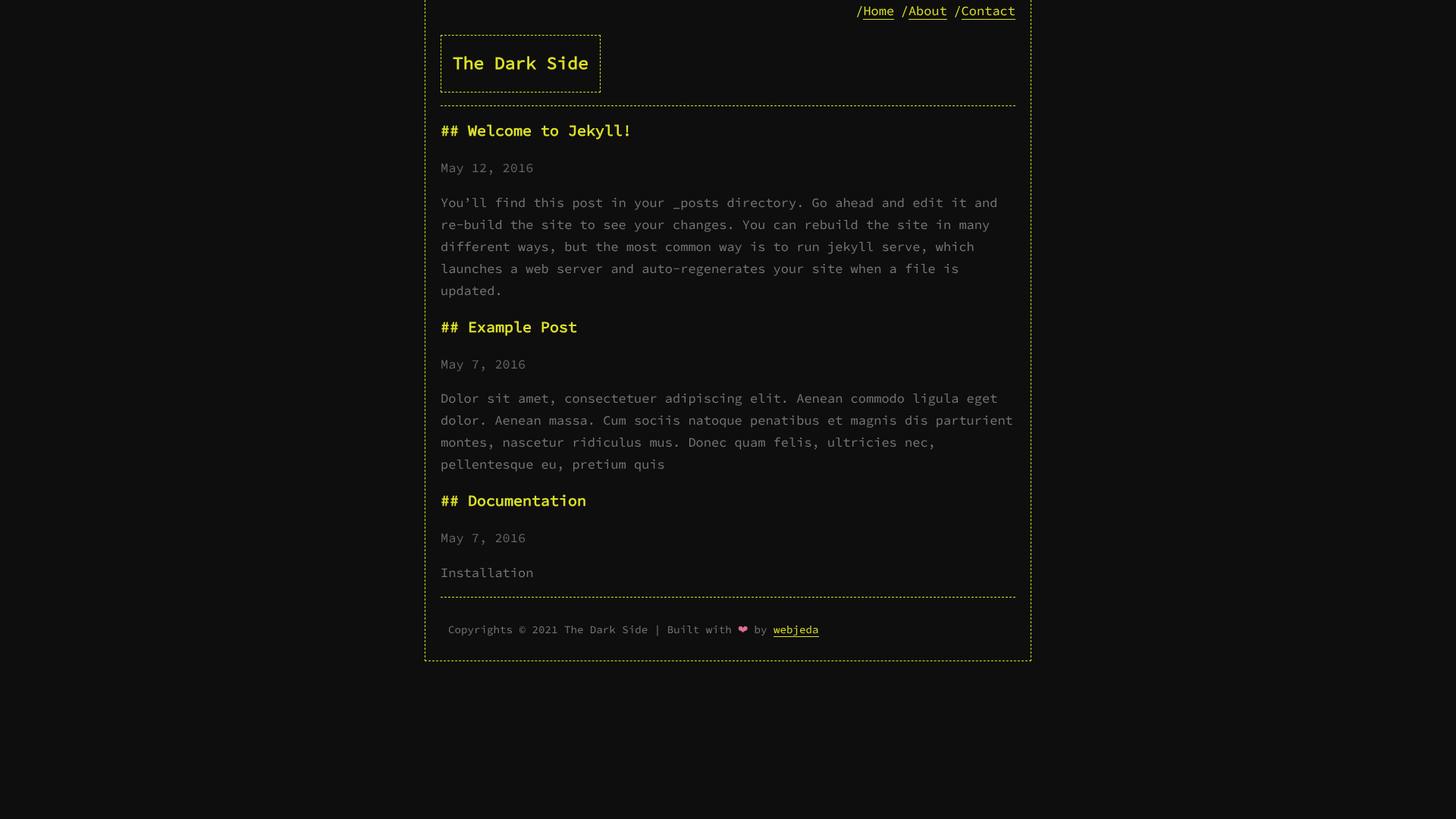
Dark Side is a dark-themed Jekyll template designed for GitHub Pages that lets you launch a low-light personal site by forking its repository.
What is Dark Side?
Dark Side is a Jekyll theme that provides a pre-built dark color scheme for static websites. It takes a forked copy of its GitHub repository as input and produces a fully rendered Jekyll site on GitHub Pages, with no local setup required. The theme is listed on jekyll-themes.com and is tagged with the topics dark-theme, jekyll-template, and jekyll-theme.
Key Features
- Dark visual style — Ships with a dark color palette that is applied across the site's layout and typography.
- GitHub Pages deployment — Deploys by forking the repository and setting the Pages source to the master branch; no build configuration is needed.
- Jekyll foundation — Built on Jekyll, so it supports standard Jekyll content types like posts and pages.
- Simple installation — Three-step setup: fork, configure the Pages source, and the site is live.
- Discovery on jekyll-themes.com — Listed on the theme directory as a Jekyll theme, making it easy to find alongside other templates.
Who is Dark Side for?
- Bloggers — Start a personal blog with a dark aesthetic by forking the theme and replacing the default content with their posts.
- Developers — Set up a project landing page for a GitHub repository without building a site from scratch; the theme's dark look suits developer-focused content.
- GitHub Pages users — Anyone already hosting on GitHub Pages can use this template to switch to a dark theme quickly.
Use cases
- Personal websites: Host a resume or bio page in a dark format, ready to publish on GitHub Pages.
- Tech blogs: Publish articles on a low-light theme that matches a night-coding environment.
How does Dark Side work?
Installation follows three steps described in the repository: fork the repository, open its settings, set the GitHub Pages source to master, and the site becomes available. The theme expects no modifications to Jekyll's configuration beyond the Pages source change; content is then edited in the standard Jekyll way.
FAQ
Is Dark Side free?
Dark Side is an open-source Jekyll theme hosted on GitHub and listed on jekyll-themes.com. Forking the repository and using it for your own site is free.
Do I need to install Jekyll locally?
No. Because the theme is hosted on GitHub Pages, the site is built automatically when you set the Pages source to master. You only need a GitHub account and a browser.
What should I do after forking the repository?
After forking, go to the repository settings, set the GitHub Pages source to master, and your site should be ready. Then replace the default content with your own posts or pages.