Template details
Dawn
A minimal newsletter theme for Ghost
About this template
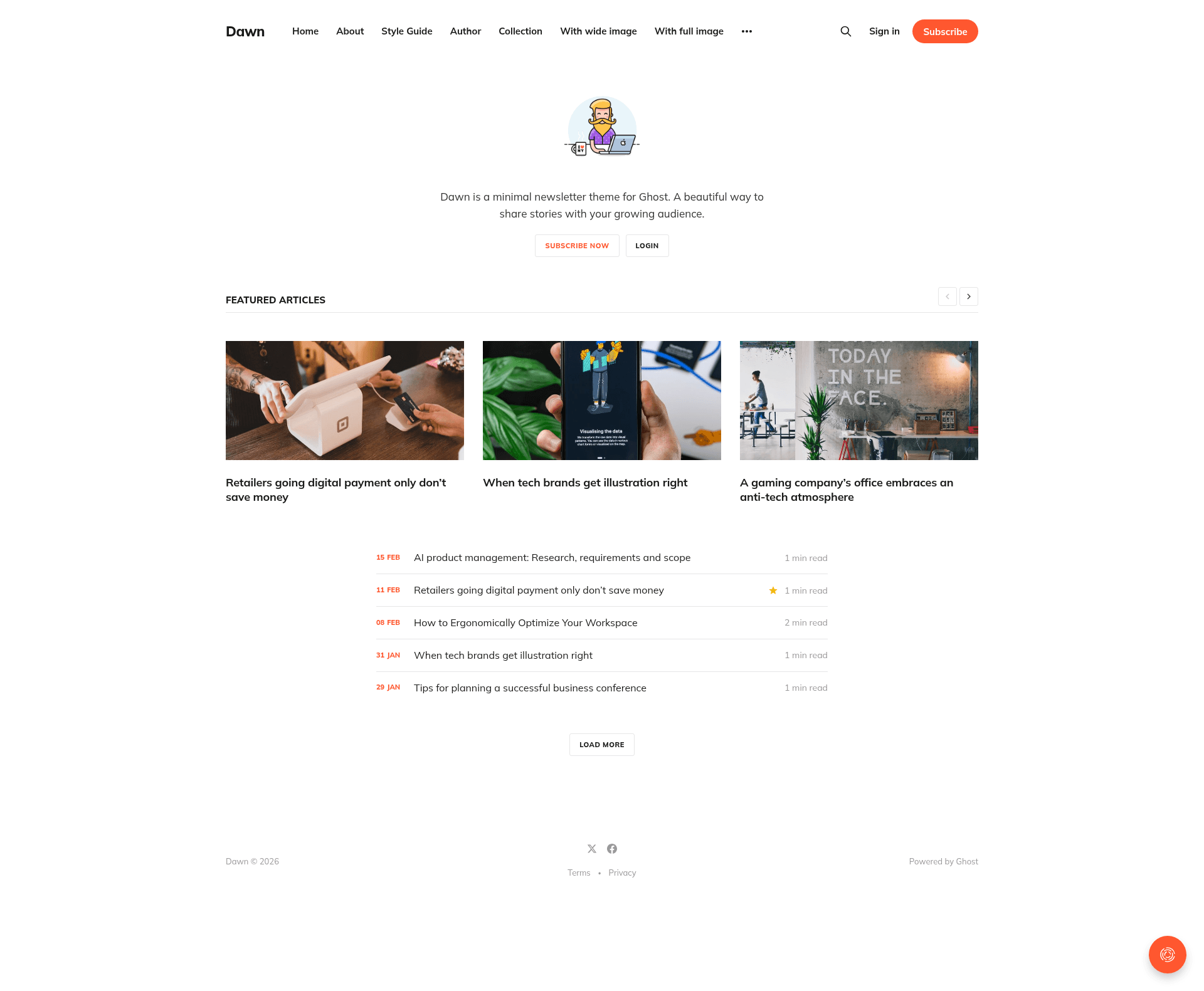
Dawn is a free, open-source Ghost theme from the Ghost Foundation that turns a Ghost publication into a fast, preference-adaptive reading experience with built-in search, subscription forms, and clean navigation.
What is Dawn?
Dawn is a Ghost theme designed for newsletter and magazine-style publishing. It takes your Ghost site's content and renders a reader-focused front-end with search, subscription, and navigation features. The theme is developed by the Ghost Foundation, the team behind Ghost, and is released under the MIT license. You install it by uploading a zip archive through Ghost's Design settings, and a live demo is available at dawn.ghost.io.
Key Features
- Preference-adaptive design — the layout automatically adjusts to the reader's preferences, letting them read, search, subscribe, and navigate with ease.
- Built-in search — readers can search your publication's content directly from the theme's interface.
- Newsletter subscription — subscription forms are integrated so visitors can join your mailing list without leaving the site.
- Clean navigation — a straightforward navigation structure supports blog posts, magazine sections, and static pages.
- Gulp/PostCSS build pipeline — styles are compiled with Gulp and PostCSS to polyfill future CSS specifications; development requires Node, pnpm, and Gulp installed globally.
- Theme translations — works with Ghost's theme-translations workflow so you can edit or contribute language files.
- Zip packaging — running
pnpm zipcreates a ready-to-uploaddist/dawn.zipfile.
Who is it for?
- Newsletter publishers — who want a subscription-focused design that makes it easy for readers to sign up and read posts.
- Independent bloggers — using Ghost who need a minimal, fast theme that adapts to each visitor's reading preferences.
- Magazine-style editors — publishing multiple categories or authors who need built-in search and clear navigation across content sections.
What can you do with Dawn?
- Publishers: upload the theme to a Ghost site via Design settings and launch a newsletter-centric publication with subscription forms built in.
- Developers: customize the theme by editing
/assets/css/files; when you runpnpm dev, changes compile automatically to/assets/built/. - Translators: contribute or edit translations following the theme-translations README to localize the theme for different languages.
How does Dawn work?
To install, download the zip from the GitHub repository, log into Ghost, go to Design settings, and upload the zip. For development, clone the repo, run pnpm install, then pnpm dev to watch and compile CSS changes. When you're ready to ship, pnpm zip packages the theme into dist/dawn.zip.
Pricing
Dawn is free and open-source under the MIT license. No paid tiers or premium features are mentioned in the source.
FAQ
Is Dawn free?
Yes, Dawn is released under the MIT license, so it is free to use, modify, and distribute, including for commercial projects.
How do I install Dawn?
Download the theme zip from the GitHub repository, log into your Ghost admin panel, go to the Design settings area, and upload the zip file. The theme will be applied to your site immediately.
What tools do I need for Dawn development?
Dawn uses Gulp and PostCSS to compile its styles. You need Node, pnpm, and Gulp installed globally, then run pnpm install and pnpm dev from the theme's root directory.
Can I translate Dawn into another language?
Yes, Dawn integrates with Ghost's theme-translations workflow. You can edit or contribute translations by following the README in the TryGhost/Themes repository.
Where can I see Dawn in action?
There is a live demo at dawn.ghost.io where you can explore the theme's reading, searching, subscribing, and navigation features.