Template details
Hugo PolyRhythmic
Material Design 3 Hugo theme with CSS-first styling, Fuse.js search, and Logseq graph support.
About this template
Hugo PolyRhythmic is a Hugo theme that brings Google's Material Design 3 (Material You) visual language to static websites, implemented primarily in CSS for speed and responsiveness.
What is Hugo PolyRhythmic?
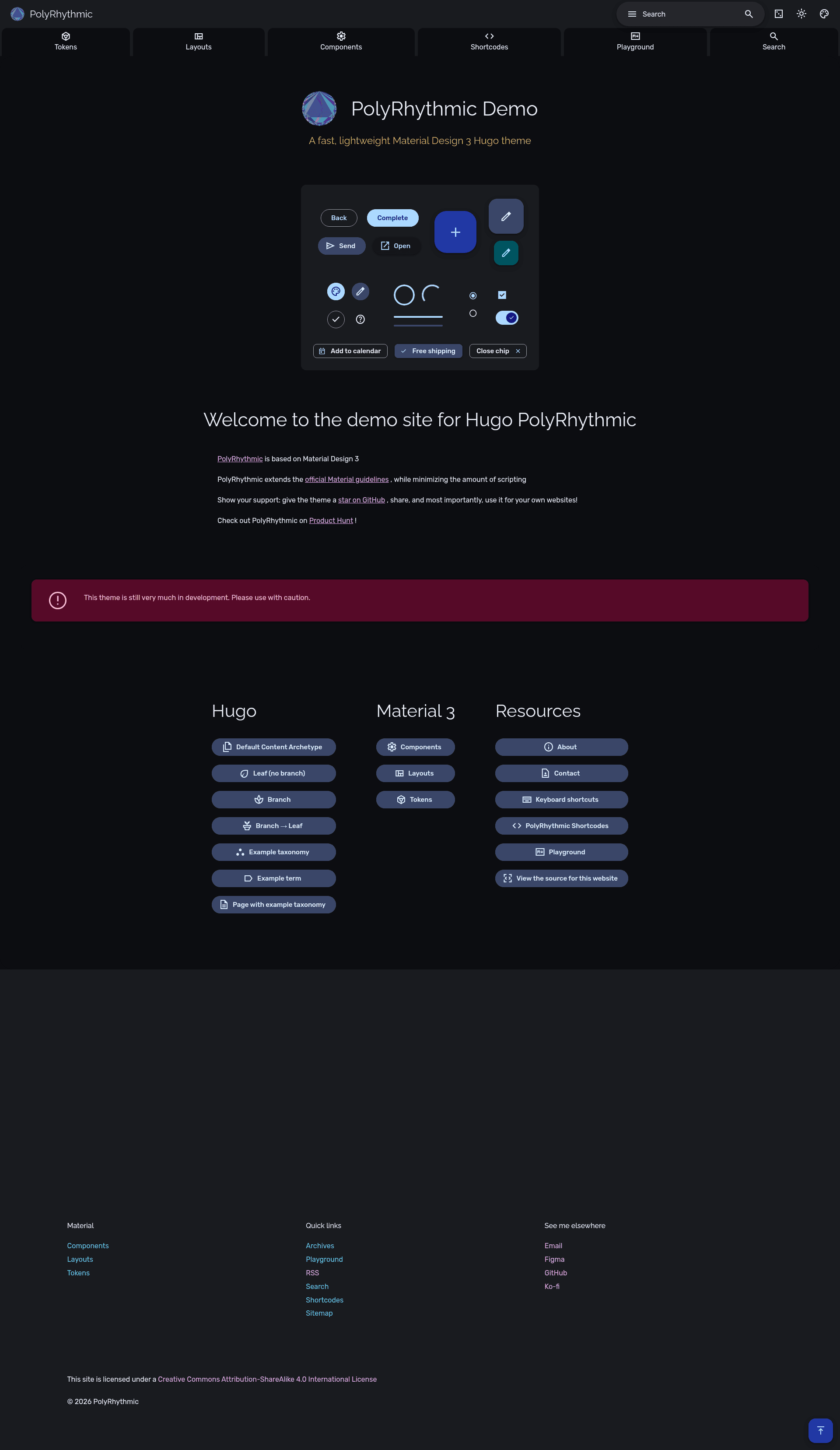
Hugo PolyRhythmic is a fast, responsive Hugo theme that reimplements Material Design 3 styling mostly through CSS rather than JavaScript, built for blogs, documentation, and personal sites. It takes standard Hugo content (Markdown pages, taxonomies, and sections) and renders a static site with Material 3 components, a light/dark toggle, Fuse.js search, and optional Logseq graph embedding. The theme is developed by wonyoung-jang, listed on the Hugo Themes gallery and Product Hunt, and has a live demo at polyrhythmic.xyz. The minimum supported Hugo version is v0.132.2.
What makes Hugo PolyRhythmic stand out?
- CSS-first Material Design 3 — the theme controls color, contrast, shape, typography, and state layers without heavy scripting, plus a mono typeface and tertiary color direction options.
- Search with Fuse.js — built-in client-side search that works across posts and pages without a server.
- Logseq graphs as a Single Page Application — embed Logseq graph visualizations directly into a Hugo site.
- Backlinks and related page suggestions — content connections are surfaced to help readers navigate related material.
- Asset management — uses Hugo pipelines to bundle, fingerprint, minify, and process assets.
- Navigation and reading tools — includes active menu indicator, random page button, back-to-top button, sticky table of contents, and keyboard shortcuts/access keys.
- Built-in templates — provides a contact form template, a sitemap table with Hugo-specific columns, a "Now" page table for recently updated pages, and archive support.
- Theme customization — users can adjust content text width, font size, line height, brand/plain/mono typefaces, shape scale, image dimming in dark mode, and toggle light/dark themes.
Who should use Hugo PolyRhythmic?
- Personal bloggers who want a Material You aesthetic and a fast static site without manually writing CSS for every component.
- Documentation authors who need backlinks, related pages, a searchable sitemap table, and an organized archive for technical content.
- Hugo developers who want a highly customizable theme where colors, contrast, shape, and typography are controlled via theme parameters rather than code changes.
- Logseq users who want to publish their graphs as an interactive single-page application inside a Hugo site.
Use cases
- Bloggers: create a blog with categories, tags, archive, random page button, and a "Now" page to highlight recently updated posts.
- Technical writers: build a knowledge base with backlinks and related page suggestions to interlink help articles.
- Creative professionals: customize colors, shape scale, and typefaces to match a personal brand while keeping a clean Material 3 style.
- Productivity enthusiasts: use keyboard shortcuts and access keys to navigate the site efficiently, and search content with Fuse.js.
How does Hugo PolyRhythmic work?
After installing Hugo, you create a new site, add the PolyRhythmic theme to the themes directory (via git clone, zip download, or Hugo Modules import), and set the theme name and module path in config.yaml. The theme then processes your content and renders a static site with all the Material Design 3 components and interactive features.
FAQ
Is Hugo PolyRhythmic free?
Yes, it is an open-source Hugo theme. The README requests stars, shares, and optional GitHub Sponsors or Ko-Fi donations, but no license fee or purchase price is mentioned.
What is the minimum Hugo version required?
The theme's README shows a minimum Hugo version of v0.132.2. Older versions may not work correctly with all features.
Can I install it with Hugo Modules?
Yes. The README documents adding the module path github.com/wonyoung-jang/hugo-PolyRhythmic to your config, and it also supports git clone and manual zip extraction.
Does it support dark mode?
Yes. The theme includes a light/dark theme toggle and an option to dim images in dark mode.