Template details
CodeboyBlog
A Jekyll blog template based on Clean Blog with search, tag clouds, and WeChat mini-program support.
About this template
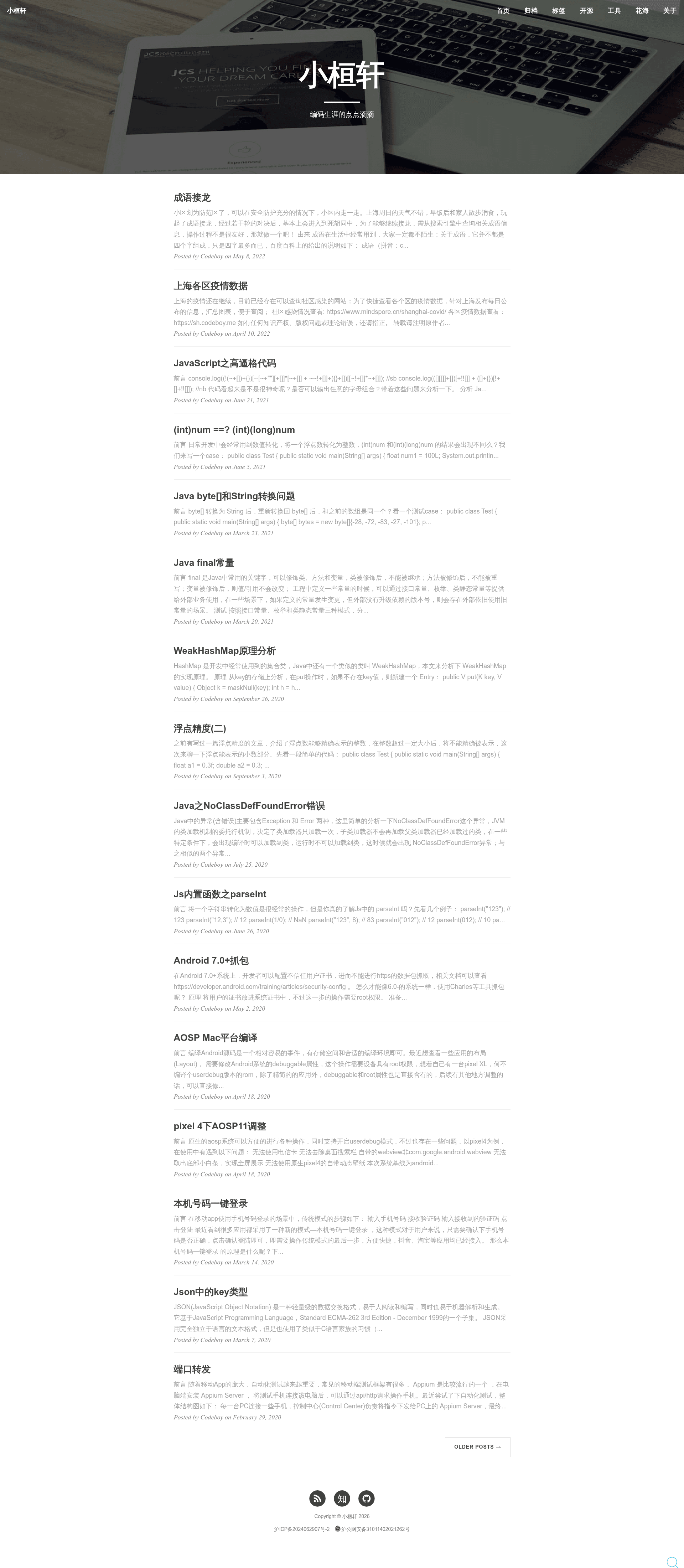
CodeboyBlog is a Jekyll blog template from codeboy.me that generates a static, self-hosted personal blog with client-side search, a tag cloud, and optional WeChat mini-program pairing.
What is CodeboyBlog?
CodeboyBlog is a Jekyll template for building a static personal blog. It takes Markdown posts and a YAML configuration file ( _config.yml ) as input and outputs a complete blog with home, tags, about, and app sections. The template is maintained by Yuedong.li and is based on the Clean Blog design, with a tag-cloud variant added by Huang Xuan. It runs on Jekyll 3.0+ and can be deployed to GitHub Pages or any static hosting environment.
What makes CodeboyBlog stand out?
- Jekyll-based — Requires only the Ruby gems
jekyllandjekyll-paginate; the included script restarts the server after killing existing jekyll processes. - Client-side search — Ships with the jekyll-search module; on a PC, pressing Ctrl twice opens the search box, and search is Firefox-compatible since v1.0.1.
- Tag cloud — Adds a tag aggregation page beyond the standard Clean Blog layout, letting readers explore posts by topic.
- WeChat mini-program support — Pairs with the companion WechatBlog repository so the same content can be viewed in a WeChat mini-program.
- CDN-loaded assets — Bootstrap and jQuery are pulled from CDNs, reducing bandwidth on your own host.
- Code line numbers — Syntax-highlighted code blocks show line numbers via the stylesheet at
css/syntax.css. - Responsive and mobile-tuned — Layout fixes for mobile width are included, and the site adapts to small screens.
Who is CodeboyBlog for?
- Jekyll bloggers — Anyone who wants a ready-made blog template with pagination, tags, and search instead of building a site from scratch.
- Developers creating a personal site — Users comfortable editing YAML and Markdown who need a static home for writing and code notes.
- WeChat mini-program owners — Bloggers who want a matching mini-program built from the same content via the WechatBlog companion project.
What can you do with CodeboyBlog?
- Publish technical articles: Write posts in Markdown and publish a responsive blog with code highlighting and line numbers.
- Organize content with tags: Use the tag cloud and tag pages to group posts by topic and help readers navigate.
- Search your archive: Press Ctrl twice on desktop to search posts instantly without a server-side index.
- Deploy to GitHub Pages: Use the generated static files on GitHub Pages or any other static host.
How do you set up CodeboyBlog?
Install Jekyll and jekyll-paginate with RubyGems, copy the template to your server, then run jekyll serve --watch (or the provided shell script that kills existing jekyll processes and restarts). Configuration happens through _config.yml (social accounts, Changyan app IDs, site metadata), about/index.html (personal info), _include/nav.html (navigation labels), and _includes/footer.html (footer links). You must also remove or replace the CNAME file for custom domains.
FAQ
Is CodeboyBlog free?
Yes, CodeboyBlog is open source and released under the Apache License 2.0, as shown in the repository license file.
What Jekyll version does it support?
It supports Jekyll 3.0+; the update log notes adapting _config.yml for Jekyll 3.0+ and fixing tag pages after Jekyll 3.1.0.
Can the search module be used separately?
Yes, the search functionality is a standalone module. The same author publishes jekyll-search for Jekyll and hexo-search for Hexo.
Does CodeboyBlog still include comments?
As of the 2022-04-09 update, the Changyan comment component was removed. Earlier versions used Changyan, NetEase, and Duoshuo at different times, so the current template has no built-in commenting system.
How is it deployed to GitHub Pages?
GitHub Pages deployment is supported for static Jekyll output, but the repository instructions say to search for the deployment method yourself and do not include step-by-step GitHub Pages setup.