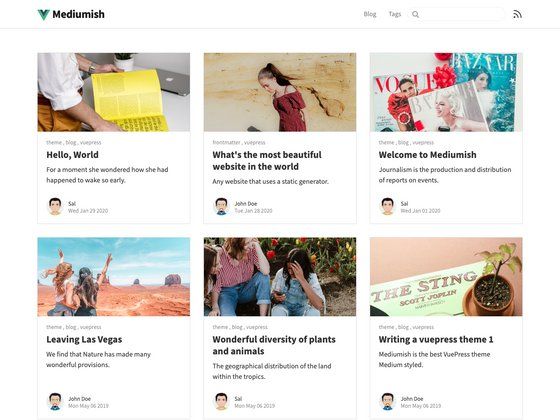
Template details
next-blog
Markdown based blog using next.js, supporting static export
About this template
next-blog is a Markdown-based blog template built on the Next.js framework that compiles Markdown files into a blog using processmd and is designed to be cloned and used as a starting point for your own site.
What is next-blog?
next-blog is an open-source GitHub project by tscanlin that provides a minimal blog starter built on the Next.js React framework from ZEIT (now Vercel). It takes Markdown files as its input and produces a blog website, using the processmd tool to compile the Markdown into content that Next.js can render. The repository metadata notes that the project supports static export, meaning the blog can be generated as a set of pre-rendered HTML files. The project is listed in the Awesome Next.js curated list on GitHub and has 556 stars.
What makes next-blog stand out?
- Markdown-first writing — Blog posts are plain Markdown files, and processmd compiles them plus watches for changes as you edit.
- Next.js core — The site runs on the Next.js React framework, giving you server-rendered pages and React component support.
- Static export capability — According to the repository metadata, next-blog can be built as a static site, so you can host the output on any static hosting service.
- Simple npm scripts —
npm run build:contentcompiles the content,npm startlaunches the development server, andnpm run buildcreates a production build. - Clonable starting point — The README explicitly encourages cloning the repo and using it as a base for your own blog.
- Community visibility — The project is referenced in the Awesome Next.js list, which points to notable Next.js resources.
Who should use next-blog?
- Developers who want a small, understandable blog codebase without a heavy CMS, and are comfortable with Markdown and npm.
- Technical bloggers who prefer to author in Markdown files and version-control their posts.
- Next.js learners who want to see a practical integration of Next.js with a Markdown content pipeline.
What can you do with next-blog?
- Personal bloggers: Publish a blog by adding Markdown files to the content directory and running the build commands.
- Developers building a content site: Extend the starter with custom React components and Next.js pages to fit your needs.
- Static site deployers: Run the build and export the site as static files that can be served from any static host.
How does next-blog work?
To run the project, clone the repository, install dependencies with npm install, then run npm run build:content to compile the Markdown content before starting the server. The README notes that build:content is required before the first npm start. After that, npm start runs the development server and npm run build produces a production build.
FAQ
Is next-blog free to use?
The repository is publicly available on GitHub and the README invites cloning it as a starting point; no pricing or license details are stated in the source. The project has 556 stars at the time of this writing.
Does next-blog support RSS feeds?
No. The repository's TODO section lists "Add RSS feed support" as an unfinished task, so RSS is not built in. You would need to implement it yourself.
What commands do I need to run?
Run npm install, then npm run build:content once before the first npm start. Use npm start for development and npm run build for a production build.
Can next-blog be exported as a static site?
Yes. The repository metadata states that next-blog supports static export, so after building you can deploy the generated static HTML files to a static hosting provider.