Template details
Docsy Example Project
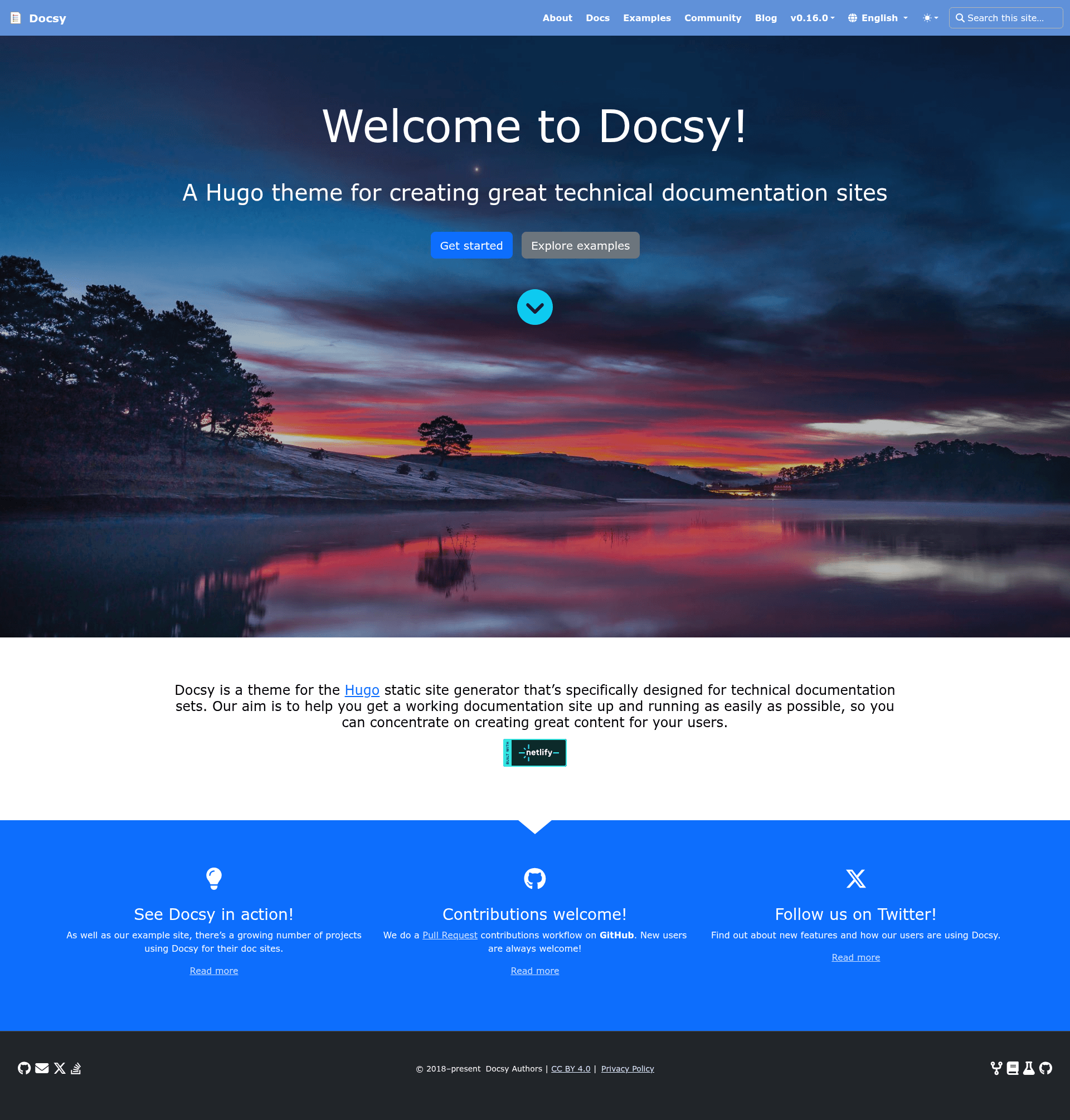
An example documentation site built with the Docsy Hugo theme, usable as a template for technical documentation.
About this template
Docsy Example Project is a documentation site starter built on the Docsy Hugo theme module, providing a skeleton structure for technical documentation websites.
What is the Docsy Example Project?
The Docsy Example Project is a GitHub repository that uses the Docsy theme as a Hugo module, giving you a pre-configured technical documentation site. You supply Markdown content and it produces a static HTML site with Docsy's navigation, search and styling. The project lives in the google/docsy ecosystem, is hosted on Netlify at example.docsy.dev, and the README states it is not an officially supported Google product, though it is currently maintained.
Key Features
- Hugo module setup — The Docsy theme is pulled in as a Hugo module, with dependencies you can inspect via
hugo mod graph; the example'shugo.tomlincludes module configuration you can adjust, such as adding a proxy. - GitHub template support — Use the branch/tag dropdown to select the latest release, click Use this template, and GitHub creates a new repo you can clone with
git clone --depth 1. - npm-based asset management — A single
npm installfetches Bootstrap and Font Awesome assets from npm; apostinstallhook runshugo mod npm packand a second install to wire the theme's assets. - Docker Compose workflow — Run
docker-compose up --buildto serve the site inside a container with a volume bound to the project folder, so file changes show up at http://localhost:1313 without installing Hugo. - Local Docsy theme development — The
docsy.workworkspace file lets you runHUGO_MODULE_WORKSPACE=docsy.work hugo serve --ignoreVendorPaths "**"to get hot reload when editing a sibling clone of the Docsy theme. - Netlify deployment example — The site is live at example.docsy.dev with deploy logs available through the project's Netlify dashboard and an alternate dashboard.
- Troubleshooting guidance — The README documents common errors, including an outdated Hugo (0.146.0 or higher needed as of Docsy v0.12.0), missing extended Hugo, and missing Go.
Who should use the Docsy Example Project?
- Technical documentation writers — Clone the template and replace the example content with their own product or API docs, keeping the Docsy navigation structure.
- Open-source maintainers — Use it as a starting point to publish project documentation on any static host, including Netlify.
- Hugo developers — Learn how to structure a Hugo module-based site and how to combine npm packages like Bootstrap with the Hugo module pipeline.
- Teams evaluating Docsy — Spin up the example locally or in a container to test Docsy's features before committing to a full documentation site.
What can you do with the Docsy Example Project?
- Launch a documentation site quickly — Use the GitHub template button, clone the new repo, run
npm installandhugo serve, then edit the Markdown undercontent/en. - Develop the Docsy theme itself — Set up a local clone of the theme in a sibling folder and use the
HUGO_MODULE_WORKSPACEdirective to see theme changes with hot reload. - Build documentation in a clean container — Use Docker Compose to get a reproducible local build that does not require installing Hugo, Go, or npm on the host.
How does the Docsy Example Project work?
- Select the latest release tag and use the Use this template button on GitHub to create your repo.
- Run
npm installin the repo root; this fetches Hugo via npm and bundles the theme's npm assets through apostinstallhook. - Run
hugo serve(ordocker-compose up) and edit files in thecontentfolder; the local server reloads changes immediately.
Pros and cons
- Pros — Uses a standard Hugo module system, so theme updates are reproducible; includes npm-based assets, Docker Compose, and a GitHub template workflow.
- Cons — Requires the extended version of Hugo (0.146.0+ for recent Docsy) and the Go toolchain for
npm install; the provided content is only a skeleton, so a real site requires substantial content replacement.
FAQ
What Hugo version does the Docsy Example Project require?
As of Docsy theme version v0.12.0, Hugo version 0.146.0 or higher is required. Running an older Hugo causes a warning that the module is incompatible and produces an error like template for shortcode "blocks/cover" not found when building the site.
Do I need to install Go to run the site locally?
Yes. npm install runs hugo mod npm pack through a postinstall hook, and that command requires the Go binary. If Go is missing, you will see binary with name "go" not found and the installation fails.
Can I run the site without installing Hugo or Go?
Yes, using the Docker Compose workflow. docker-compose up --build builds a container image that serves the site at http://localhost:1313, so you only need Docker Desktop on Windows or Mac, or Docker Compose on Linux.
Is the Docsy Example Project an official Google product?
No. The README explicitly states that this project is not an officially supported Google product, although it is currently maintained. The underlying Docsy theme is developed by Google, but support for the example is best-effort.