Template details
OneDly Project
Hugo theme for documenting one-day-only (OneDly) projects as a single-page static site with social links and customizable colors.
About this template
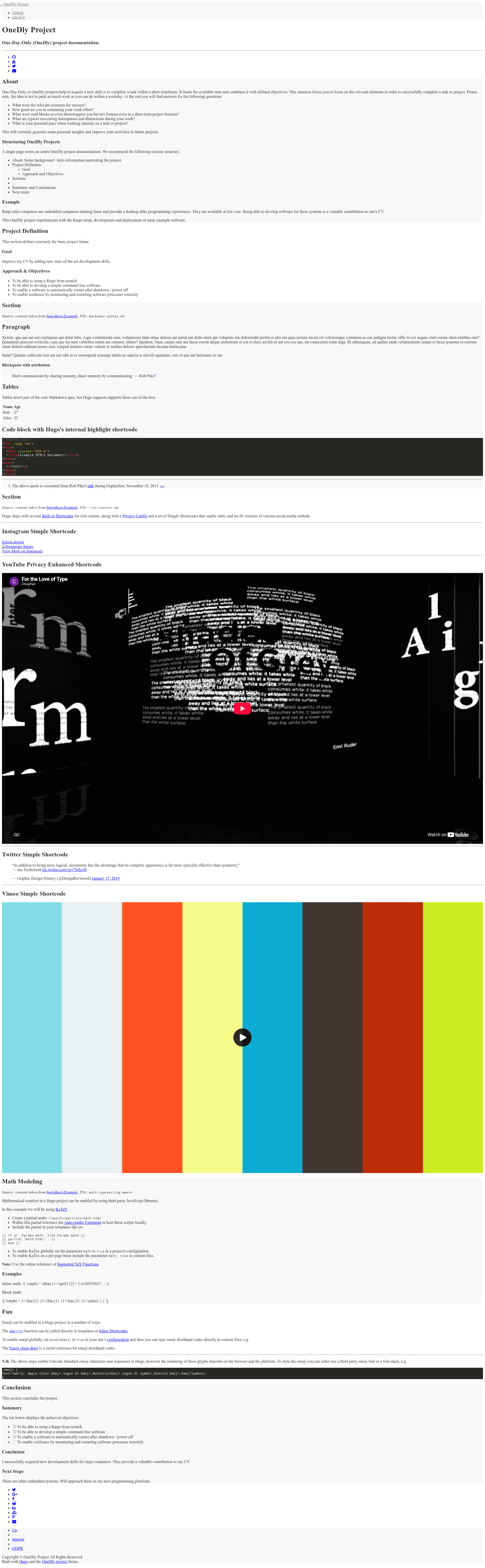
OneDly Project is a Hugo theme for documenting one-day-only (OneDly) projects as a single-page site. It renders all project documentation as separate sections on one HTML page, built on top of the GitHub Project Page theme and created by cdeck3r.
What is the OneDly Project theme?
The OneDly Project theme is a Hugo static-site theme specifically designed for documenting one-day-only (OneDly) projects. It takes Markdown content files as input and produces a standalone single-page HTML documentation site, with each content file rendered as a separate section. The theme is based on the GitHub Project Page theme and runs on the Hugo static site generator. It is maintained by cdeck3r and available on GitHub.
Key Features
- Single-page layout — All posts are rendered on one page as separated sections, with ordering controlled by the
secparameter in each file's front matter instead of the date. - Social media links — Buttons for well-known social media sites appear at the top of the page when the corresponding account names are set in the
[social]config section. - Social sharing buttons — Sharing links appear at the end of the page so visitors can share the project documentation.
- Imprint and GDPR pages — Example pages for legal declarations are included in the
content/imprint-gdprdirectory; links only show when the files exist. - Example project structure — The theme's
exampleSitedirectory contains aconfig.tomland sample content files that demonstrate how to structure a project, including a demo at cdeck3r.com/OneDly-Theme. - Theme color customization — Colors for the header, background, borders, and text are defined in
config.tomlwith default hex values like#f8f8f8and#333. - Content section ordering — Sections are positioned via the
secfront matter variable; if absent, ordering falls back to Hugo's default date-based ordering.
Who is it for?
- Developers and makers who run one-day coding challenges and want a clean site to document what they built, what went well, and what they learned.
- Skill-acquisition practitioners who use the OneDly method to learn a new skill in a single day and want to capture reflections like estimation accuracy and distractions.
- Team leads or facilitators organizing hack days or internal prototyping events who need a quick template for publishing each participant's outcomes as a simple single-page site.
What can you do with it?
- Document a one-day project — Write Markdown sections (About, Progress, Results) in the
content/postdirectory and let the theme compose them into a single-page layout ordered by thesecfield. - Publish an experiment log — Use the built-in example content and
hugo server -D -t onedlyto preview and then deploy a static site documenting the project's relevant success factors, road blocks, and time estimates. - Brand it for a workshop — Change the site title, description, author name, author URL, project URL, and theme colors in
config.toml, then add social media account names to display top-of-page buttons.
How does the theme work?
Getting started requires Hugo installed. Create a new site, add the theme as a git submodule from https://github.com/cdeck3r/OneDly-Theme.git, copy the exampleSite/config.toml and example content from themes/onedly/exampleSite/content into the project, then run hugo server -D -t onedly. The theme reads the sec variable in each Markdown file's front matter to order sections on the single page.