Template details
Dox - Gatsby Theme
Documentation made easy with Gatsby. :tada:
About this template
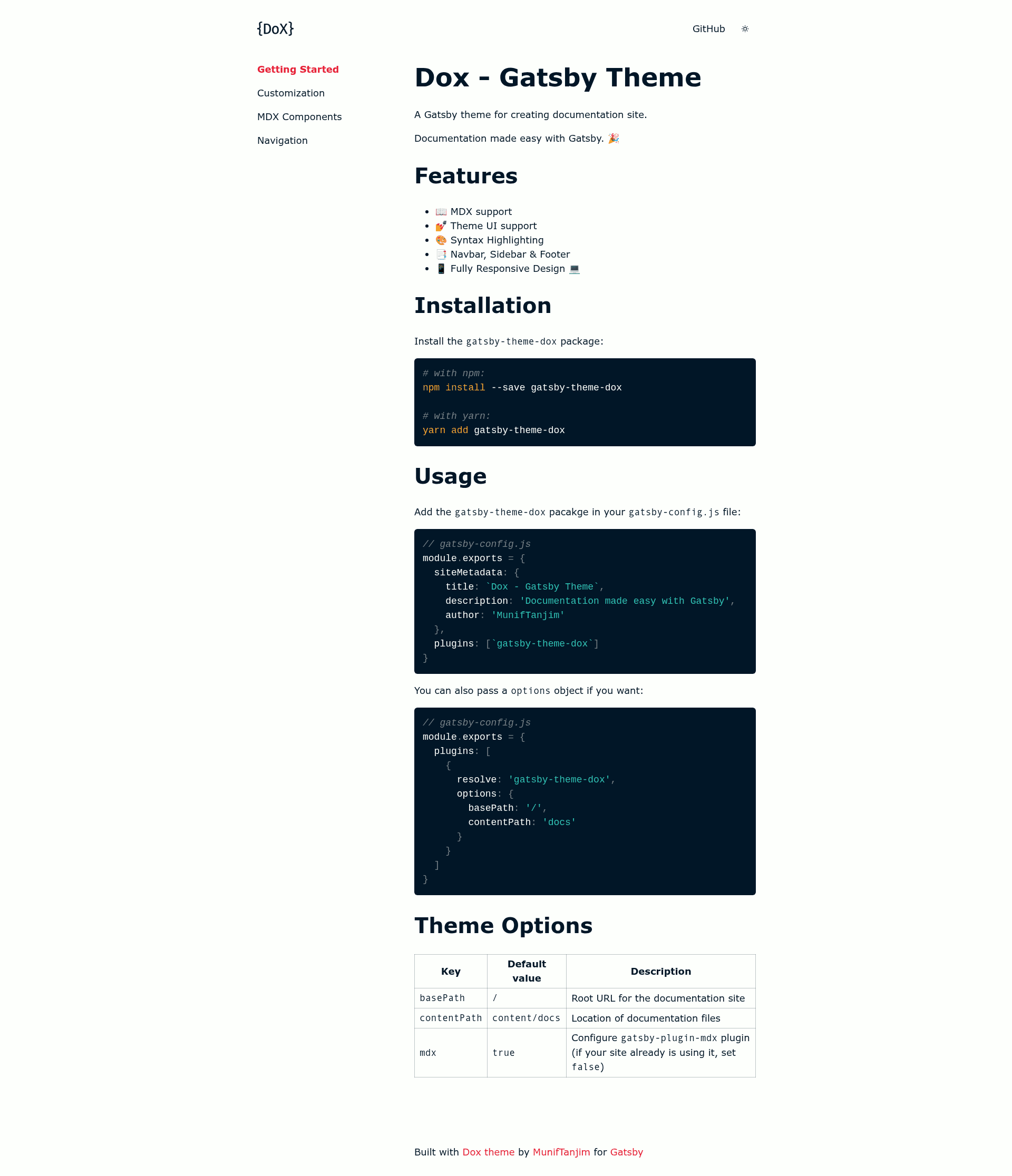
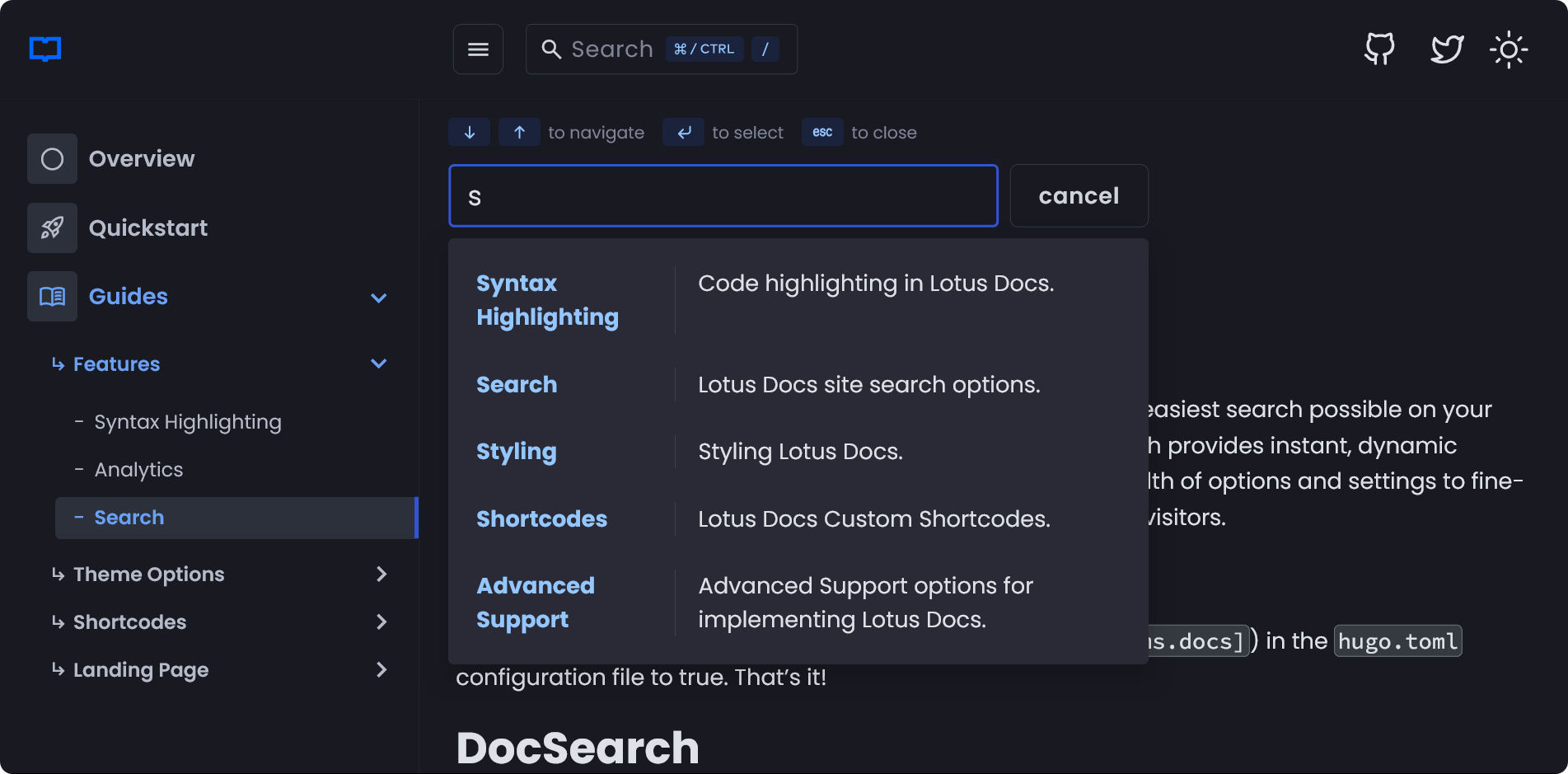
Dox is a Gatsby theme that transforms a folder of Markdown and MDX files into a documentation website with a built-in sidebar, navbar, and syntax-highlighted code blocks.
What is Dox?
Dox is a Gatsby theme created by MunifTanjim for building documentation sites. It takes Markdown and MDX content from a configurable content directory and outputs a static documentation website with navigation and theming. The theme is installed as an npm package and added to a Gatsby site's plugin list.
Key Features
- MDX support — Write documentation pages as Markdown with embedded JSX components via gatsby-plugin-mdx.
- Theme UI support — Style the site using the Theme UI design system, which provides customizable design tokens.
- Syntax Highlighting — Code blocks are highlighted out of the box, which the README lists as a built-in feature.
- Navigation components — A navbar, sidebar, and footer are included, giving documentation sites standard page layout.
- Responsive design — The theme is fully responsive across desktop and mobile devices.
Who is it for?
- Open-source maintainers — Publish project documentation from a docs folder without hand-building site navigation.
- Technical writers — Author documentation in Markdown or MDX and get a styled, navigable site with no separate frontend work.
- Gatsby developers — Users who want a theme-based approach to docs sites, reusing the theme across projects and overriding options.
What can you do with Dox?
- Product documentation: Turn a
content/docsdirectory of Markdown files into a public documentation site with a sidebar menu. - API reference sites: Use MDX to embed interactive code samples or React components directly in API reference pages.
- Knowledge bases: Set a custom
basePathto host documentation at a sub-path like/docson an existing Gatsby site.
How does Dox work?
After installing with npm install --save gatsby-theme-dox or yarn add gatsby-theme-dox, add gatsby-theme-dox to the plugins array in gatsby-config.js. The theme reads documentation files from content/docs by default and generates pages under the root URL. You can pass an options object to change basePath and contentPath, or set mdx: false if your site already configures gatsby-plugin-mdx.
Theme configuration options
The README documents three options: basePath (default /) sets the root URL for the documentation site; contentPath (default content/docs) sets the location of documentation files; and mdx (default true) configures the gatsby-plugin-mdx plugin — set it to false if your site already uses MDX.
FAQ
Is Dox free to use?
Yes, the theme is open-source and publicly available on GitHub. You can install it from the npm registry and use it in your own projects without a license fee.
How do I change the content directory?
Pass a contentPath option in the plugin configuration, for example contentPath: 'docs' to read files from docs instead of content/docs.
Does Dox support MDX components?
Yes, MDX support is a listed feature. The theme enables gatsby-plugin-mdx by default; if your site already sets up MDX, set the mdx option to false to avoid duplication.
What happens if I set the mdx option to false?
When set to false, Dox skips configuring gatsby-plugin-mdx, so you must provide your own MDX plugin configuration in the Gatsby site.