Template details
Programming Pages
A Jekyll theme for publishing code documentation to GitHub Pages with Markdown authoring.
About this template
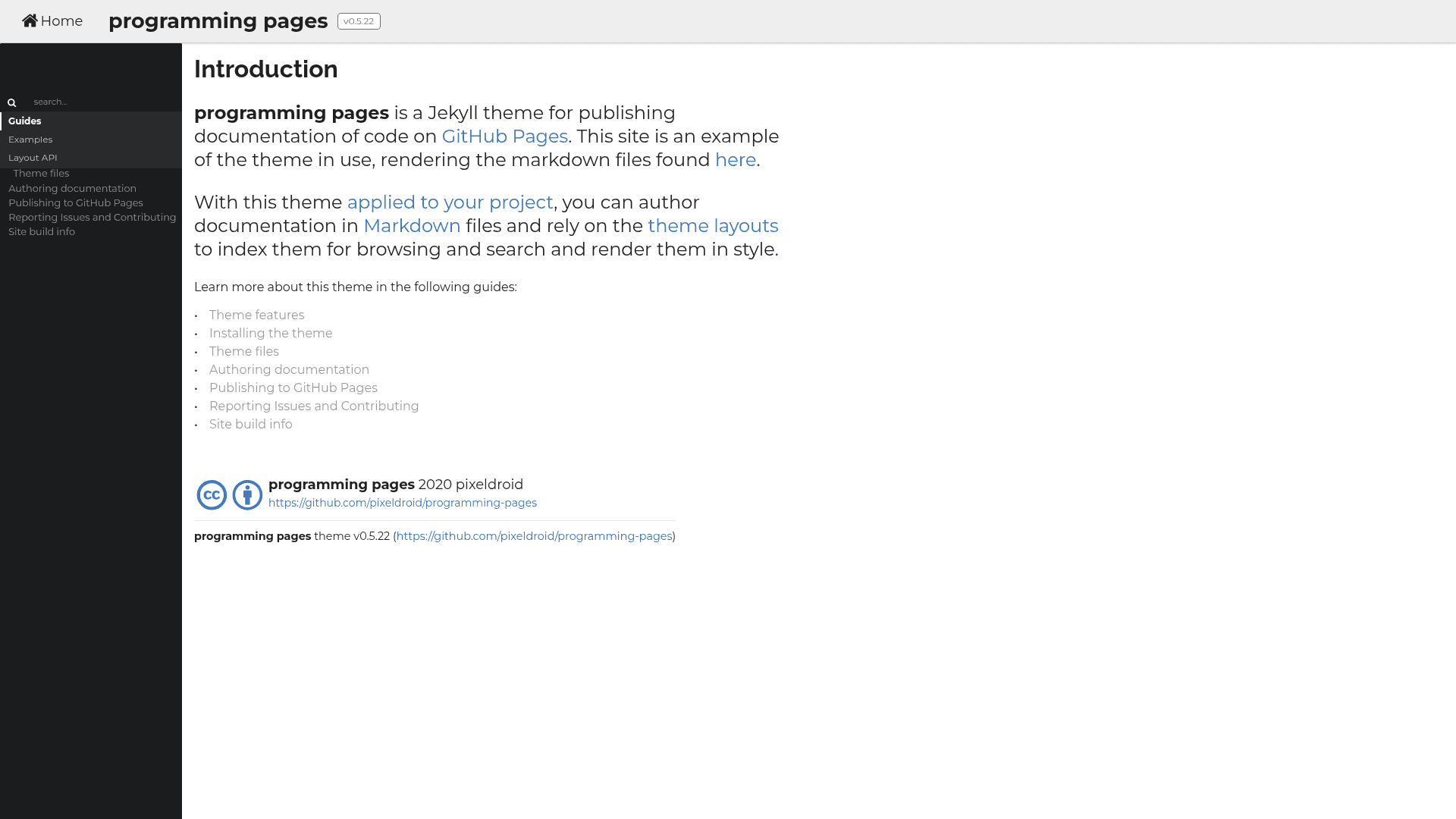
Programming Pages is a Jekyll theme for publishing code documentation as a static site on GitHub Pages, with Markdown-based authoring and a UI built on Semantic UI and jQuery.
What is Programming Pages?
Programming Pages is a Jekyll theme that turns Markdown files into a static documentation site hosted on GitHub Pages. It takes Jekyll content (Markdown, configuration, and includes) and produces a styled site using Semantic UI and jQuery. The theme is maintained by pixeldroid and is used to document itself at https://pixeldroid.github.io/programming-pages/.
Key Features
- Remote theme installation — Set
remote_theme: pixeldroid/programming-pagesin_config.ymlwith thejekyll-remote-themeplugin. - Gem-based installation — Add
gem 'programming-pages'to the Gemfile and settheme: programming-pagesin_config.yml. - Local copy option — Download a release and extract it into your project, for example under
docs/. - Markdown authoring — Author documentation in Markdown; the theme renders it as a navigable documentation site.
- Semantic UI styling — The UI is built on Semantic UI, with required modules declared in
build/semantic/semantic.json. - Custom jQuery build — Ships with a slimmed jQuery distribution that excludes
ajaxandwrapmodules and includes 18 required modules. - Static site generation — Uses Jekyll and the GitHub Pages gem;
rake docsbuilds the site locally for preview athttp://localhost:4000/. - Self-documenting — The theme's own documentation at https://pixeldroid.github.io/programming-pages/ demonstrates the output and includes a guide for authoring documentation.
Who is it for?
- Open-source maintainers — Publish API documentation or user guides for a code project directly from the GitHub repository.
- Technical writers — Write documentation in Markdown and have it rendered as a clean static site without a CMS.
- Jekyll developers — Use a documentation-focused theme with Semantic UI components in the standard Jekyll workflow.
- Teams using GitHub Pages — Combine the Markdown push-to-publish workflow with a pre-built theme.
What can you do with Programming Pages?
- Document a code library — Write Markdown guides and render them as a structured doc site, as demonstrated by the theme's self-documentation.
- Publish alongside code — Configure GitHub Pages to publish from the docs folder, then push changes to update the site at
username.github.io/project. - Customize the UI build — Run
rake semanticwith a path to a checked-out Semantic UI fork to regenerate the styles with only the required modules. - Create a custom jQuery file — Use the provided Grunt command (
grunt custom:-ajax,-wrap remove_map_comment) and copy the result into_includes/scripts/jquery/.
How does Programming Pages work?
The theme uses Jekyll's templating and the GitHub Pages build pipeline. After installing the theme and configuring a publishing source, you author Markdown files and push them to GitHub; GitHub Pages builds and serves the site. Locally, you can preview with bundle install and rake docs.
Pros and cons
- Pros: Three installation methods (remote theme, gem, or local copy); a lightweight custom jQuery build; uses the familiar Jekyll and GitHub Pages workflow; fully documented by its own docs site.
- Cons: Customizing the dependency builds requires knowledge of Semantic UI and jQuery tooling; casual users may not need to build from source at all.
FAQ
Is Programming Pages free?
Yes, it is an open-source theme. The repository is public, and you can use it on any GitHub Pages site.
What is the difference between remote theme and gem installation?
Remote theme installation sets remote_theme: pixeldroid/programming-pages in _config.yml and uses the jekyll-remote-theme plugin to pull the theme from GitHub. Gem installation adds gem 'programming-pages' to the Gemfile and sets theme: programming-pages, using RubyGems to fetch the theme.
How do I preview the site locally?
Install Jekyll and the GitHub Pages gem, run bundle install, then run rake docs. The site will be served at http://localhost:4000/.
What does the custom jQuery build exclude?
It excludes the ajax and wrap modules to reduce file size. The required modules list includes attr, classes, core, css, data, deferred, deprecated, dimensions, effects, events, filtering, init, manipulation, offsets, parseHTML, prop, ready, traversing, and val.
Can I build the theme from source?
Yes. You need Jekyll, the GitHub Pages gem, and the build tools for Semantic UI (nodejs, npm, gulp) and jQuery (nodejs, grunt). The repository documents the rake semantic and Grunt commands.