Template details
Edition
Product documentation template for Jekyll with full-text search, auto-generated navigation, and CloudCannon editing.
About this template
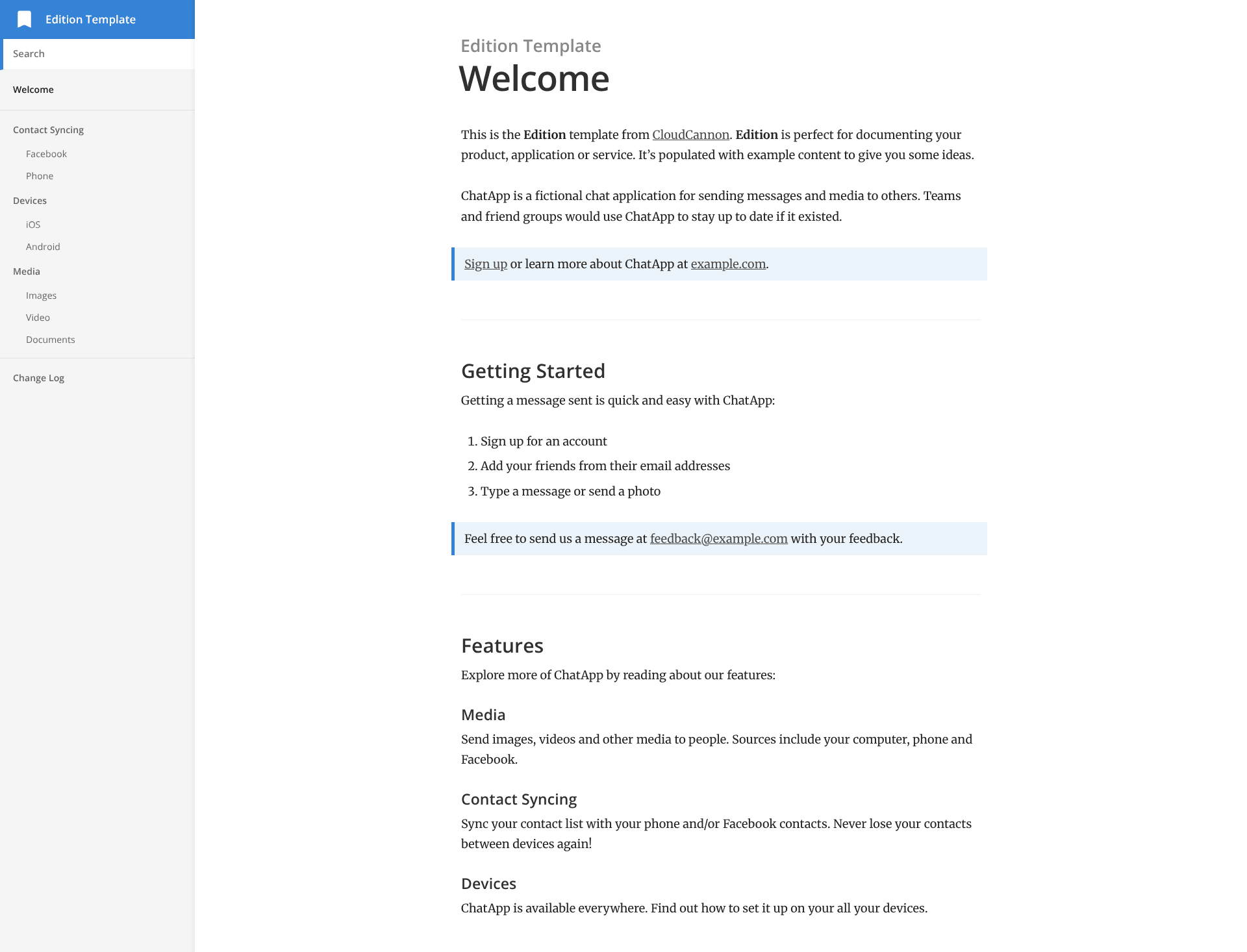
Edition is a product documentation template for Jekyll, created by CloudCannon, that turns Markdown documentation files into a two-column static site with full-text search and auto-generated navigation.
What is Edition?
Edition is a Jekyll template for building product, application, or service documentation websites. It takes documentation pages written in Markdown, stored in a Jekyll collection, and outputs a static site with a two-column layout, search, and category-based navigation. The template was made by CloudCannon and is optimized for editing in their cloud CMS. As of the repository status, Edition is a legacy template that is no longer maintained.
Key Features
- Two column layout — Documentation pages display in a sidebar-and-content layout, the standard pattern for product docs.
- Full text search — Built-in search across all documentation pages; any page can be excluded by setting
excluded_in_search: truein its front matter. - Auto-generated navigation — Navigation is generated from each page's category front matter, and URLs derive from the page's path inside the
_docsfolder. - Change log — A dedicated posts collection for change log entries, with each entry tagged as minor or major in front matter.
- RSS/Atom feed — The site generates a feed, useful for tracking changelog updates.
- SEO tags — Includes standard SEO meta tags for search engines and social sharing.
- Google Analytics — Supports Google Analytics tracking via configuration.
- Pre-styled components — Provides pre-styled components for common documentation elements such as tables, code blocks, and admonitions.
- CloudCannon optimization — Includes a one-click deploy button to CloudCannon, and is configured for editing documentation pages directly in the CMS.
Who is it for?
- SaaS product teams that need a documentation site that can be edited by non-developers in CloudCannon.
- Developers who prefer writing docs in Markdown and using a Git-based, database-free static site workflow.
- CloudCannon users looking for a ready-made template that supports documentation collections, change logs, and search without custom coding.
What can you do with Edition?
- Publish product documentation: Organize guides and reference pages into categories, with search and navigation generated automatically.
- Maintain a public changelog: Post update notes as change log entries, tag them as minor or major, and publish them via the RSS feed.
- Deploy a docs site quickly: Use the deploy button to connect a GitHub repository to CloudCannon, or run the site locally with
bundle exec jekyll serve.
How does Edition work?
After cloning the repository, add site and author details to _config.yml, then install dependencies with bundle install. Run bundle exec jekyll serve locally to preview, or connect the repository to CloudCannon to get a hosted workflow. Documentation pages live in the _docs collection; changing a page's category front matter moves it to another navigation section, and the folder path determines the final URL. Search automatically indexes pages unless a page opts out with excluded_in_search: true. The site.show_full_navigation setting controls whether all navigation groups are expanded or only the current section.
Pros and cons
- Pro: Feature set covers search, navigation, changelog, RSS, SEO, and analytics in one Jekyll theme.
- Pro: Optimized for CloudCannon, making it easy for less technical editors to manage documentation.
- Con: The template is marked as a legacy, no-longer-maintained project, so future Jekyll compatibility is not guaranteed.
FAQ
Is Edition free to use?
The template is hosted on GitHub and appears to be an open-source Jekyll theme, though the repository does not explicitly state a license. It can be deployed for free on GitHub Pages or any static hosting service.
What Jekyll version does Edition use?
Edition was built with Jekyll version 3.3.1, but the setup notes say it should support newer versions as well.
Does Edition include full-text search?
Yes, Edition includes built-in full-text search across documentation pages. You can exclude a specific page from search results by adding excluded_in_search: true to that page's front matter.
Can I edit Edition with CloudCannon?
Yes, Edition is optimized for CloudCannon. It includes a deploy button, and documentation pages can be added, updated, or removed directly in the CloudCannon CMS without editing code.