Template details
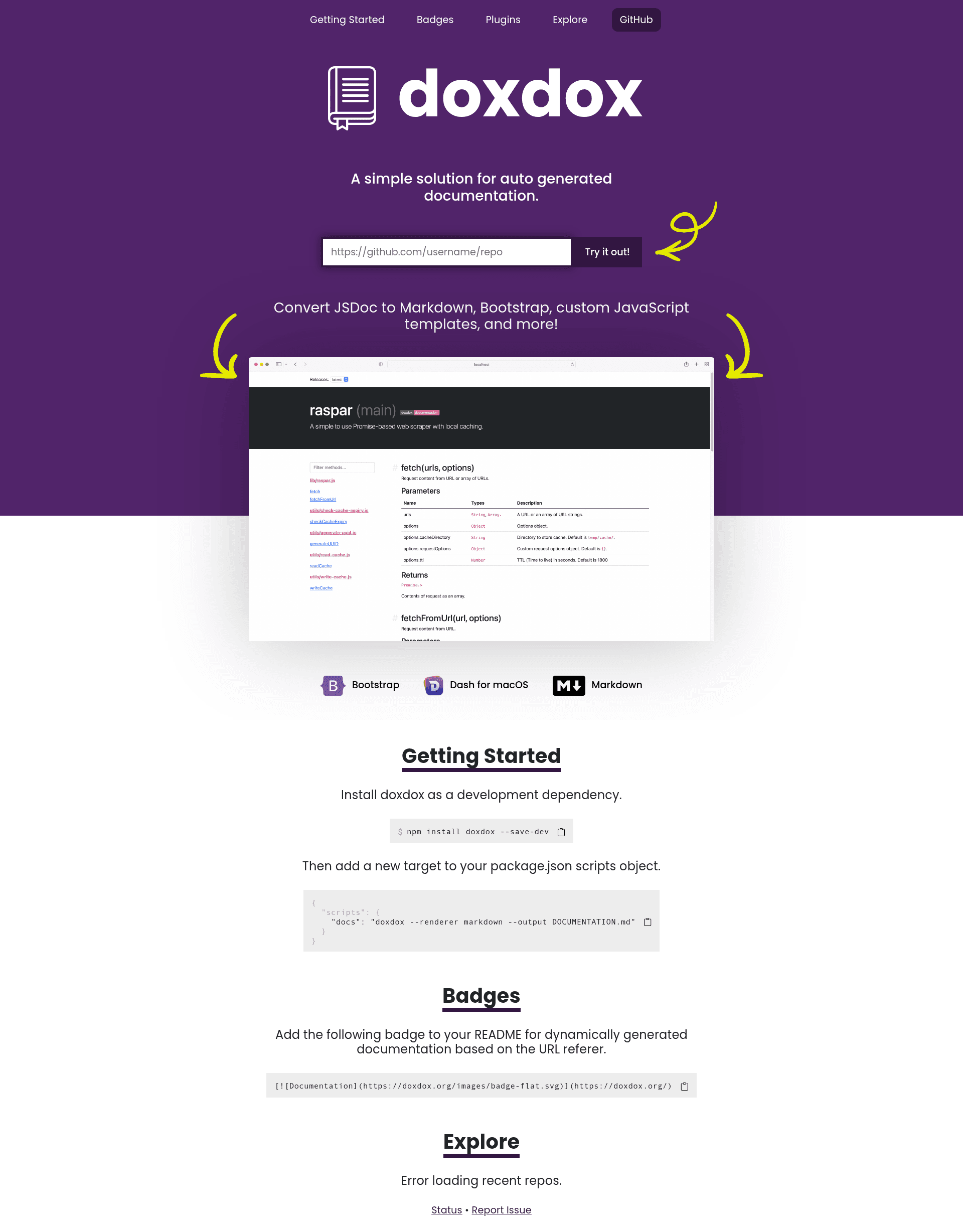
Doxdox
JSDoc to Markdown, Bootstrap, and custom JavaScript template documentation generator.
About this template
Doxdox is an open-source documentation generator that converts JSDoc comment blocks in JavaScript source files into Markdown, Bootstrap HTML, GitHub Wiki, JSON, PDF, and Dash documentation formats.
What is Doxdox?
Doxdox is a Node.js command-line tool (published as the npm package doxdox-cli) that parses JSDoc comment blocks from JavaScript files and renders them into multiple output formats. It takes glob patterns and file paths as input, and produces documentation files or stdout output. The project is developed in the docsbydoxdox/doxdox GitHub repository under the MIT license, with a notice that a massive rewrite is currently in progress.
Key Features
- Multiple bundled renderers — Ships with Markdown, Bootstrap, and JSON renderers; optional renderers add GitHub Wiki, PDF, and Dash output. Select one with the --renderer flag.
- Pluggable parsers — The default parser reads JSDoc comments; an optional dox parser is available, and custom parsers can be scaffolded from doxdox-parser-template.
- CLI and JavaScript API — Use the command line
doxdox '**/*.js'or import doxdox as an ES module in a Node.js project and call it programmatically. - Project metadata customization — Set the project name and description with --name and --description, and point to a package.json file with --package.
- File ignoring — Exclude files with repeated --ignore flags or a .doxdoxignore file formatted like .gitignore, for example
tests/**/*.js. - Flexible output destinations — Write to a file via --output, or pipe stdout to a file with
doxdox '**/*.js' > docs.md. - Next.js integration example — The README shows generating docs in getServerSideProps and injecting them into a page with dangerouslySetInnerHTML.
- Custom renderers — Provide a JavaScript module that exports a function accepting the parsed doc object and returning a string (like JSON.stringify) and pass its path via -r.
Who is it for?
- JavaScript library maintainers — Generate API reference documentation directly from the JSDoc comments already in their source code, outputting Markdown or Bootstrap HTML for a docs site.
- Teams with GitHub Wiki documentation — Use the optional GitHub Wiki renderer to produce wiki-ready pages automatically.
- Node.js developers automating docs builds — Add doxdox as a devDependency and run it in an npm script such as
doxdox 'lib/**/*.js' --renderer markdown --output DOCUMENTATION.md. - Documentation tool authors — Build custom parsers and renderers using the provided template packages to support other comment syntaxes or output layouts.
What can you do with Doxdox?
- Generate Markdown API docs: Run
doxdox 'lib/**/*.js' --renderer markdown --output DOCUMENTATION.mdfor a Markdown reference file. - Create a Bootstrap HTML documentation page: Use
doxdox '**/*.js' --renderer bootstrap --output docs.htmlto produce a styled, self-contained HTML page. - Export machine-readable JSON: Set
--renderer json --output docs.jsonto feed the doc data into other tools. - Publish to GitHub Wiki: Install the optional doxdox-renderer-github-wiki and render wiki-compatible pages directly.
- Serve docs from a Next.js app: Adapt the README example to fetch doxdox output server-side and render it with dangerouslySetInnerHTML.
How does doxdox work?
Doxdox scans JavaScript files matching the supplied glob patterns, extracts JSDoc comment blocks through a parser plugin (defaulting to jsdoc), and builds a documentation object. That object is passed to a renderer plugin, which serializes it into the selected format (Markdown, Bootstrap, JSON, etc.) and writes the result to stdout or the --output file.
FAQ
Is doxdox free?
Yes, doxdox is open-source software released under the MIT license. You can install it from npm and use it in commercial projects without a license fee.
How do I install doxdox?
Install the CLI globally with npm install doxdox-cli@v4.0.0-preview.25 -g or as a dev dependency with npm install doxdox-cli@v4.0.0-preview.25 --save-dev. The README notes the repository is under a massive rewrite, so versions are preview releases.
What output formats does doxdox support?
The bundled renderers output Markdown, Bootstrap HTML, and JSON. Separate optional renderers add GitHub Wiki, PDF, and Dash. You select one with the --renderer option.
How do I ignore files when generating docs?
Pass one or more --ignore flags on the command line, e.g. doxdox '**/*.js' --ignore '**/*.test.js', or create a .doxdoxignore file with patterns like tests/**/*.js. The file follows the same syntax as .gitignore.