Template details
DSC Website Template
A Gatsby-powered website generator for Google Developer Student Clubs, configurable via YAML files with one-command deploys to Firebase and GitHub Pages.
About this template
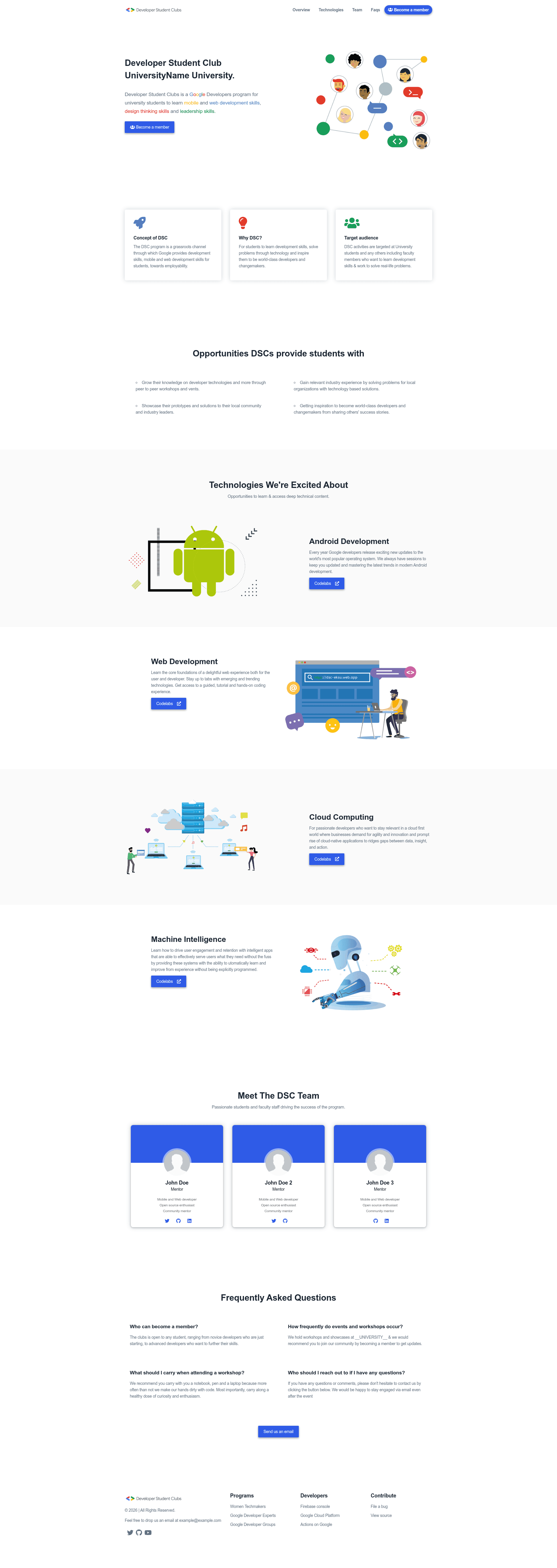
Google Developer Student Club Website Template is an open-source Gatsby-based website generator that lets any Developer Student Club publish a complete club site in less than three minutes without writing HTML, CSS, or JavaScript.
What is the DSC Website Template?
The DSC Website Template is a ready-made Gatsby project that turns YAML content files into a static club website. You edit a handful of .yaml files in the content folder, and the template builds a responsive site with team, social, and footer sections. It runs on Node.js and was built by Andrea Bacciu (DSC Lead) and Alessandro Scandone (Core Team), as a refactor of the EKSU DSC Laravel website. The generated site deploys to Firebase Hosting or GitHub Pages with a single npm command.
Key Features
- YAML-driven content — All site text, team bios, and social links live in
.yamlfiles under thecontentfolder, so a non-developer can update the whole site with a text editor. - Gatsby static site — The template uses Gatsby, so the output is a pre-built static site with React components and no server needed.
- One-command Firebase deploy — After a one-time
firebase init,npm run deployFirebasepublishes the site tofirebaseProjectId.firebaseapp.comorfirebaseProjectId.web.app. - One-command GitHub Pages deploy —
npm run deploybuilds the project and pushes it to GitHub Pages automatically. - Extensible social icons — Add Font Awesome brand icons (Telegram, YouTube, LinkedIn, Twitter, GitHub, and more) to team cards and the footer by editing
./src/icons.jsand the GraphQL queries inTeams.jsandFooter.js. - Minimal setup workflow — Clone the repo, install
gatsby-cliglobally, runnpm install, thennpm run developto get a live preview on localhost:8000.
Who is it for?
- Developer Student Club leads who need an official web presence and want a site up in a few minutes without a developer.
- DSC core team members who manage club content and can update event information, team rosters, and social links directly in YAML files.
- Student developers who are learning Gatsby and want a small reference project with config files, components, and GraphQL queries to study.
What can you do with the DSC Website Template?
- Spin up a club site instantly: Fork or clone the repo, install dependencies, edit the
contentYAML files, and runnpm run developto see your club site locally. - Publish to the web: After editing, run the appropriate deploy command to host the site on Firebase Hosting or GitHub Pages, with no backend setup.
- Customize branding and team: Modify
siteMetadataandteam.yamlto change the club name, description, social links, and team member profiles.
How does the template work?
The workflow is a simple four-step process: clone the repository and install the Gatsby CLI; run npm install to fetch dependencies; edit the .yaml files in the content folder to replace the default club information; and run npm run develop to preview locally or npm run deployFirebase/npm run deploy to publish. The Gatsby build process reads those YAML files at build time and generates static HTML pages.
FAQ
Do I need coding knowledge to use this template?
No. The entire site content is managed through .yaml files in the content folder. The authors state that site management does not require any web development or backend competence. You only need Node.js installed on your machine to run the build commands.
Can I host the site for free?
Yes. Firebase Hosting and GitHub Pages both offer free hosting tiers. The template includes preconfigured scripts for both providers, so you can deploy without paying for a server.
Is this template specifically for Google Developer Student Clubs?
Yes, it is built for the Google Developer Student Club community, and shows DSC branding, team structure, and social links. However, because content is data-driven through YAML, a non-DSC student organization could adapt it by changing the content files.
How do I add new social icons?
For brand icons not already supported, check Font Awesome's brand icon gallery, add the entry to the social YAML field, export the icon in ./src/icons.js, and add the field to the GraphQL query in the relevant component. For Twitter, YouTube, GitHub, and LinkedIn, only the YAML step is needed.