Template details
Duxt
Documentation template created with Nuxt 3 + TailwindCSS + Nuxt Content
About this template
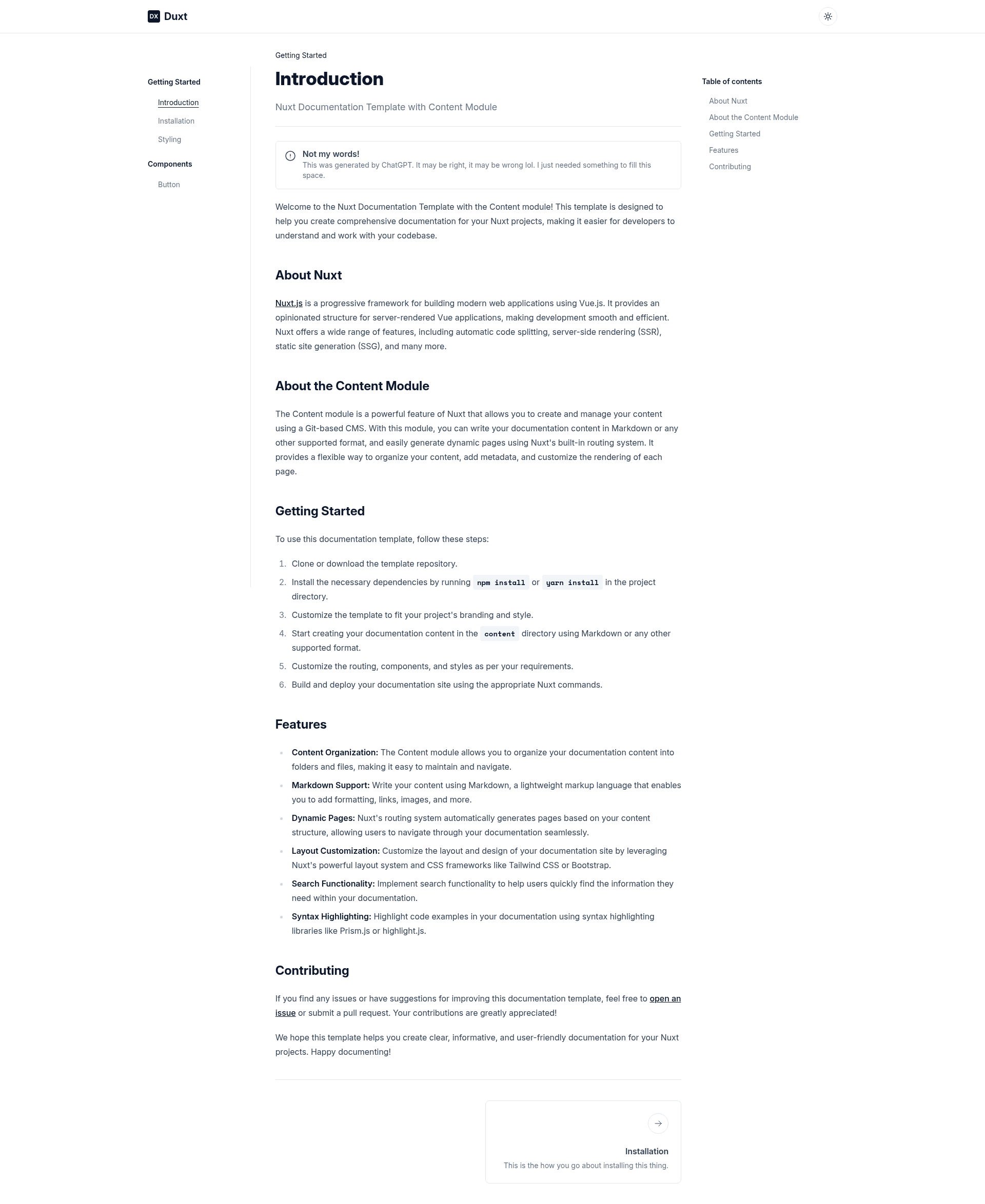
Duxt is a Nuxt 3 starter template for building documentation websites, bundling Nuxt Content, Tailwind CSS, and shadcn/ui-inspired styling into a single boilerplate.
What is Duxt?
Duxt is a documentation starter template built on Nuxt 3, the Vue.js meta-framework. It accepts Markdown content files as input and outputs a styled documentation website, using @nuxt/content to manage content and @nuxtjs/tailwindcss for utility-first styling. The template is published as an open-source GitHub repository and features a live preview at duxt.behonbaker.com. According to its README, it exists to serve as a starting point for project, package, or "whatever" documentation.
The styling is intentionally copied from shadcn/ui, the React component design system, and adapted to work within the Nuxt ecosystem.
Key Features
- Nuxt Content integration — Write documentation in Markdown or JSON and query it through Nuxt Content's typed layer; content is rendered into pages automatically.
- Tailwind CSS — UI is styled with Tailwind via the @nuxtjs/tailwindcss module, making theme customization a matter of editing a Tailwind config.
- shadcn/ui visual design — The layout and component styling replicate the look of shadcn/ui, giving docs a modern, clean aesthetic.
- nuxt-icon — Adds a lightweight icon component for use in navigation and content.
- nuxt-headlessui — Provides accessible, unstyled UI primitives (menus, modals, dropdowns) so you can build interactive docs.
- @vueuse/nuxt — Bundles VueUse composables for patterns like dark mode and local state.
- nuxt-lodash — Makes Lodash utilities available throughout the app.
- Prebuilt documentation layout — The starter includes a ready-made structure with navigation and content containers, as seen in the preview.
Who is it for?
Duxt is aimed at developers who need to ship documentation for a project without rebuilding the same scaffolding each time.
- Open-source maintainers can publish API documentation and usage guides for their package or library.
- Component library authors can document component APIs with props, examples, and live previews.
- Individual developers can set up a personal wiki or knowledge base in minutes.
What can you do with Duxt?
- Publish Markdown-based docs — Add .md files to the content directory and Nuxt Content turns them into a browsable site.
- Customize styling with Tailwind — Change fonts, colors, and spacing through Tailwind configuration.
- Embed interactive examples — Use Vue components and nuxt-headlessui primitives inside your documentation pages.
- Generate a static site — Run
nuxt generateto produce a static build you can host on any web server.
Pricing
Duxt is free and open-source; the full source is available in its public GitHub repository.
Alternatives
- VitePress — a Vue-based documentation site generator built on Vite, with its own default theme.
- Docusaurus — a React-powered documentation tool with built-in versioning and search.
- Nextra — a documentation framework for Next.js that renders Markdown content with a sidebar layout.
FAQ
Is Duxt free?
Yes, Duxt is distributed as an open-source template on GitHub. There is no license cost or subscription required to download and use it in your own projects.
What Nuxt version does Duxt use?
Duxt is built on Nuxt 3, the latest major version of the framework at the time of this template's release. It relies on Nuxt's module system for content, styling, and utility integrations.
Does Duxt include shadcn/ui components?
Duxt copies the visual styling of shadcn/ui but does not ship the React components themselves. It recreates that look using Nuxt, Vue, and the included modules, so the final pages carry the shadcn/ui aesthetic.
What content formats are supported?
Through Nuxt Content, Duxt supports Markdown and JSON content files. You can structure documentation pages by dropping files into the content directory, and Nuxt Content handles parsing and querying.