Template details
Spacebook
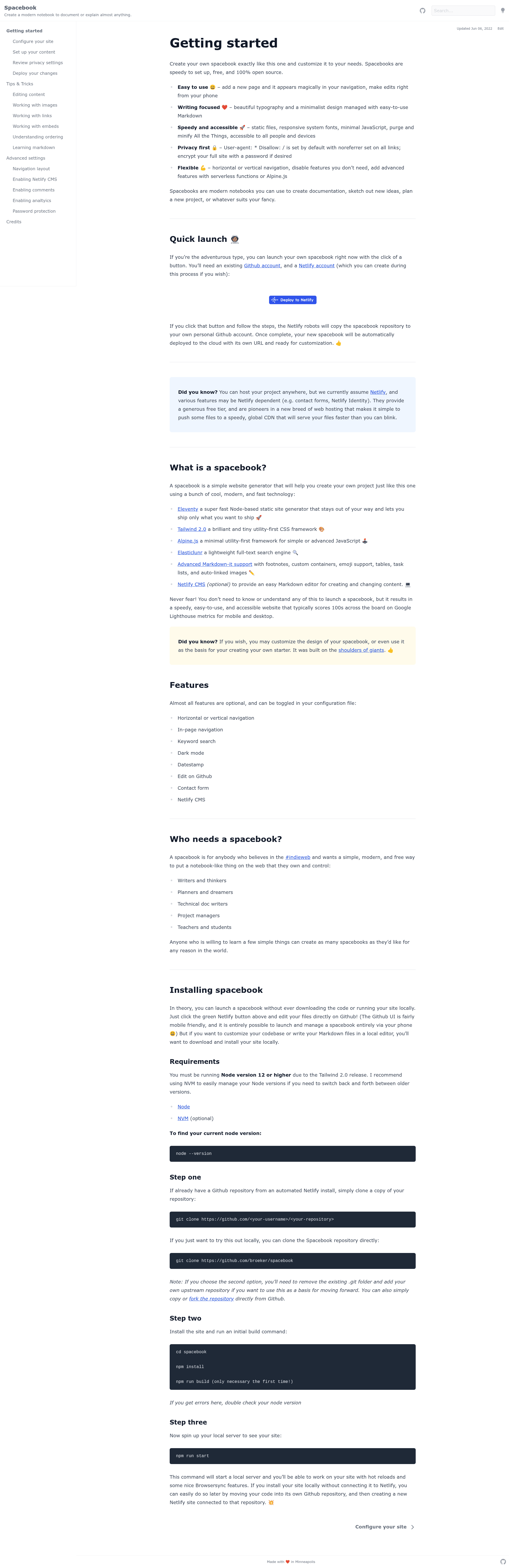
Create fast and simple documentation to explain almost anything. Uses Eleventy, Tailwind 2.0, and Alpine JS with an optional Netlify CMS.
About this template
Spacebook is a free, open-source JAMstack template for building fast, customizable documentation sites, powered by Eleventy, Tailwind CSS 2.0, Alpine.js, and an optional Netlify CMS.
What is Spacebook?
Spacebook is a modern documentation starter that turns Markdown content into a static website using the Eleventy static site generator. It comes pre-styled with Tailwind CSS 2.0 and uses Alpine.js for light interactivity, with Netlify CMS available as an optional content management layer. The project is hosted on GitHub under the broeker/spacebook repository, has 319 stars, and is deployed to Netlify with a live demo at spacebook.app.
Key Features
- Eleventy static generation — Converts Markdown files into HTML via Eleventy (11ty), requiring no database or server-side runtime.
- Tailwind CSS 2.0 — Provides a utility-first styling system that can be customized through Tailwind config files.
- Alpine.js integration — Adds drop-in interactive components (e.g., mobile menus, toggles) without heavy JavaScript.
- Optional Netlify CMS — Lets non-technical editors manage content through a web-based Git-connected CMS.
- Open source and free — The template is 100% open source, so you can fork and modify it without licensing fees.
- Node.js 12+ requirement — Development requires Node version 12 or higher; NVM is recommended for managing versions.
- Local dev with Browsersync — Running npm run start gives hot reloads and Browsersync features for faster iteration.
- Git-based workflow — Content lives in Markdown, so edits can be versioned, reviewed, and deployed via Git.
Who is it for?
Spacebook is built for anyone who needs to publish structured text on the web quickly. Developers can set up project documentation in minutes, technical writers can write in Markdown and get a clean responsive site, and open-source maintainers can host docs, changelogs, or knowledge bases entirely for free. Because content is stored in files, it also suits teams that already use Git for collaboration.
What can you do with Spacebook?
- Software teams — Create API docs, user guides, or internal wikis with markdown and optional Netlify CMS editing.
- Indie makers — Set up a simple personal website, portfolio, or product page without paying for hosting or a CMS.
- Technical writers — Focus on writing in Markdown and let the Eleventy build produce a fast, accessible HTML site.
- Open-source projects — Publish project documentation alongside your codebase, with contributions via GitHub pull requests.
How do I install Spacebook?
Installation requires Node.js version 12 or higher. Clone the GitHub repository, run npm install, then run npm run build once to generate the initial site. After that, npm run start launches a local development server with hot reloads and Browsersync. The entire setup is designed to take only a few commands.