Template details
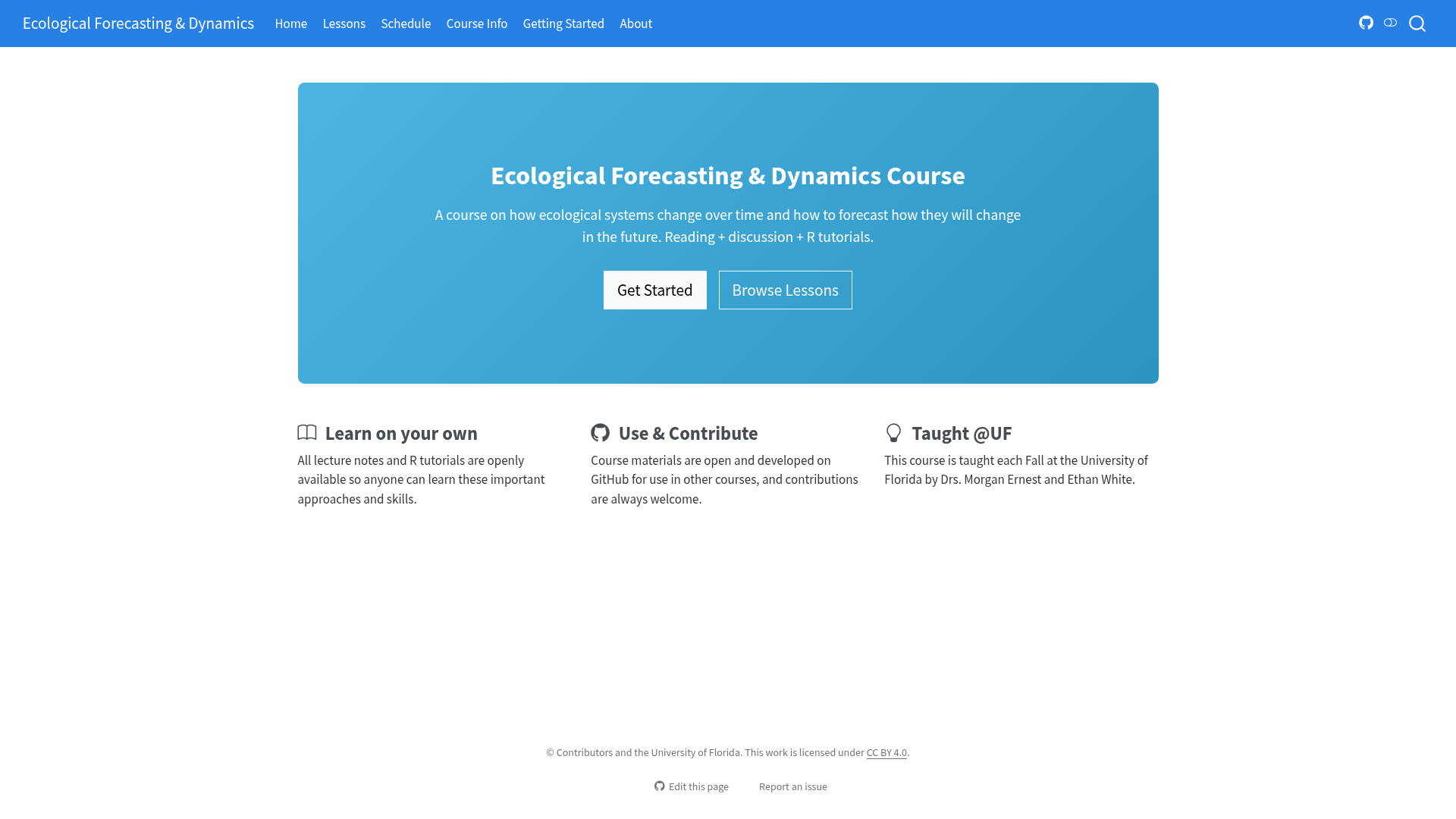
Ecological Forecasting & Dynamics Course
Open ecological forecasting course from the University of Florida with R time-series tutorials, built with Quarto and deployable to Netlify.
About this template
The Ecological Forecasting & Dynamics Course is an open educational course website from the University of Florida, built with Quarto, that teaches how ecological systems change through time and how to forecast future changes using R tutorials and primary literature discussions.
What is the Ecological Forecasting & Dynamics Course?
The course is an openly licensed educational resource taught each Fall at the University of Florida by Drs. Morgan Ernest and Ethan White, combining reading and discussing primary scientific literature with hands-on R tutorials on time-series data and forecasting. It takes lesson content stored as markdown and .qmd files in per-lesson folders and renders it into a static website (course.naturecast.org) plus an automatically generated schedule table. The full course — lecture notes, R tutorials, data, and site infrastructure — is released openly so students can learn independently and other teachers can reuse or remix it.
Key Features
- Open educational licensing — All code, lesson content, data, and site infrastructure are openly licensed; users can link to lessons, copy material with attribution, or fork the entire site.
- Quarto static site — The site builds with Quarto 1.8 or newer and R; run
quarto previewfor live reload orquarto renderto build into the_site/directory. - Per-lesson folder structure — Each lesson lives in its own named subdirectory under the
lessonsfolder, and aLessonTemplatefolder provides a starting point for new lessons. - Automatic schedule generation — The Schedule page is regenerated from
schedule/schedule.csvon every render; a lesson title that doesn't match a real lesson fails the build. - GitHub Actions + Netlify deployment — The repo's
publish.ymlworkflow publishes on every push tomainand posts a preview deploy on each pull request, usingNETLIFY_AUTH_TOKENandNETLIFY_SITE_IDrepository secrets. - Edit this page workflow — The
repo-urlsetting in_quarto.ymlmakes theEdit this pagelink on every page point to the corresponding source file, simplifying contributions. - Base-R-only infrastructure — R is used only to regenerate the schedule table before rendering, with base R and no packages; tutorial R code is displayed rather than executed.
Who is it for?
- Self-paced students — Learners who want to study ecological forecasting independently can follow the rendered website and its Getting Started page.
- University instructors — Ecology, statistics, or data science teachers can link to individual lessons, copy material onto their own course site with attribution, or fork the complete site.
- Course contributors — Researchers and educators who want to add new lessons or data can open issues or submit pull requests to the forecasting-course repository.
- Quarto site maintainers — Anyone wanting a worked example of a Quarto-based multi-lesson site deployed through GitHub Actions to Netlify.
Use cases
- Independent learners: work through the R tutorials and lecture notes on the rendered website at your own pace, without enrolling in the university course.
- Instructors: incorporate specific lessons into an existing course by linking out, or adapt the materials freely because they are openly licensed.
- Site builders: fork the repository, update
repo-urlin_quarto.yml, connect to Netlify, and publish your own modified version of the course site.
How does the course site work?
Install Quarto 1.8 or newer and R, clone the repository, then run quarto preview to view the site locally. Content is authored as markdown or .qmd files inside the lessons folder; the schedule table is driven by schedule/schedule.csv. Pushing changes to main triggers the GitHub Actions workflow, which renders the site and uploads it to Netlify.
Pricing
The course is free: all materials, code, and data are openly licensed, and no pricing or paid tiers are mentioned in the repository.
FAQ
Is the course free to use?
Yes. All of the code, lesson content, data, and infrastructure for the site are openly licensed, so anyone can use the materials for independent learning or reuse them in their own courses at no cost.
What software do I need to build the site?
You need Quarto version 1.8 or newer and R installed. R is used only to regenerate the schedule table with base R — no packages are required — and the R code in tutorials is displayed rather than executed.
Can I use these materials in my own course?
Yes. The README describes three approaches: link to lessons from your course site, copy material from the website or GitHub repository onto your own site with a link back for attribution, or create a full copy of the website and optionally modify it.
How do I add a new lesson?
Copy the LessonTemplate folder, edit the pages in the new folder using markdown, and add the lesson to the sidebar section of _quarto.yml. To modify an existing lesson, edit the .qmd files in its folder, or use the Edit this page link on the deployed site.
How is the site deployed?
The site is rendered by GitHub Actions and uploaded to Netlify; Netlify itself does not build it. Fork the repository, add it as a site on Netlify, and set NETLIFY_AUTH_TOKEN and NETLIFY_SITE_ID as GitHub repository secrets.