Template details
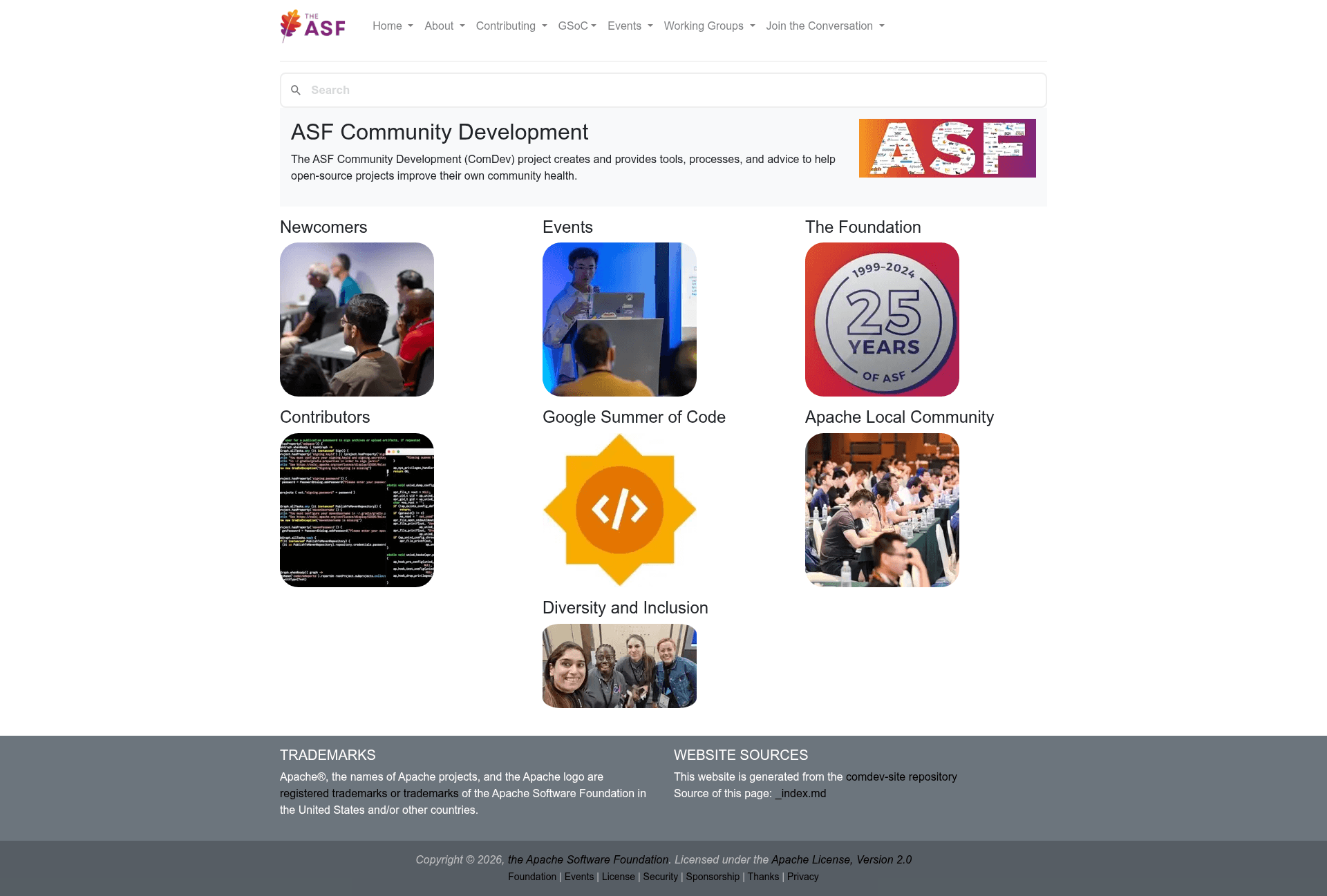
Apache Community Development Website
Website sources for the Apache Community Development Website, built with Hugo.
About this template
The Apache Community Development website repository is a Hugo-based static site source that generates community.apache.org, the official website of the ASF Community Development PMC.
What is the Apache Community Development website?
This repository contains the source code for the ASF Community Development PMC website, hosted at community.apache.org. It is built with Hugo as the static site generator, taking Markdown content and Hugo templates as inputs and producing a static site under target/content, then indexing it with Pagefind for the on-site search bar. The site is maintained by the Apache Community Development PMC, which can be reached via the dev@community.apache.org mailing list. The same PMC also manages events.apache.org, but that site has its own repository, comdev-events-site.
Key Features
- Hugo static generation — The site uses Hugo, and the exact version required is determined from the Jenkins build output rather than pinned in the repository.
- Pagefind search — Search is powered by Pagefind; after building, run
npx -y pagefind --site target/contentto index the generated content. - Preview branch staging — Branches named preview/* are automatically staged; for instance, preview/pmc-members is served at https://comdev-pmc-members.staged.apache.org/ per INFRA-26845.
- Automated CI/CD — The comdev-site Jenkins Job builds and pushes the site whenever main or preview/* changes, with a lag of about ten minutes for jobs triggered by direct GitHub commits.
- gitpubsub deployment — Generated content is pushed to the asf-site branch, and the ASF's gitpubsub mechanism synchronizes it to the live site within seconds.
- Local development workflow —
hugogenerates the site under target/content, whilehugo server -D -d /tmp/comdev-generated-siteruns an incremental server on localhost:1313 with draft pages included.
Who should use this template?
- Apache community contributors who want to add or edit documentation on community.apache.org and need a local preview workflow before submitting changes.
- PMC members responsible for the Community Development website who need to manage the publishing pipeline, preview branches, and Jenkins jobs.
- Hugo developers looking for a real-world Apache project site that uses Hugo, Pagefind, and automated staging with preview branches.
Use cases
- Content contributors: Clone the repository, run the Hugo development server, modify Markdown content, and verify rendering locally before pushing to GitHub.
- Site administrators: Trigger the Jenkins job manually when direct commits are too slow, or manage preview branches to test major layout changes before they reach the live site.
- Search functionality: Use the Pagefind setup as a reference for adding client-side search to a Hugo site without external services.
How does this template work?
The workflow starts when commits land on main or a preview/* branch, which triggers the comdev-site Jenkins Job. Jenkins runs Hugo to generate the static site, runs Pagefind to build the search index, and pushes the result to the asf-site branch. The ASF's gitpubsub mechanism then deploys that branch to community.apache.org, usually within seconds. If the automatic process fails, the documentation suggests making a dummy commit to retrigger it.
FAQ
Is the Apache Community Development site free to use?
Yes, the site is open source under the Apache License 2.0, and its source code is publicly available in the apache/comdev-site GitHub repository. There are no costs associated with using the site or contributing to it.
How do I test the site locally?
You need a recent version of Hugo. Run hugo to generate the website under target/content, then execute npx -y pagefind --site target/content to index the content. For an incremental development server, run hugo server -D -d /tmp/comdev-generated-site and visit localhost:1313.
What are preview branches?
Preview branches are any branches named preview/. They are staged automatically; for example, preview/pmc-members is staged at https://comdev-pmc-members.staged.apache.org/. This allows testing changes without affecting the live site before merging to main.
How long does it take for changes to go live?
If you commit directly to GitHub, the Jenkins job typically starts within about ten minutes. Once the job finishes, gitpubsub syncs the asf-site branch to the live site in seconds. If the process doesn't run, you can start the job manually if you have the required Jenkins access rights.