Template details
Emerald
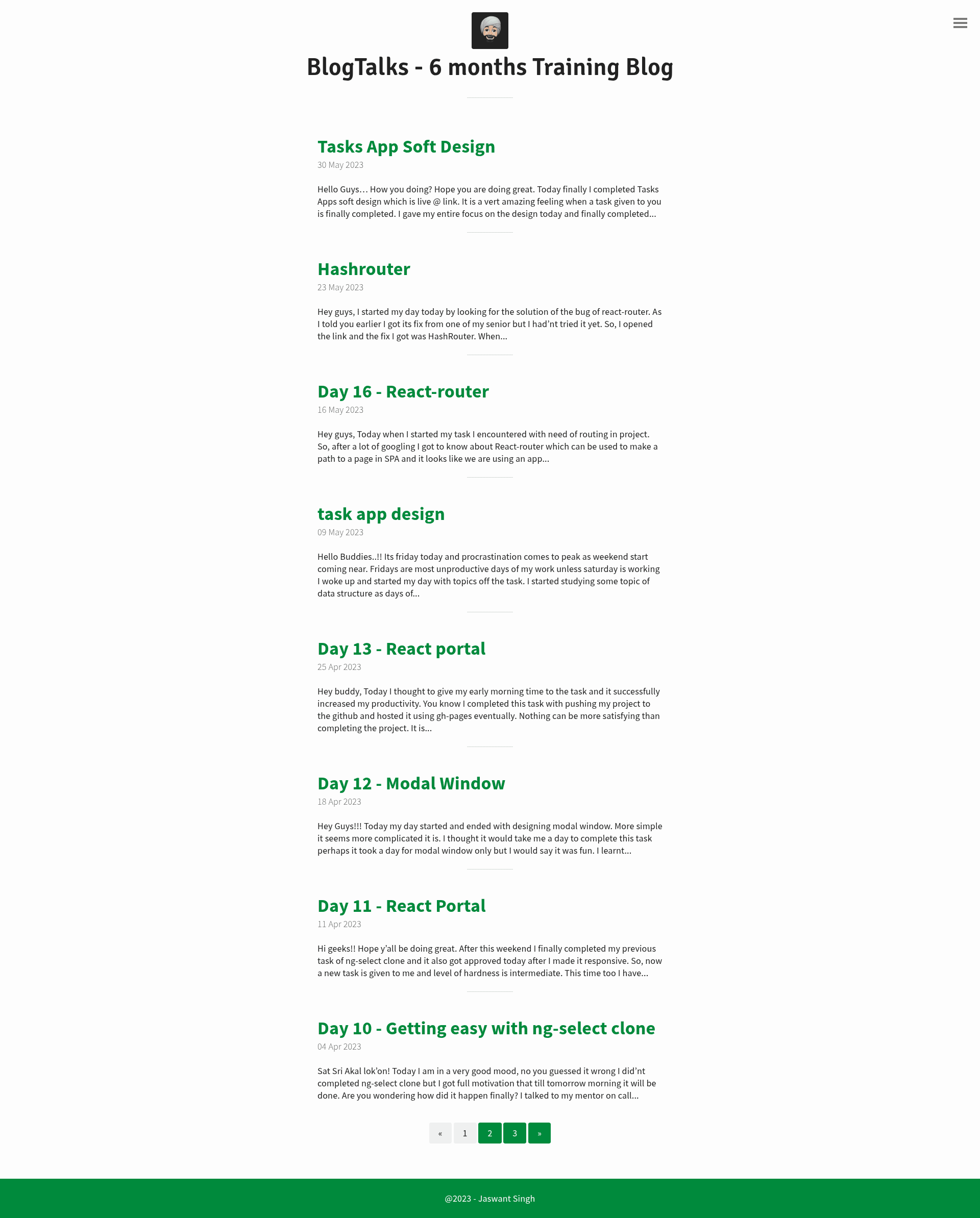
A minimal, mobile-first Jekyll theme for content-focused blogs, with customizable colors, navigation, and GitHub Pages support.
About this template
Emerald is a minimal, mobile-first Jekyll theme that turns a standard Jekyll installation into a content-focused blog ready to run locally or on GitHub Pages.
What is Emerald?
Emerald is a static blog theme built for Jekyll, the Ruby-based static site generator. It takes Markdown posts, pages, and a _config.yml file as input and outputs a static HTML site styled with SCSS. The theme was created by Jacopo Rabolini, is released under the MIT License, and is distributed as a downloadable zip from the repository or through a fork for GitHub Pages.
Key Features
- Mobile-first layout — The theme is designed around small screens first, so the navigation and typography reflow naturally on phones, tablets, and desktops.
- Customizable color palette — Colors are defined as SCSS variables in
base.scss($main-color,$background-color,$text-color), and you can set them with HEX, RGB, or CSS-supported formats. - Autogenerated navigation menu — Starting in version 1.1.0, menu links are generated automatically from every page that uses the
pagelayout; you can also override them by editinglink.html. - Optional custom header and nav footer — Two flags in
_config.ymlenable you to inject your own HTML intoheader-custom.htmlandnav-footer-custom.html. - Reverse menu option — Setting a
trueoption moves the navigation menu from the right side to the left side. - GitHub Pages ready — Fork the repository, adjust the
baseurlvalue to your project directory or root, and the site builds automatically through GitHub Pages. - Typographic scale with 24px baseline — The layout uses a modular scale with a 24px baseline, so images and embedded media should be inserted at multiples of 24px in height to preserve vertical rhythm.
- Two development branches — The
masterbranch is for development, whilegh-pageshosts the demonstration site.
Who is it for?
Emerald is aimed at bloggers and content writers who want a no-frills Jekyll theme that stays out of the way. Developers who are comfortable editing SCSS variables can rebrand colors in a few minutes. Teams using GitHub Pages as their CMS can fork the repository, set their baseurl, and publish a documentation or personal blog without configuring a separate hosting service.
What can you do with Emerald?
- Personal bloggers: Publish Markdown posts and see them rendered in a clean, mobile-friendly layout with automatic navigation to their page-based sections.
- GitHub Pages users: Host the blog on a project site by forking the repository and setting
baseurlto either a subdirectory like/blogor the root/. - Theme customizers: Change the three color variables in
base.scssto match a brand, and enable the custom header or nav footer options to inject analytics or banner code. - Jekyll learners: Use Emerald as a reference implementation of a typical Jekyll project structure, including
_config.yml, pages, posts, and SCSS partials.
How does Emerald work?
Download the zip from the GitHub repository, extract it into your Jekyll directory, and run jekyll serve in the terminal; the site will be available at 0.0.0.0:4000/emerald/. Alternatively, fork the repository, edit _config.yml to change the baseurl value to your project name or /, and let GitHub Pages build the site from the gh-pages branch.
License
Emerald is released under the MIT License, so you can use it freely in personal and commercial projects without paying a licensing fee.