Template details
Shiori
Unmaintained Bootstrap-based Jekyll theme with flat color schemes, customizable for blogs.
About this template
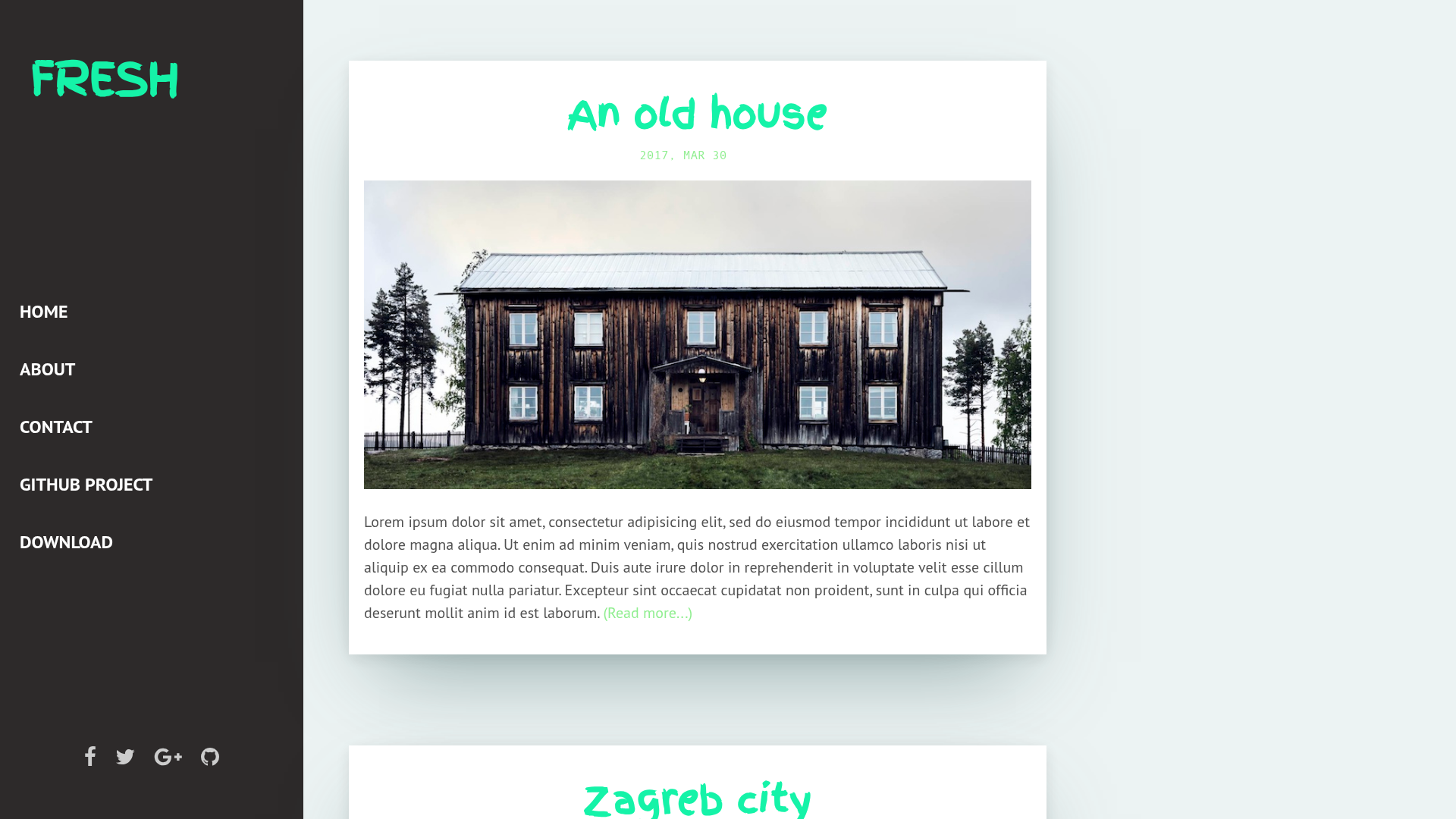
Shiori is an unmaintained Bootstrap-based Jekyll theme by Elle Kasai that provides a flat-color blogging layout with seven preset color schemes and SASS-driven customization.
What is Shiori?
Shiori is a theme for Jekyll static sites, built on the Bootstrap front-end framework and released under the MIT License. It takes a Jekyll-based blog project and applies a color-themed layout with customizable navigation, sidebar, and post templates. The theme runs on any Jekyll installation and is pre-configured for GitHub Pages through the github-pages gem. The author, Elle Kasai, announced the project is no longer maintained.
Key Features
- Bootstrap foundation — Styled with Bootstrap and exposes SASS variables in
_sass/custom-bootstrap-variables.scssfor framework-level customization. - Seven color schemes — Dark, Turquoise, Green, Blue, Purple, Orange, and Red, all based on Flat UI Colors, selectable via
_data/theme.yml. - Modular includes — Navigation links, right navigation, sidebar, post header/footer, and site footer are separate files under
_includes/for easy editing. - GitHub Pages ready — Installation includes the
github-pagesgem; run locally withjekyll serve --watchafter forking the repository. - Custom domain support — Ships with a
CNAMEfile to configure a custom domain. - Custom SASS — Additional styles can be added through
_sass/custom-scss.scss.
Who should use Shiori?
- Jekyll bloggers — Get a flat-design blog layout that runs on Jekyll and uses Bootstrap without a separate front-end build system.
- Developers learning static sites — Fork the repository to see how a Jekyll theme structures
_config.yml,_includes, and_sassfiles. - Hobbyists wanting quick theming — Change the entire color scheme by editing a single
_data/theme.ymlfile without touching templates.
What can you do with Shiori?
- Launch a personal blog on GitHub Pages — Fork the repo, change
_config.ymlandCNAME, and publish a blog with a custom domain. - Rapidly switch color themes — Edit
_data/theme.ymlto cycle the seven flat UI colors and see the result on the same content. - Customize navigation and sidebar — Modify
_includes/nav.htmland_includes/sidebar.htmlto fit your site structure.
How does Shiori work?
- Fork the repository from GitHub and clone it locally.
- Run
bundle installto install thegithub-pagesgem, thenjekyll serve --watch. - Visit
http://localhost:4000/shiori/(the defaultbaseurlis/shiori; change it to an empty string in_config.ymlto use the root). - Customize required files such as
_config.yml,CNAME, and_includesbefore deploying.
Pros and cons
- Pro: Simple, documented customization path for colors and layout.
- Pro: Free to use under the MIT License.
- Con: No longer maintained, so there is no active support or updates.
Pricing
Shiori is free and open source under the MIT License.
FAQ
Is Shiori still maintained?
No. The author states at the top of the README that the project is no longer maintained and that they no longer have time to update it.
What do I need to run Shiori?
You need a Jekyll environment. The README recommends installing the github-pages gem via bundle install and running jekyll serve --watch.
How do I change the color theme?
Edit _data/theme.yml to select one of the seven available schemes: Dark, Turquoise, Green, Blue, Purple, Orange, or Red.
Can I use Shiori with a custom domain?
Yes, the theme includes a CNAME file; replace its contents with your domain to host on GitHub Pages.