Template details
EnvShare
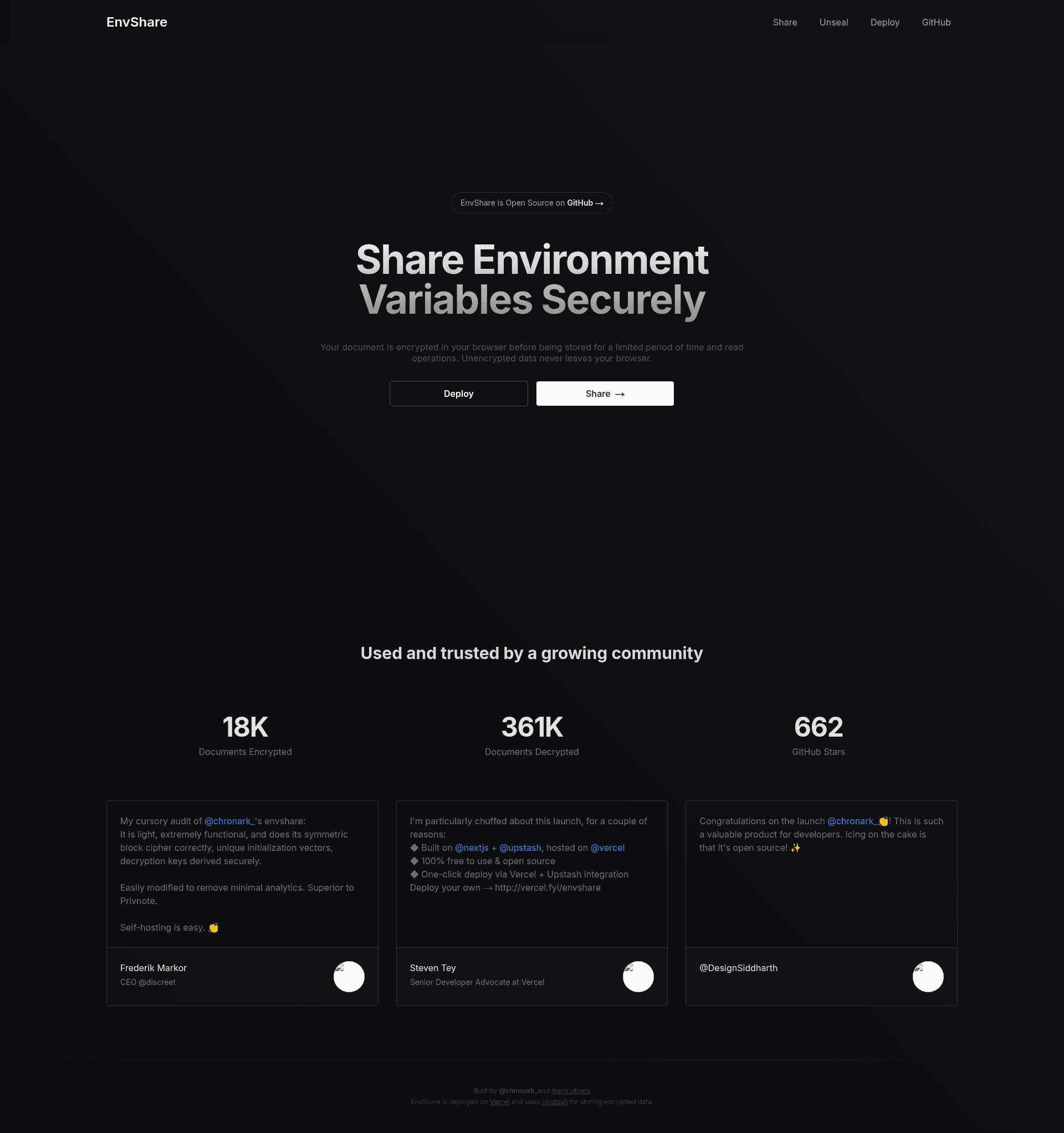
Share environment variables securely with AES-GCM encrypted, expiring links
About this template
EnvShare is an open-source web tool for securely sharing environment variables and other secrets via encrypted, expiring links, built with Next.js and Tailwind CSS.
What is EnvShare?
EnvShare is a self-hostable web application that shares secrets by generating encrypted, expiring links. It uses AES-GCM encryption in the browser before any data is sent to the server, and the encryption key never leaves the browser. The project is built on Next.js, styled with Tailwind CSS, deployed on Vercel, and stores encrypted data in an Upstash Redis database. The source is available on GitHub under the chronark account and a live instance runs at envshare.dev.
Key Features
- End-to-end encryption — Data is encrypted with AES-GCM before transmission; the server only ever receives ciphertext.
- Shareable links — Each secret gets a unique URL, for example
https://envshare.dev/api/v1/secret/HdPbXgpvUvNk43oxSdK97u, that can be shared with anyone. - Read limits — Control how many times a link can be opened by sending the
envshare-readsheader when storing the secret; omitting the header allows unlimited reads. - Auto-expiration — Set a time-to-live in seconds with the
envshare-ttlheader; the default is 30 days and a value of 0 disables expiration. - REST API — Store secrets with
POST /api/v1/secretand retrieve them withGET /api/v1/secret/{id}using simple curl commands. - Vercel Analytics toggle — Enable or disable analytics through the
ENABLE_VERCEL_ANALYTICSenvironment variable; it is off by default. - One-click deploy — Deploy to Vercel directly using the provided template, which wires up an Upstash Redis integration automatically.
Who is it for?
- Developers and DevOps engineers — Share API keys, database credentials, or configuration values with teammates without exposing plaintext in chat or email.
- Open-source maintainers — Hand out temporary secrets to contributors or CI systems with links that expire automatically.
- Serverless teams — Self-host EnvShare on Vercel with Upstash Redis to run an internal secret-sharing service with minimal infrastructure.
What can you do with EnvShare?
- Securely hand off credentials: Send a one-time-use link to a contractor that expires after an hour and allows only one read.
- Automate secret delivery: Call the REST API from scripts to programmatically create expiring, read-limited secret links.
- Test encryption workflows: Deploy your own instance to experiment with client-side AES-GCM encryption and a server that only stores ciphertext.
How does EnvShare work?
To store a secret, encrypt it in the browser (or with your own tool) and send the ciphertext to the API endpoint. The server stores it in Upstash Redis along with optional TTL and read-count settings, then returns a unique ID. The recipient fetches the secret from the returned URL; the browser decrypts it locally using the key that never left the sender's side. The API explicitly warns against uploading unencrypted secrets.
FAQ
Is EnvShare free?
EnvShare is open-source, so you can self-host it for free if you provide your own Upstash Redis database and Vercel deployment. The public site at envshare.dev is available for use, but the README does not document a pricing model for the hosted instance.
What encryption does EnvShare use?
EnvShare uses AES-GCM encryption. The key is generated and used entirely in the browser, and the server never receives the key, only the encrypted payload.
Can I set a maximum number of reads?
Yes. Send the envshare-reads header when creating a secret to limit how many times the URL can be opened. If the header is omitted, the secret can be read an unlimited number of times.
How long do secrets last?
By default, secrets expire after 30 days. You can change this by sending the envshare-ttl header with the desired lifetime in seconds, or set it to 0 to disable expiration entirely.
Is the API easy to use from the command line?
Yes. The README shows two curl commands: one to store an encrypted secret and one to retrieve it. The response includes the secret ID, TTL, read count, expiration timestamp, and the full retrieval URL.