Template details
eve Chat Template
A persisted Next.js chat template for eve, built with shadcn/ui, Tailwind CSS, Streamdown, Better Auth, Drizzle, and Neon.
About this template
The eve Chat Template is a Next.js chat boilerplate from the vercel/eve repository that gives an eve agent a working chat UI with shared-password access and browser-persisted conversations, upgradeable to a production multi-user app backed by Neon, Upstash, and Sign in with Vercel.
What is the eve Chat Template?
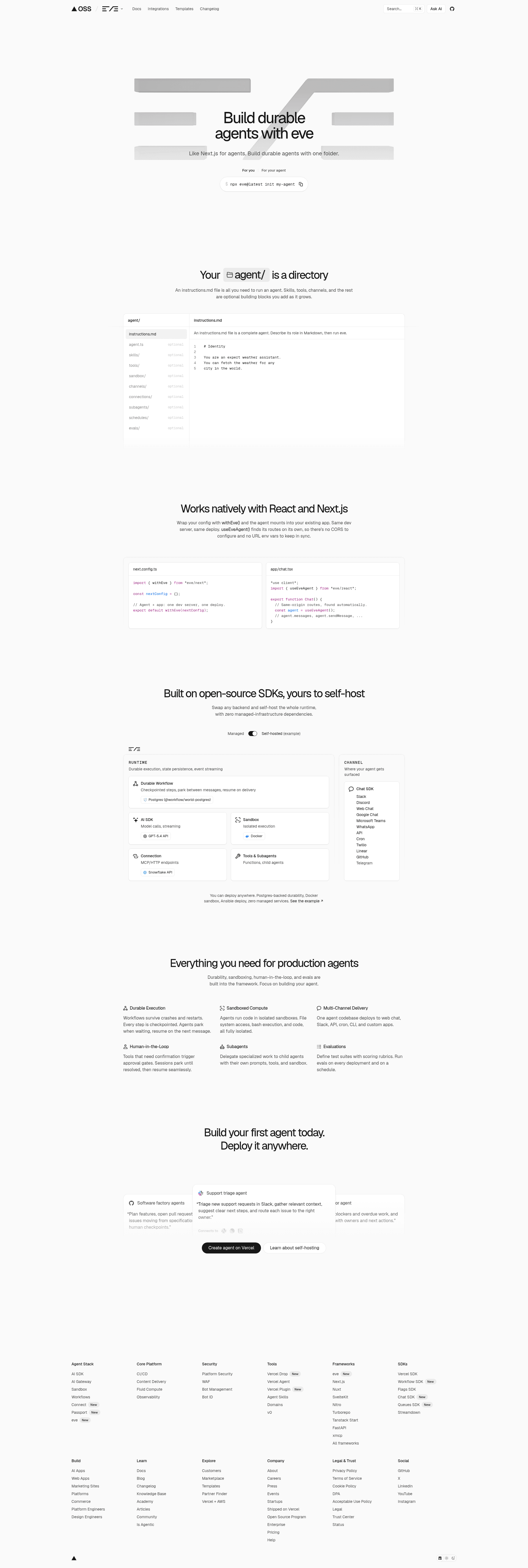
The eve Chat Template is a Next.js chat application template built for eve, Vercel's open framework for building agents. It ships a chat interface that talks to an eve agent over same-origin /eve/v1/* routes, stores eve session cursors and stream events so a conversation resumes after refresh, and starts from a single environment variable: a shared password. Its output is a deployable web app — one click on Deploy with Vercel, or pnpm install plus pnpm dev locally — with persistence, authentication, database, and rate-limiting layers you enable incrementally rather than all at once. The agent itself lives in the repo: agent/agent.ts holds the definition, agent/instructions.md the behaviour, agent/tools/ the tools, and agent/memory/profile.ts the per-user long-term memory.
What makes the eve Chat Template stand out?
- Three deployment modes in one codebase — Starter (a configured
EVE_CHAT_PASSWORD, secure session cookie, browser localStorage), Production (Neon, Upstash, and all Sign in with Vercel variables present, with Neon chat persistence and per-user Vercel Blob memory), and Local development (nothing configured, local development identity, process-local memory). - Next.js plus shadcn/ui and Tailwind CSS — chat messages, tool calls, HITL prompts, and the composer are built from shadcn/Tailwind components, with Streamdown rendering markdown for assistant text and reasoning.
- Better Auth with Sign in with Vercel — used in production mode instead of NextAuth/Auth.js, alongside a Drizzle schema and migrations under
lib/dbfor the Neon database. - Client integration through
useEveAgent()— imported fromeve/react, it drives the browser side while the app stores stream events so the route/chat/[id]can resume the same durable conversation. - Vercel Connect integrations — a Slack channel route at
/eve/v1/slackplus Notion, Linear, and Sentry MCP connections created withvercel connect createand referenced via theSLACK_CONNECTOR,NOTION_CONNECTOR,LINEAR_CONNECTOR, andSENTRY_CONNECTORvariables. - One-script production upgrade —
./scripts/setup.shprovisions private Vercel Blob storage, Neon, and Upstash, registers Sign in with Vercel, pulls environment variables, and runs migrations (Blob usage may incur charges). - Sidebar chat history — delete and new-chat actions, plus first-message titles derived locally from the user's prompt.
- Deliberate omissions — no file uploads, guest mode, NextAuth/Auth.js, or AI Elements are included.
Who should use the eve Chat Template?
- Builders evaluating eve: deploy the starter with only an
EVE_CHAT_PASSWORD(16+ characters recommended) and get a chatting agent without provisioning a database or Marketplace products. - Solo operators running an internal agent: keep one trusted operator and a small password-sharing group, accepting that everyone with the password shares the same agent identity and connection grants.
- Product teams moving to multi-user: run
./scripts/setup.sh, fillDATABASE_URL,BETTER_AUTH_SECRET,UPSTASH_REDIS_REST_URL, and the Sign in with Vercel credentials, thenpnpm db:migratefor cross-device history and per-user memory. - Agent authors wiring tools: attach Slack, Notion, Linear, or Sentry connectors and let the composer's connections menu expose them.
What can you do with the eve Chat Template?
- Indie developers: click Deploy with Vercel, enter a strong password, and have a password-gated eve chat running with chats kept in that browser only.
- Teams testing agent tools: configure one or more MCP connectors, restart, and the composer shows a connections menu — password-only starter deployments omit the menu entirely rather than prompting eve to use unavailable connections.
- Ops and platform engineers: wire Slack as a channel route at
/eve/v1/slackwithvercel connect attach <slack-connector-uid> --triggers --trigger-path /eve/v1/slack --yes, or fall back to the default connector namesslack/eve-chat-template,notion,linear, andsentryin local development without editingagent/. - Self-hosters: run locally with
pnpm devand no external services, addingEVE_CHAT_PASSWORDto.env.localwhen the same password prompt is wanted offline.
How does the eve Chat Template work?
In starter mode you click Deploy with Vercel, enter an EVE_CHAT_PASSWORD of at least 16 characters, and open the deployed app to chat; chats and eve session cursors are kept in that browser's localStorage and are not shared across browsers or users. Upgrading to production runs the setup script, which provisions Blob storage, Neon, and Upstash, registers Sign in with Vercel, pulls environment variables, and runs migrations — the app then switches to Sign in with Vercel, Neon chat persistence, and per-user long-term memory. Production mode takes precedence whenever its complete environment is present, and the app fails closed in a production deployment when neither mode is configured. For manual setups, attach an unlinked connector with vercel connect attach <connector-uid> --yes and re-pull with vercel env pull .env.local.
FAQ
Is the eve Chat Template free?
The template is source code in the public vercel/eve repository, so cloning and deploying it costs nothing. Running it can cost money: Vercel Blob usage may incur charges, and production mode depends on Neon and Upstash, whose own usage pricing applies to whatever the app consumes.
What protects the chat by default?
Starter mode guards the app with a single shared EVE_CHAT_PASSWORD environment variable (16+ characters recommended) plus a secure session cookie. Anyone holding that password shares the same agent identity and connection grants, so starter mode suits one trusted operator rather than a public launch.
Does the eve Chat Template persist chats across devices?
Not in starter mode: chats and eve session cursors live in the browser's localStorage and are not shared across browsers or users. Cross-device history requires production mode, where chats are stored in Neon and long-term memory lives in a per-user Vercel Blob document.
Can I run it locally without provisioning services?
Yes. Run pnpm install and then pnpm dev; with neither mode configured the app uses a local development identity, browser localStorage for chats, and process-local long-term memory. Add EVE_CHAT_PASSWORD to .env.local if you want the same password prompt locally.
Does it include file uploads or guest mode?
No. The template intentionally omits file uploads, guest mode, NextAuth/Auth.js, and AI Elements, relying on Better Auth with Sign in with Vercel for production sign-in. Long-term memory on Vercel also needs Blob storage to be set up before it works across sessions.
What happens if neither mode is configured in production?
The app fails closed in a production deployment when neither starter nor production mode is configured, so it will not serve the chat unprotected. Production mode takes precedence whenever Neon, Upstash, and all Sign in with Vercel variables are present.