Template details
eve Slack Agent
An eve template for Slack agents with webhook handling, Vercel Connect credential management, a starter agent, and an example tool.
About this template
The eve Slack Agent template is a deployable starter project from Vercel that connects a Slack workspace to an eve agent, handling incoming Slack events through a webhook and generating replies from an agent defined in TypeScript. It is published inside the vercel/eve repository under apps/templates and is built to be deployed on Vercel.
What is the eve Slack Agent template?
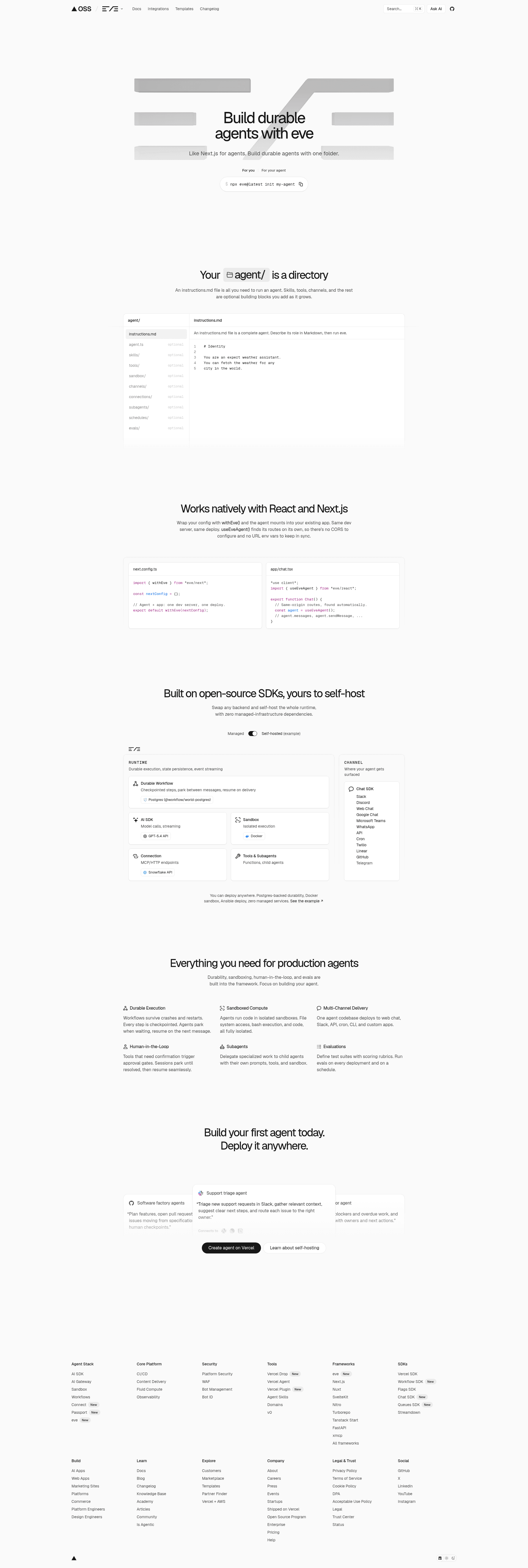
The eve Slack Agent template is a starter codebase that turns a Slack app into an eve agent: Slack events arrive at a webhook endpoint, and the agent defined in the project produces the responses. The template bundles webhook handling, a Vercel Connect integration that manages the Slack channel credentials, a starter agent, and one example tool. It comes from Vercel, the team behind the eve framework for building agents, and the template's repository is vercel/eve (apps/templates/eve-slack-agent-template).
What makes the eve Slack Agent stand out?
- Slack event handling for eve — the deploy flow registers a Slack connector with a
SLACK_CONNECTORenvironment variable and routes triggers to the eve Slack path at/eve/v1/slack. - Vercel Connect for credentials — the Slack channel's credentials are managed by Vercel Connect rather than being pasted into the repository, so tokens are pulled into the project with
vercel env pull. - One-click Vercel deploy — a Deploy with Vercel button clones the template into a project named "eve Slack Agent" with the repository name "eve-slack-agent" and attaches the Slack connection during setup.
- Editable TypeScript agent — agent logic lives in
agent/agent.ts, its behavior is described inagent/instructions.md, and additional tools go inagent/tools/. - Example tool included — the template ships one working tool as a reference for wiring your own functions into the agent.
- pnpm-based local workflow —
pnpm install,vercel link,vercel env pull, thenpnpm devto run the development server, with the agent auto-updating as files change. - Bundled eve guides — after installing dependencies, the Eve framework's guides are available locally at
node_modules/eve/dist/docs/public/.
Who should use the eve Slack Agent template?
- Slack app developers who want a Slack bot that answers messages without writing the event-handling plumbing themselves.
- TypeScript and JavaScript developers building an internal assistant and preferring to define behavior in Markdown instructions plus a few tool files.
- Vercel users who want their Slack agent deployed and credentialed through the same platform, using Vercel Connect instead of manual token management.
- Teams evaluating the eve framework who want a small, runnable reference project before committing to a larger agent build.
Use cases
- Support triage: deploy the starter agent into a support channel so it can answer routine questions and hand off the rest to humans.
- Internal assistants: add tools under
agent/tools/so the agent can act on your own systems from inside Slack. - Prototyping: use the example tool and
agent/instructions.mdas a fast way to test an agent idea before productionizing it.
How does the eve Slack Agent template work?
Install dependencies, link the project to Vercel, and pull the environment variables with pnpm install, vercel link, and vercel env pull. Run pnpm dev to start the development server, then edit agent/agent.ts, agent/instructions.md, and the files in agent/tools/; the agent reloads as you save. Vercel Connect supplies the Slack channel credentials used by the webhook endpoint.
FAQ
What does the eve Slack Agent template do?
It wires a Slack workspace to an eve agent: Slack events hit a webhook at the eve Slack path, the agent code in agent/agent.ts processes them, and responses are sent back to Slack. The template includes a starter agent, one example tool, and webhook handling.
How are the Slack credentials handled?
The template uses Vercel Connect. The deploy flow registers a Slack connector exposed as the SLACK_CONNECTOR environment variable, and local development pulls those values with vercel env pull instead of storing Slack tokens in the repository.
Where do I edit the agent's behavior?
Instructions live in agent/instructions.md, the agent entry point is agent/agent.ts, and tools are placed in agent/tools/. The Eve framework's bundled documentation is available locally at node_modules/eve/dist/docs/public/ after you install dependencies.
What framework does this template use?
It is built on eve, the open framework for building agents from Vercel, whose repository lists topics such as agent, framework, harness, javascript, markdown, sandbox, typescript, vercel, and workflows. Deployment targets Vercel, and the package management shown in the guide is pnpm.