Template details
Filterable
A Bootstrap and X-editable themed jQuery plugin for per-column filtering of HTML tables.
About this template
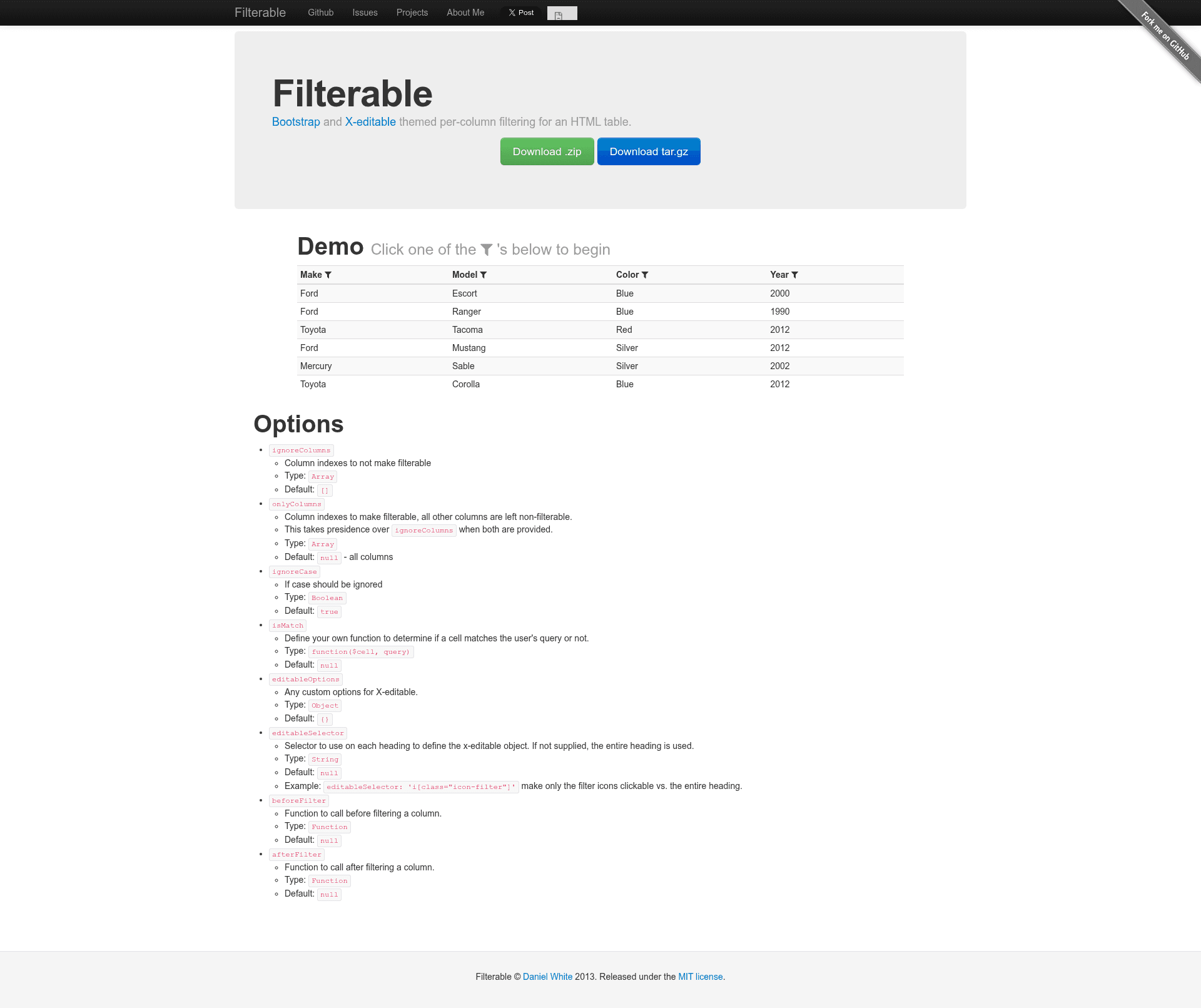
Filterable is an unsupported jQuery plugin that adds per-column filtering to HTML tables, themed with Bootstrap and X-editable. It turns a standard HTML table into a filterable grid where each column header becomes an inline filter input, and the source is freely available on GitHub with a live demo.
What is Filterable?
Filterable is a client-side jQuery plugin that makes each column header of an HTML table an inline filter control. It takes a standard HTML table as input and outputs a table whose rows are filtered in real time as the user types into the header fields. The plugin depends on Bootstrap (version 2.3.2 in the documented usage) and X-editable, and optionally uses Font Awesome icons to replace the default Bootstrap icons. It was authored by lightswitch05 and published on GitHub. The project is marked UNSUPPORTED by its author, who notes that it is out of date and especially so when Bootstrap 4 leaves beta; pull requests are welcomed for anyone who wants to update it.
Key Features
- Per-column filtering — Adds an editable filter input to each table header; as the user types, matched rows are shown and the rest are hidden.
- ignoreColumns option — Accepts an array of column indexes to exclude from filtering; the default is an empty array.
- onlyColumns option — Accepts an array of column indexes to make filterable; when provided, this takes precedence over ignoreColumns and leaves all other columns non-filterable.
- ignoreCase option — Controls case sensitivity of filtering; the default is true, and setting it to false enables case-sensitive matching.
- Custom match function — The isMatch option lets developers supply a custom function that receives the cell value and the filter query and returns a boolean, enabling custom filtering logic.
- X-editable integration — The editableSelector option can specify a CSS selector on each heading to define the X-editable object; if not supplied, the entire heading is used.
- Lifecycle callbacks — The beforeFilter and afterFilter options let developers run custom code before and after each filtering operation.
- Bootstrap and Font Awesome theming — The README documents CDN includes for Bootstrap 2.3.2, Font Awesome 3.1.1, and X-editable 1.4.5, so the filter controls adopt the look of that stack.
Who is it for?
- Front-end developers building admin panels or data-heavy pages with jQuery and Bootstrap 2 who need quick, client-side filtering without a server round-trip.
- jQuery plugin authors looking for a reference implementation of per-column filtering; the code is compact and the options are documented.
- Maintainers of legacy projects still running Bootstrap 2.3.2 and X-editable 1.4.5 can fork the repository and apply updates themselves, though the author no longer actively maintains it.
What can you do with Filterable?
- Data tables: Turn a plain HTML table of records, such as users or orders, into a filterable list where every column filters independently.
- Legacy UI upgrades: Add filtering to an existing Bootstrap 2 table without rewriting the markup, since the plugin hooks directly onto the table element.
- Custom filtering logic: Use the isMatch option to implement fuzzy matching, numeric comparisons, or category-aware matching beyond simple case-insensitive string contains.
How does Filterable work?
Include the required CSS and JavaScript for Bootstrap and X-editable from the documented CDN links, then select the table and call the plugin with $('#exampleTable').filterable();. Options are passed as a hash, for example {ignoreCase: false} makes filtering case-sensitive. The plugin attaches an X-editable field to each header and re-filters the rows whenever the filter value changes.