Template details
Flags SDK with Hypertune and Next.js
Vercel example showing feature flags in Next.js with the Flags SDK's Hypertune adapter and Flags Explorer overrides.
About this template
The Flags SDK with Hypertune and Next.js template is a Vercel example that adds feature flags to a Next.js app through the Flags SDK's Hypertune adapter, with flag values overridable from the Vercel Flags Explorer.
What is the Flags SDK with Hypertune and Next.js template?
This template is a runnable Next.js example from Vercel's examples repository that demonstrates feature flagging with the Flags SDK (flags-sdk.dev) plus a Hypertune template adapter, wired to the Vercel Flags Explorer. Its input is a stable user ID and an environment value passed as context to Hypertune; its output is the flag values that decide which of two home page banners each visitor sees. Flag definitions live in flags.ts, and the project deploys to Vercel through a one-click clone link that prompts for the required FLAGS_SECRET environment variable.
What makes this template stand out?
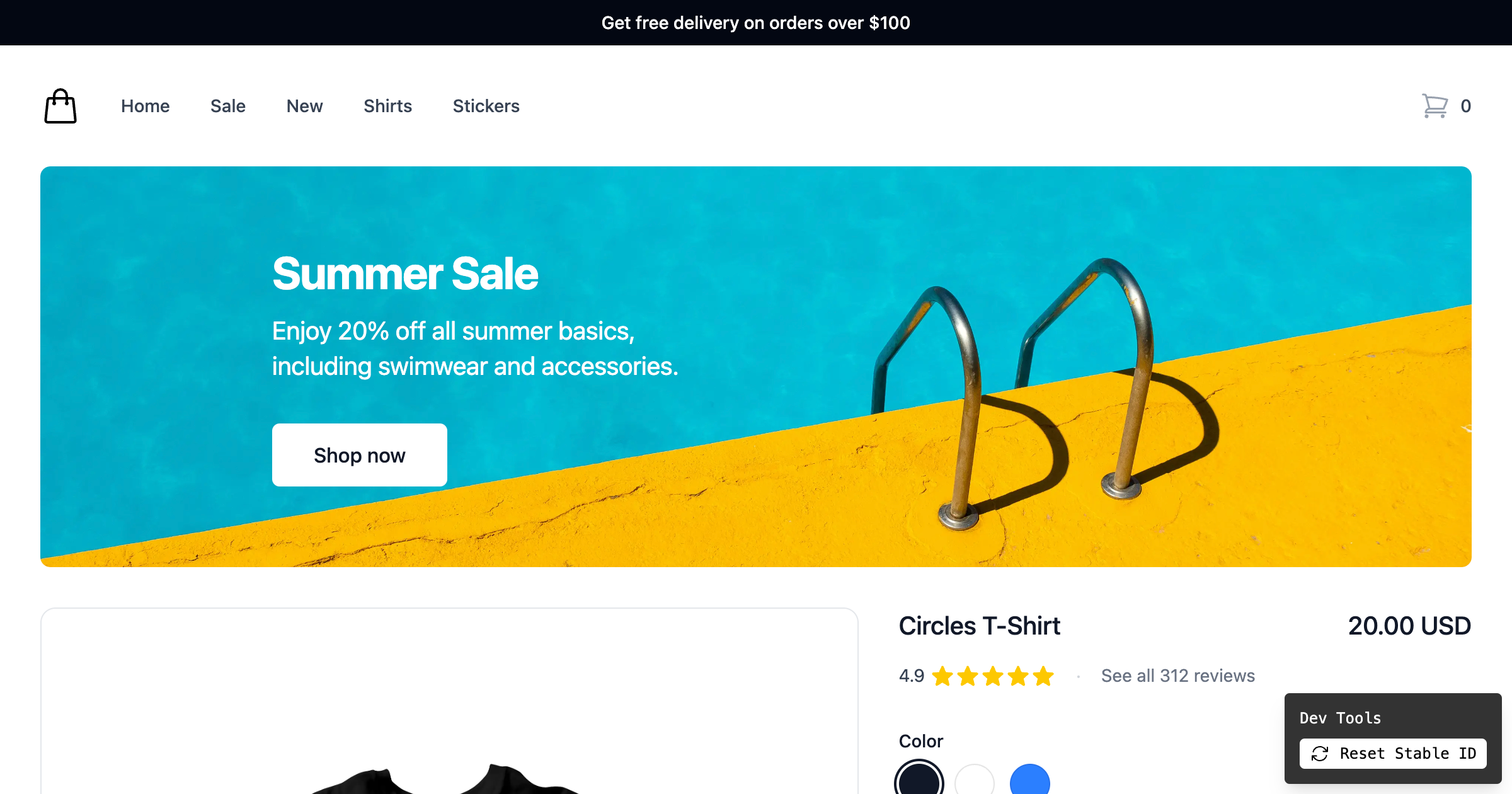
- Two 50/50 banners — the home page renders two banners, each independently configured to show or hide 50% of the time, so a visitor may see both, one, or neither.
- Stable ID identification — a stable ID identifies each user, so the same banner variation persists until the ID is reset, and built-in Dev Tools at the bottom of the page reset it and reload.
- Hypertune schema example — a Context input type holding
stableId(String) andenvironment(an Environment enum of development, production, test) feeds the root field that exposes the flags. - Four sample flags —
delay(Number/Int),proceedToCheckout(enum with blue, red, green),freeDelivery(Boolean), andsummerSale(Boolean), matching the names used inflags.ts. - Hypertune traffic tests — each flag gets a Test that splits traffic between variants, with the appropriate type selected per flag.
- Flags Explorer overrides — linking the project enables creating overrides in Vercel's Flags Explorer to test variations without editing code.
FLAGS_SECRETenvironment variable — must be 32 random bytes, base64-encoded, and is used by the Flags Explorer to securely overwrite feature flags.- Next.js framework with Vercel deployment — ships with a Deploy with Vercel link and a live demo at flags-sdk-hypertune.vercel.app.
Who should use this template?
- Next.js developers who want a working starting point for gating UI with feature flags rather than hand-rolling a flag service.
- Teams evaluating Hypertune as their flag provider, who need a reference schema and logic setup to copy.
- Experiment-driven product teams testing banner copy, checkout button colors, or promotions on a fraction of traffic.
- Developers learning the Flags SDK who want to see the adapter wiring next to the Flags Explorer integration.
How does it work?
- Deploy or clone the example, then run
vercel linkto connect the project so the Flags Explorer can find it. - Run
vercel env pullto fetch environment variables and metadata needed by the Flags SDK and Flags Explorer. - In the Hypertune dashboard, paste the example schema into the Schema tab, build the logic, create a Flag named
delaytyped as Number, and add a Test per flag that splits traffic. - Visit the page and use the Dev Tools to reset the stable ID and reload, or create overrides in the Flags Explorer to force specific variants.
What can you do with this template?
- Front-end A/B testing: toggle two banners at 50% each and observe how the mix of both, one, or none renders for a given stable ID.
- Checkout UI experiments: use the
proceedToCheckoutenum flag to serve blue, red, or green checkout button variants. - Shipping controls: use the boolean
freeDeliveryandsummerSaleflags to switch promotions on and off without a redeploy. - Latency simulation: use the numeric
delayflag to inject a timed delay and test how the page behaves under slower responses.
FAQ
What flags are included in the example?
The example defines four flags in flags.ts: delay (a number), proceedToCheckout (an enum with the values blue, red, and green), freeDelivery (a boolean), and summerSale (a boolean). It ships two banners on the home page that toggle 50% of the time.
What environment variable does it need?
The template requires FLAGS_SECRET, described as 32 random bytes that are base64-encoded and used by the Flags Explorer to securely overwrite feature flags. Vercel can generate a value during the clone step, or you can set your own.
Why do I keep seeing the same banner variant?
The demo identifies users by a stable ID, so a visitor receives a consistent variant across reloads. To see a different combination, reset the stable ID with the Dev Tools at the bottom of the page and reload, or create an override in the Flags Explorer.
Do I need a Hypertune account to use it?
The template expects flags to be backed by Hypertune: you paste the example schema into the Schema tab, create the flag logic, and configure a Test per flag. The clone steps then run vercel link and vercel env pull so the Flags SDK and Flags Explorer can read project metadata.