Template details
Docsy Example
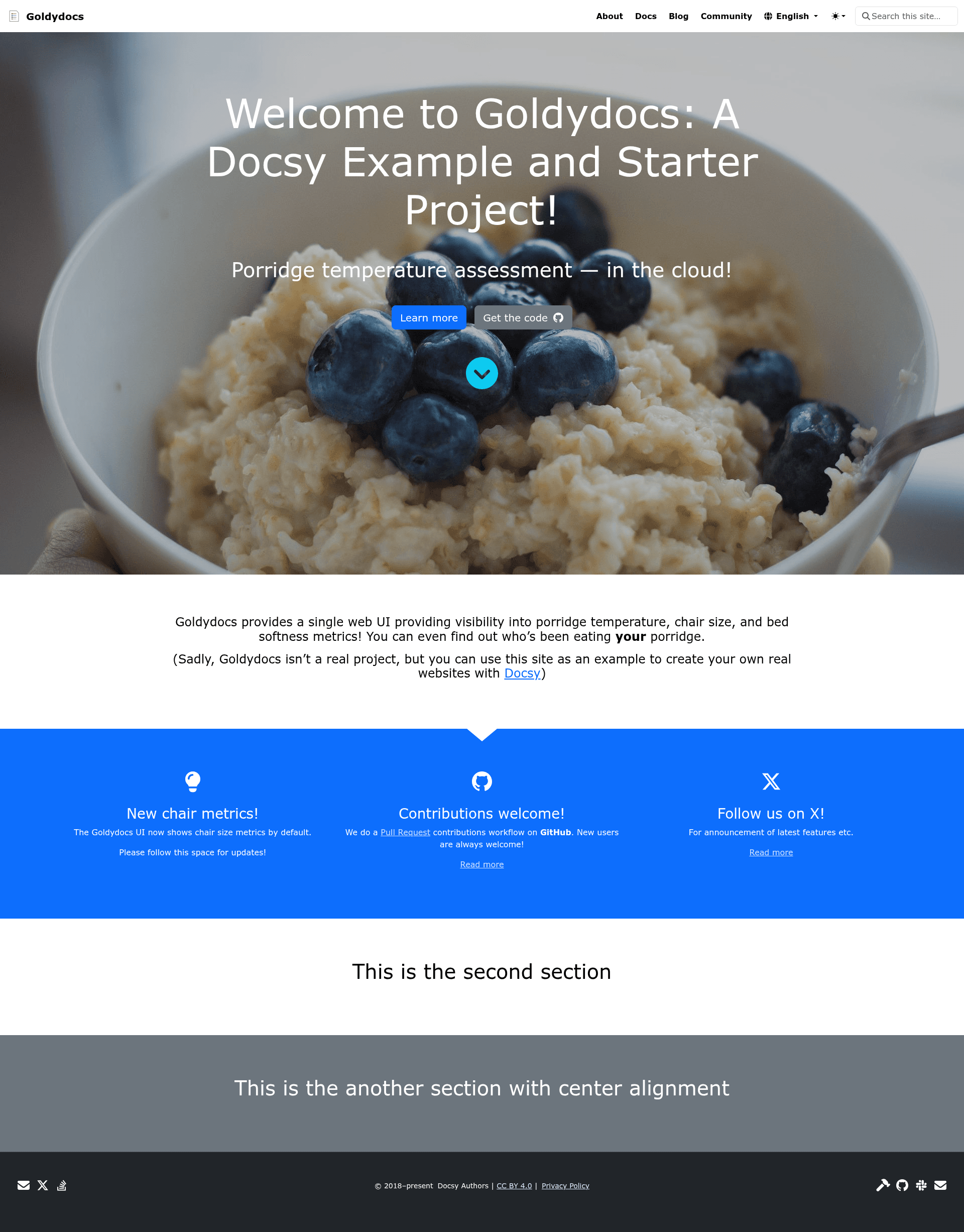
A Hugo starter that pulls in the Docsy theme module and ships a skeleton documentation site you can clone or template.
About this template
Docsy Example is a Hugo documentation-site starter that pulls the Docsy theme in as a Hugo module and ships a skeleton docs structure you can clone or template for your own project.
What is Docsy Example?
Docsy Example is an example documentation site built on Hugo that consumes the Docsy theme as a Hugo module together with its dependencies, providing preconfigured site navigation, page structure, and a build pipeline for technical documentation. You supply Markdown content and configuration; the project builds a static documentation site, and the reference deployment is hosted on Netlify at example.docsy.dev. It lives in the google/docsy repository, and the project page states plainly that it is not an officially supported Google product, though it is currently maintained.
What makes Docsy Example stand out?
- Docsy consumed as a Hugo module — the theme and its dependencies are pulled in as a Hugo module rather than copied into the repository, keeping the skeleton thin and letting the theme update independently.
- Hugo supplied by npm — Hugo comes from the pinned
hugo-extendednpm package instead of a separate global install, and minimum Node.js and npm versions are enforced at install time. - Script-free dependency install —
npm run install:safeperforms a clean, script-free install of the pinned dependencies, and the Hugo binary self-installs on first use. - npm-wrapped Hugo commands —
npm run serveruns Hugo through npm scripts, which put the Dart SasssassCLI fromnode_moduleson thePATH; callinghugodirectly fails because Dart Sass is not available. - Skeleton documentation structure — the repo ships the page and navigation scaffolding that Docsy's documentation features expect, so you begin from a working docs layout rather than a bare theme install.
- Windows path handling — on Windows the npm scripts run under Bash from Git for Windows, so
bashmust be on yourPATH. - Live reference deployment — the example is published at example.docsy.dev, giving a hosted target to compare your build against.
- Maintainer notes included — CONTRIBUTING.md documents lockfile management, the generated theme manifest, and Hugo updates.
Who should use Docsy Example?
- Technical writers and docs teams: start from a working Docsy navigation and page hierarchy instead of assembling theme configuration by hand.
- Developers standing up product documentation: clone or template the repo, add Markdown, and deploy a static docs site.
- Teams evaluating Docsy: browse example.docsy.dev and the local build to judge whether the theme suits a documentation set.
- Projects needing reproducible builds: the npm-pinned Hugo and Sass toolchain makes local previews and CI builds match.
Use cases
- Templating a new docs site: follow the Docsy user guide's "Start with a prepopulated site" walkthrough to clone or template this repo and preview the result.
- Local authoring: run
npm run serveto preview documentation edits in a browser before publishing. - Netlify deployment: reuse the reference setup that serves example.docsy.dev as a model for a hosted docs site.
How does it work?
- Install the prerequisites: Node.js and npm (minimum versions enforced at install), plus Go and Git.
- From the repo root, run
npm run install:safefor a clean, script-free install of pinned dependencies. - Run
npm run serveto preview locally, keeping Hugo inside the npm scripts so Dart Sass is on thePATH.
Build and preview problems are covered in the Docsy user guide's prerequisites and troubleshooting pages.
FAQ
What does Docsy Example do?
It provides a ready documentation site skeleton that pulls the Docsy Hugo theme in as a module. You add Markdown content and configuration, then build and deploy the resulting static site; the hosted reference version runs at example.docsy.dev on Netlify.
Do I need to install Hugo separately?
No. Hugo comes from the pinned hugo-extended npm package and self-installs the first time you use it. You do need Node.js, npm, Go, and Git as prerequisites, with minimum Node and npm versions enforced during install.
Why does running hugo directly fail?
The npm scripts put the Dart Sass sass CLI from node_modules on the PATH. A direct hugo invocation does not, so the build fails. Run npm run serve (or the other npm scripts) instead of calling Hugo directly.
Can I use Docsy Example on Windows?
Yes. The npm scripts run under Bash, which ships with Git for Windows, so bash must be on your PATH before running the install and serve commands.
Is Docsy Example an official Google product?
No. The project page states that it is not an officially supported Google product, although it is currently maintained in the google/docsy repository alongside the Docsy theme itself.