Template details
Flexy
A responsive theme for Hexo
About this template
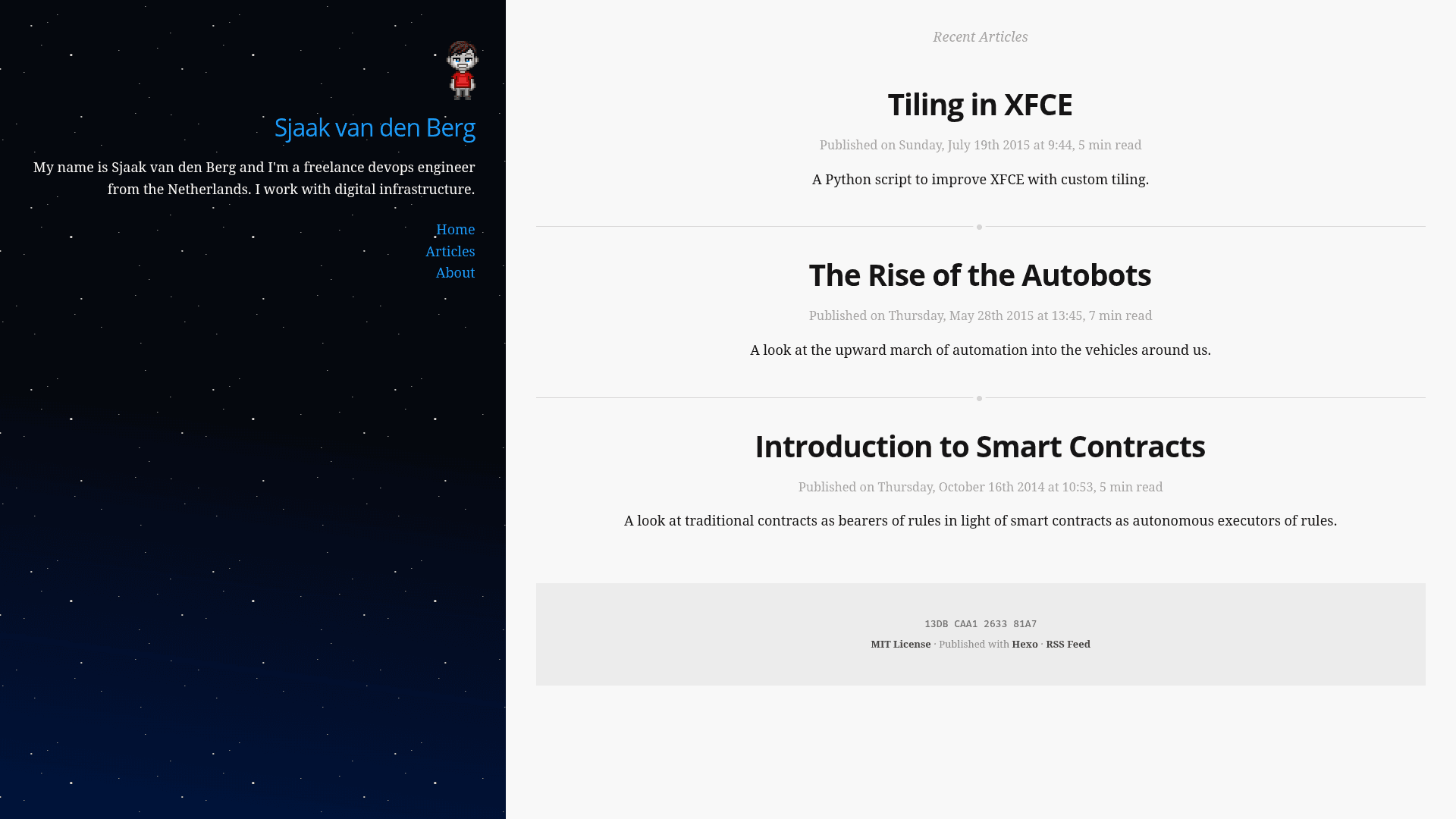
Flexy is a responsive, mobile-first blog theme for the Hexo static site generator, written in Jade and Stylus and using Flexbox for layout.
What is Flexy?
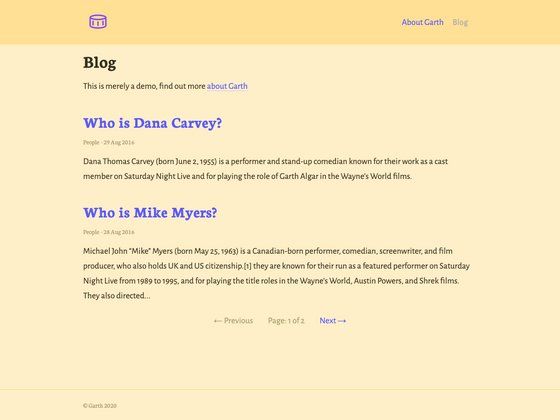
Flexy is a theme for Hexo, the Node.js-based static site generator. It takes Hexo's generated HTML and applies a Flexbox-based, mobile-first layout with CSS3 animations; it outputs a blog with an articles index and homepage post listing. The theme is built by the developer of svdb.co and is open source on GitHub.
Key Features
- Jade and Stylus — Templates are written in Jade and styles in Stylus, requiring the hexo-renderer-jade package instead of the default EJS renderer.
- Flexbox layout — Uses Flexbox for the entire layout, following the "Solved by Flexbox" approach, with no CSS frameworks.
- Mobile first — Media queries in source/styles/screen.styl target landscape screens, and the base styles serve phones first.
- No JavaScript required — The theme renders and animates without any JavaScript out of the box; header animations use the CSS transform3d() function to trigger GPU rendering.
- Lightweight background — The page uses a single 2.8K SVG as the only background image, keeping initial render quick.
- Per-post intro and comments — Set an intro variable in YAML front matter to show a summary on the homepage listing; set comments to false to disable comments on a post.
- Articles page — After setting filename_case to 1 and creating a page named Articles, layout/_content.jade outputs a yearly summary of posts.
- Self-hosted fonts — Bundles Open Sans, Droid Serif, and Fira Mono in WOFF and WOFF2 formats in the source/fonts directory.
- Schema.org markup — Includes Schema.org structured data on pages.
- normalize.css and Stylus Nib — Ships with normalize.css for cross-browser consistency and Stylus Nib for vendor prefixes.
Who is it for?
- Hexo bloggers who want a clean, mobile-first theme without JavaScript dependencies and want to control post excerpts via YAML front matter.
- Developers who prefer Jade and Stylus — The theme is written in Jade and Stylus, so it suits users comfortable editing these preprocessors rather than EJS.
- Performance-focused site owners — The use of GPU-accelerated CSS transforms and a single small SVG background is aimed at minimizing render time.
What can you do with Flexy?
- Publish a blog with a homepage listing — Add an intro field to each post's YAML to control the summary shown in the homepage listing; set comments to false to turn off comments per post.
- Create a yearly archives page — Set filename_case to 1 in the root _config.yml, run hexo new page 'Articles', and the theme outputs a yearly summary of posts.
- Customize the design through Stylus — Edit source/styles/screen.styl to change layout, colors, and media query breakpoints; replace the bundled fonts by dropping new WOFF/WOFF2 files into source/fonts.
How does Flexy work?
Install it by cloning the repository into your Hexo themes directory, then swap the renderer: git clone https://github.com/sjaakvandenberg/flexy themes/flexy, run npm un -S hexo-renderer-ejs, then npm i -S hexo-renderer-jade. Finally, set the theme variable to flexy in your root _config.yml. After that, posts are written as normal Markdown and the theme handles rendering, the yearly Articles page, and the mobile-first layout.
FAQ
Is Flexy free to use?
Yes, Flexy is an open-source Hexo theme hosted on GitHub, so you can use and modify it freely. The repository is public and accepts pull requests.
What renderer does Flexy need?
Flexy's templates are written in Jade, so it requires hexo-renderer-jade. You must uninstall the default hexo-renderer-ejs first, otherwise Hexo will fail to render the theme's templates.
Does Flexy use JavaScript?
The theme runs without any JavaScript out of the box. It relies on CSS3 animations using the transform3d() function and a single SVG background, so no client-side scripts are needed for the core layout.
How do I add an introduction to a post?
Add an intro field to the YAML front matter of your Markdown file, for example: intro: A short summary. The homepage listing will display this text as the post's excerpt.
How do I create an Articles page?
Set filename_case to 1 in your root _config.yml, then run hexo new page 'Articles'. The theme's layout/_content.jade will automatically output a yearly summary of posts on that page.