Template details
Garth
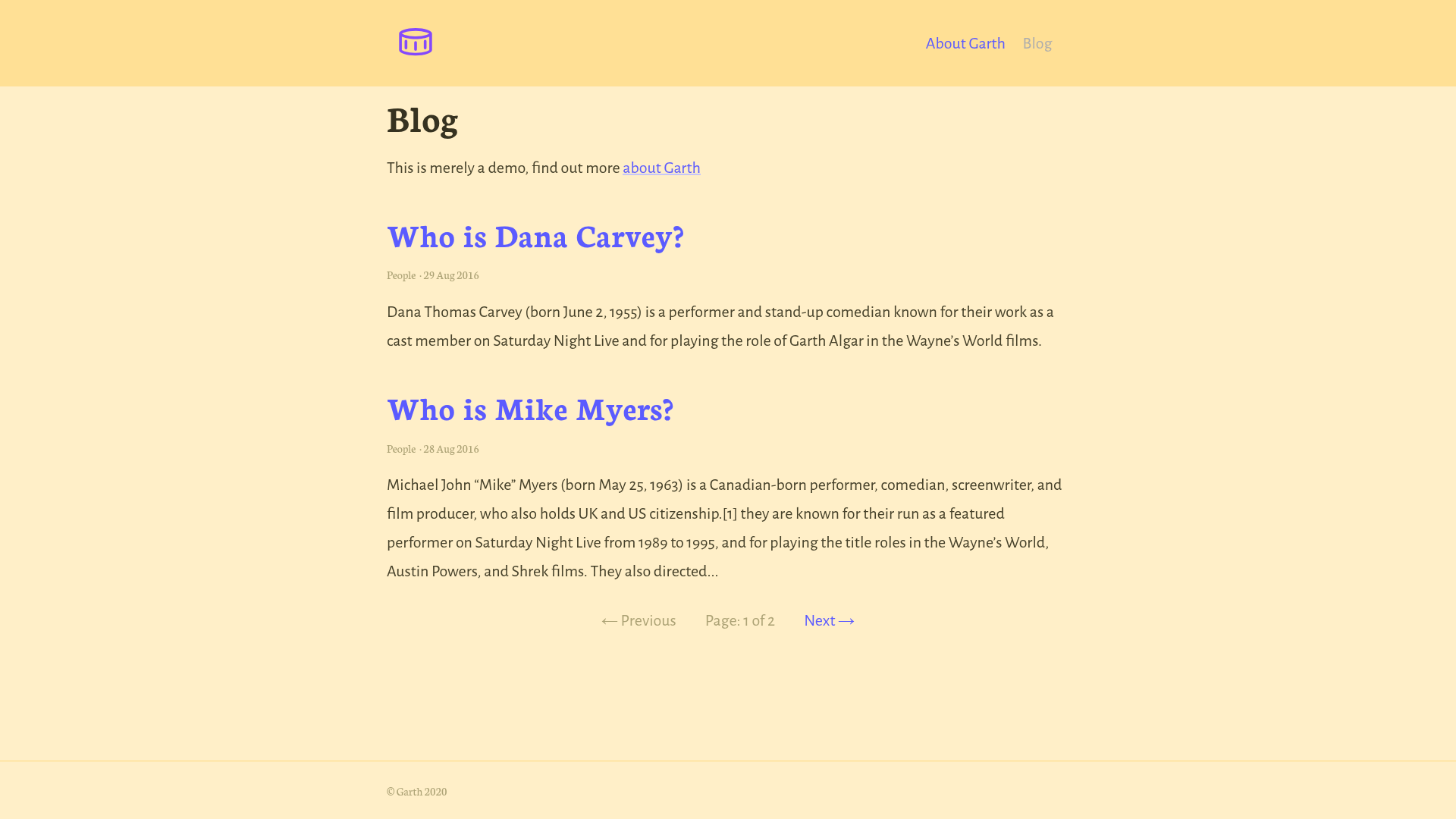
A minimal Jekyll theme with three layouts and Sassline-based styling, installable as a Ruby gem or GitHub Pages remote theme.
About this template
Garth is a basic Jekyll theme distributed as the Ruby gem garth-jekyll-theme, providing a minimal set of layouts (home, page, post) and Sass-based styling for static blogs and websites, created by David Darnes.
What is Garth?
Garth is a minimal Jekyll theme built using the official Jekyll theme implementation and written by David Darnes. It takes standard Jekyll content — Markdown posts and pages plus a _config.yml file — and outputs a static HTML site using three layouts: home, page, and post. The theme can be installed three ways: as a Ruby gem, as a GitHub Pages remote theme via the jekyll-remote-theme plugin, or as a boilerplate you fork and modify.
Key Features
- Official Jekyll theme implementation — Packaged as a Ruby gem (garth-jekyll-theme) so you can add it via a Gemfile and set
theme: garth-jekyll-themein _config.yml. - Three layouts only — Provides exactly the home (blog index), page, and post layouts, keeping the template deliberately basic and easy to override.
- File-override customisation — Because it's a Jekyll theme, you can copy any theme file into your project at the same path (for example
assets/styles.scss) and override it; removing the@import "garth";line lets you ignore the theme's built-in styles entirely. - Sassline-based typography — The colour and type settings are built on Sassline v2 variables, so you can copy
_colors.scssandgarth.scssinto your _sass folder to change the look. - GitHub Pages remote theme support — Works as a remote theme by adding
remote_theme: daviddarnes/garthand the jekyll-remote-theme plugin to your _config.yml. - Starter kits for Netlify and Stackbit — Deploy a Garth site by clicking the Deploy to Netlify button or the Create with Stackbit button on the README; there's also a downloadable GitHub Pages remote-theme zip kit.
- CMS-ready configuration — Post list page options are stored in collection data inside _config.yml specifically so they can be edited with content management systems like Siteleaf.
Who should use Garth?
- Jekyll beginners who want a minimal, no-frills blog theme — use the vanilla Jekyll starter kit or the remote-theme kit to get a working site without writing much configuration.
- GitHub Pages users — the remote theme works with GitHub Pages just by adding two lines to _config.yml, so anyone hosting a personal site on Pages can adopt it quickly.
- Developers who want a base to customise — the file-override system and small number of layouts make it straightforward to replace styles or add new templates.
- Siteleaf CMS users — because site settings and post list options live in collection data in _config.yml, editors can manage the site through Siteleaf.
What can you do with Garth?
- Launch a personal blog — use the home layout to list posts, the post layout for articles, and the page layout for static pages like About or Contact.
- Deploy a static site to Netlify — use the Netlify starter kit to get a pre-configured repository that builds and deploys immediately.
- Build a Stackbit site — use the Stackbit starter kit to create a site that can connect to headless CMS options from the Stackbit app.
- Host for free on GitHub Pages — use the remote-theme kit to run the theme without forking the repository, keeping your own project clean.
How does Garth work?
Installation follows standard Jekyll theme practice: add the gem to your Gemfile, run bundle install, set theme: garth-jekyll-theme in _config.yml, then run bundle exec jekyll serve. For GitHub Pages use the remote theme variant instead. To customise, copy theme files like assets/styles.scss into your project and edit the title, description, and url settings in _config.yml.
FAQ
Is Garth free to use?
Garth is an open-source Jekyll theme available on GitHub; you can download or fork it from the repository. There is no pricing or licensing fee mentioned in the README.
How do I install Garth on GitHub Pages?
Add the jekyll-remote-theme plugin to your Gemfile, add it to the plugins list in _config.yml, then set remote_theme: daviddarnes/garth. After bundle install and bundle exec jekyll serve, your site will use the theme.
Can I customise Garth's colours and typography?
Yes. Copy the _colors.scss and garth.scss files from the _sass folder into your project's _sass folder, then edit the variables. The typographic settings come from Sassline v2.
What layouts does Garth include?
Garth includes three layouts: home (used for the front-page blog listing), page (for static pages), and post (for individual articles). There is no dedicated portfolio, docs, or product layout.
Does Garth support Siteleaf?
Yes. The post list page options are stored in the collection data within _config.yml, which the README says is intentionally done so they can be edited with CMSs such as Siteleaf.