Template details
Fluency for Hugo
A fluent Hugo blog theme with IonIcons, Netlify demo, and Git submodule installation.
About this template
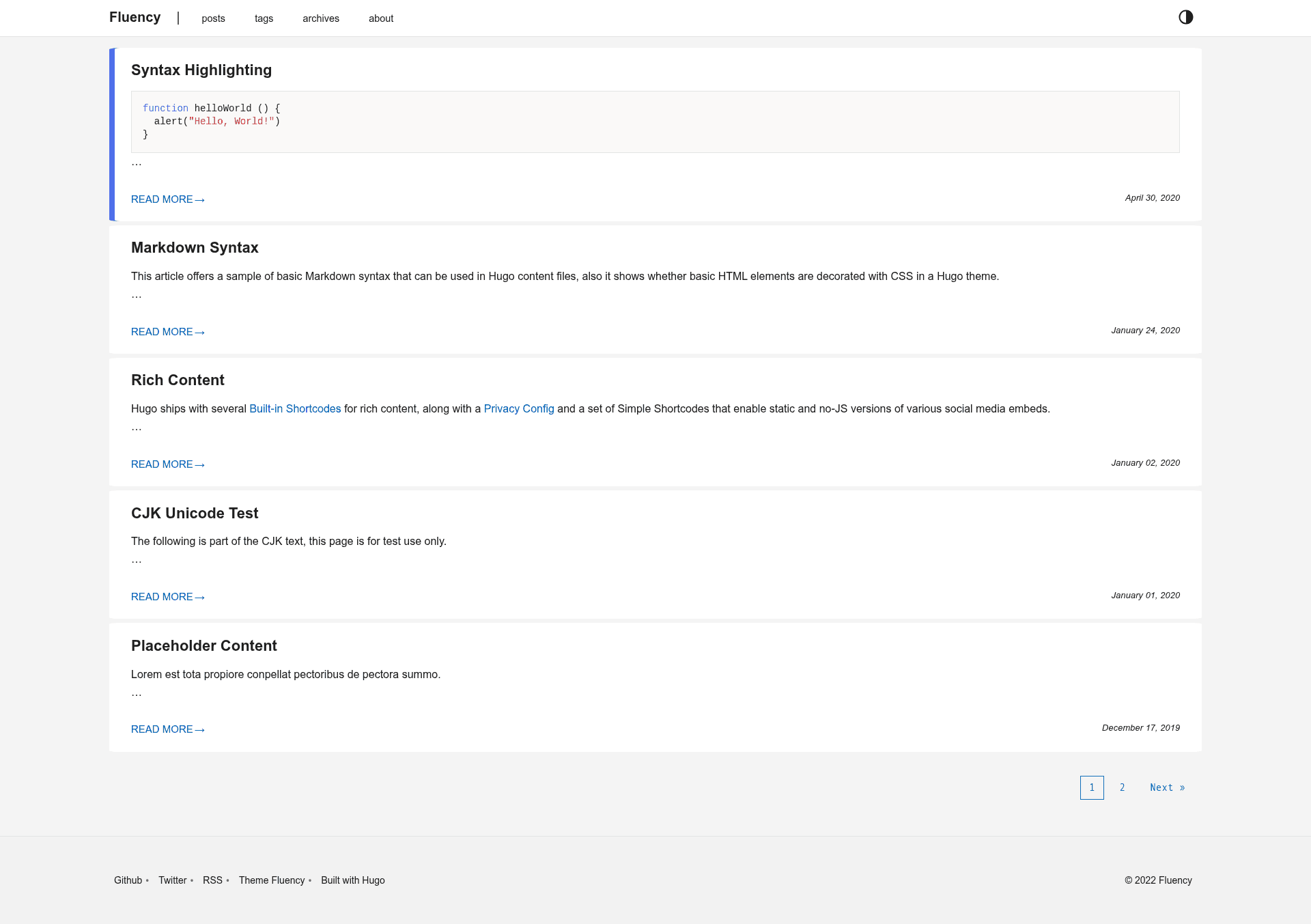
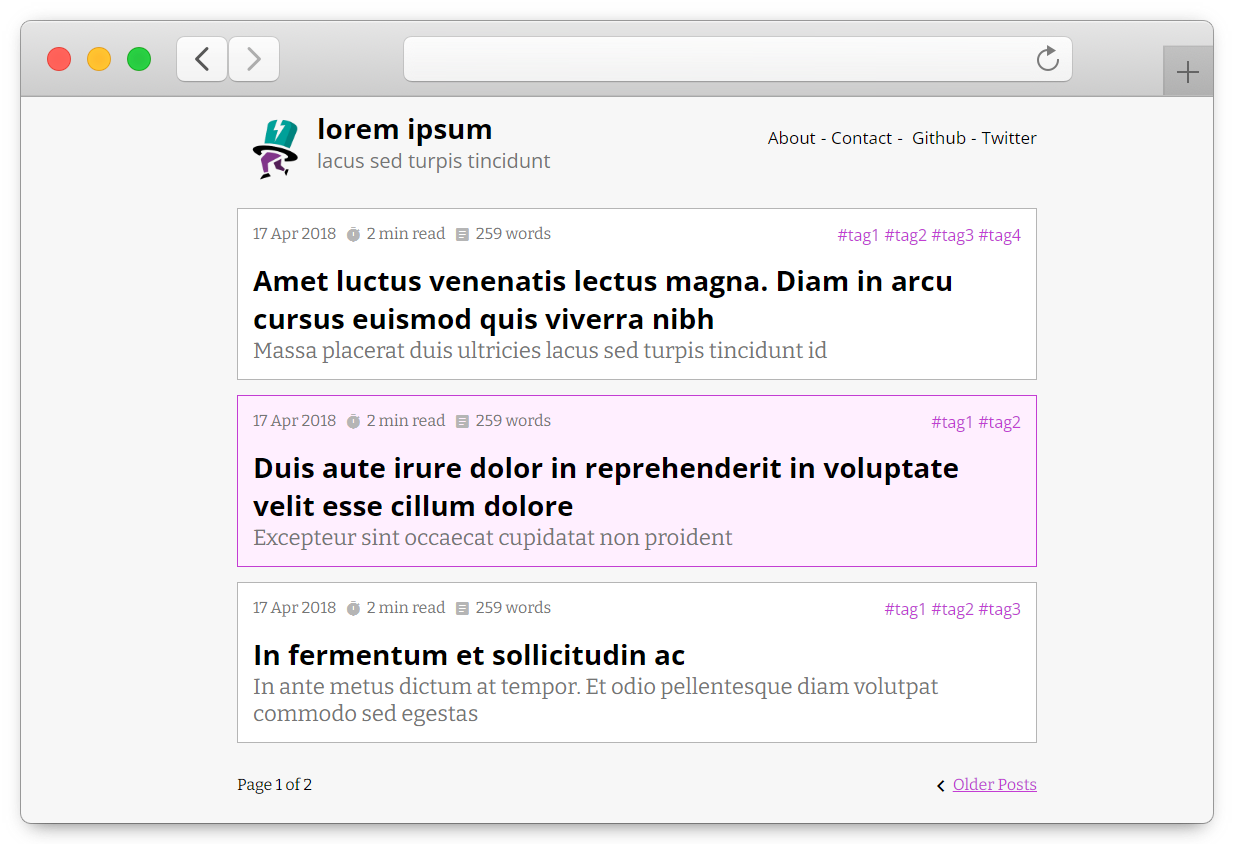
Fluency is a Hugo blog theme that gives static sites a clean, fluent design language, with a live demo hosted on Netlify. It is built for the Hugo static site generator (version 0.76 or higher) and is distributed under the MIT License. The theme is developed by wayjam and available on GitHub.
What is Fluency for Hugo?
Fluency is a static site theme built specifically for Hugo, designed for blogging. It takes Hugo's Markdown content and renders it into a styled HTML site. The theme supports Hugo version 0.76 and higher, as indicated by the project's version badge. It is developed by wayjam and released under the MIT License, making it free to use and modify for personal or commercial projects.
Key Features
- Hugo compatibility — Built for Hugo version 0.76 or greater, so it works with modern Hugo sites.
- IonIcons icon set — Uses the IonIcons library for icons throughout the theme, providing a consistent set of vector icons.
- Live demo on Netlify — A working preview is available at hugo-fluency-demo.netlify.app, hosted on Netlify.
- Git submodule installation — Install by running
git submodule add https://github.com/wayjam/hugo-theme-fluency.git themes/fluencyfrom the root of your Hugo site. - Configuration wiki — Setup and customization are documented in the project's Getting Started wiki page, accessible from the GitHub repository.
- MIT license — Free to use, modify, and redistribute without restrictions.
- Screenshot previews — The repository contains an images directory with screenshots of the theme's appearance.
Who is it for?
- Bloggers — Want a clean, fast personal blog without building a site from scratch.
- Hugo developers — Need a base theme to customize with their own layouts, styles, and shortcodes.
- Static site users — Prefer deploying to Netlify or any static host; the theme is ready for that workflow.
What can you do with it?
- Publish Markdown posts — Write content in Markdown and have it rendered into an accessible, styled blog.
- Deploy to Netlify — Use the demo deployment as a starting point for a production blog.
- Customize the design — Modify the theme's templates and styles, guided by the wiki documentation.
How does the theme work?
Installation begins by cloning the repository as a Git submodule into your Hugo site's themes directory with the command git submodule add https://github.com/wayjam/hugo-theme-fluency.git themes/fluency. After that, you add the theme to your site's config.yaml file. Updates are handled with git submodule update --rebase --remote.
FAQ
Is Fluency for Hugo free?
Yes, the theme is released under the MIT License, which permits free use, modification, and distribution.
What version of Hugo does Fluency require?
The project badge indicates support for Hugo version 0.76 or higher, so your site should run a recent Hugo release.
How do I install Fluency?
Use the documented Git submodule command to add the theme to your site, then enable it in your Hugo configuration file.
Where can I see a live demo?
A live demo is hosted at hugo-fluency-demo.netlify.app, which runs the theme on Netlify.
How do I customize the theme?
The repository links to a Getting Started wiki page that covers configuration and customization options.