Template details
Foundation Gatsby
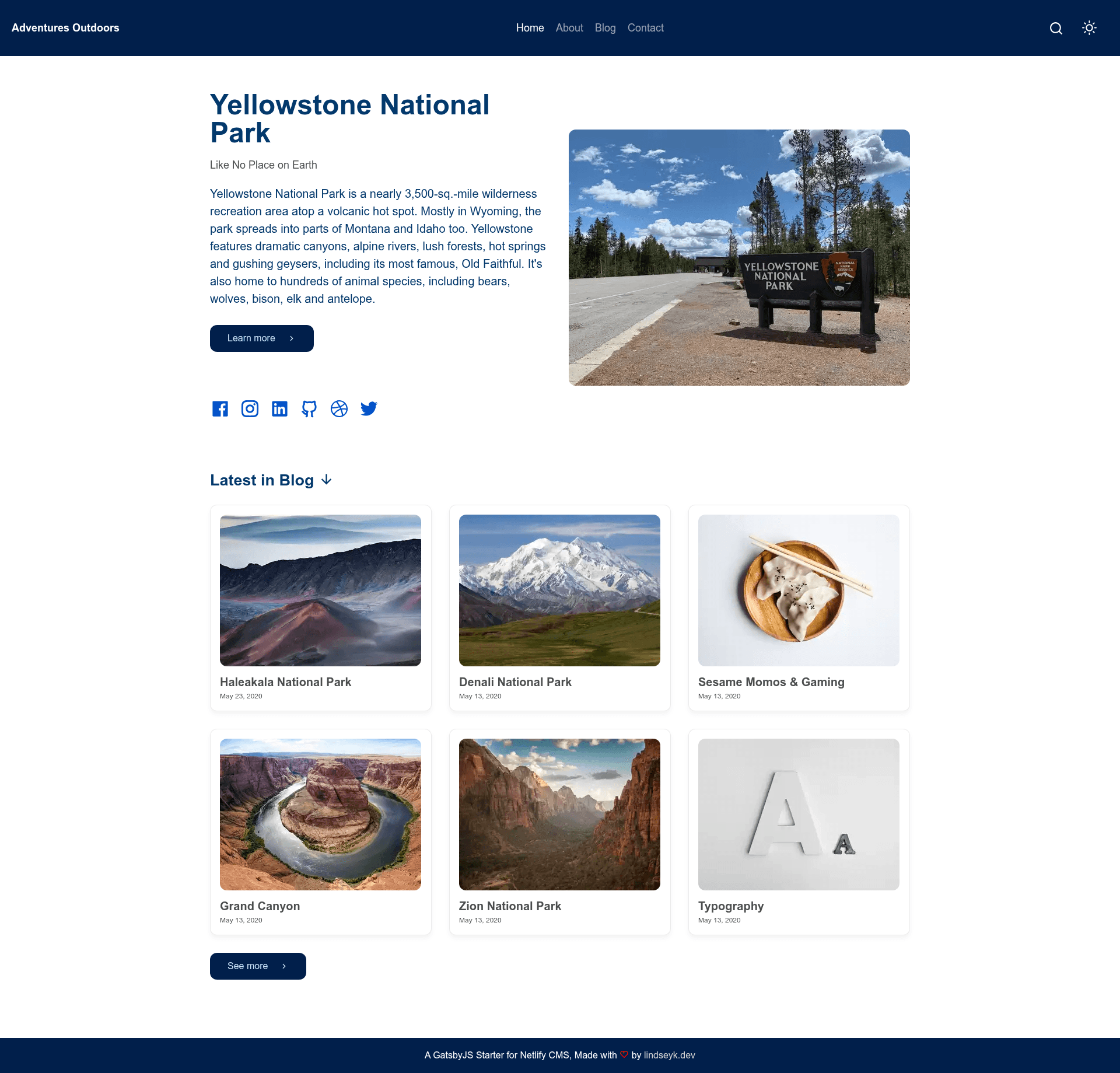
A Gatsby and Netlify CMS starter for launching a fast personal website or blog with dark/light mode, search, and SEO.
About this template
Foundation Gatsby is a Gatsby v4 starter boilerplate that scaffolds a personal website or blog with a browser-based Netlify CMS for content management, and deploys to Netlify with one click.
What is Foundation Gatsby?
Foundation Gatsby (also called Foundation) is an open-source starter template built on Gatsby v4 and React. It outputs a static personal website or blog whose posts, pages, and site settings are edited through Netlify CMS, a headless CMS that stores content as Markdown files in the repository. The template is maintained by Lindsey K. (Twitter: dev_lindseyk) and includes a one-click Deploy to Netlify button, plus a Vercel badge in the README. It provides Home, About, and Contact page templates, a blog post template, and a global settings area for site title, URL, and Google Analytics.
Key Features
- Netlify CMS integration — manage posts, pages, homepage content, About and Contact pages, and site settings from the /admin/ interface after enabling Netlify Identity and Git Gateway.
- Dark/Light mode — toggle between light and dark themes; the theme color is customizable from the CMS.
- Search bar — a built-in site search for visitors.
- SEO & social metadata — includes OpenGraph structured data, Twitter Cards meta, and XML sitemaps.
- Netlify Contact Form — works immediately after deployment, routing form submissions through Netlify Forms.
- One-click Netlify deploy — the Deploy to Netlify button forks the foundation-gatsby repo to your GitHub and builds the site.
- Gatsby Incremental Builds — enabled with Netlify for faster builds and previews.
Who should use Foundation Gatsby?
- Writers and bloggers who want to publish without learning code — they log into Netlify CMS at /admin/ to write posts and edit pages.
- Developers who need a lean, Gatsby-based starter to customize — the repo includes the standard Gatsby folder structure (gatsby-config.js, gatsby-node.js, gatsby-browser.js, src) and links to the Gatsby tutorial.
- Freelancers and small businesses seeking a fast personal site with a contact form and social links, deployable to a live URL under site-name.netlify.app within minutes.
- Teams who want collaborative editing — Netlify CMS lets you invite editors via Git Gateway without granting GitHub repository access.
Use cases
- Personal bloggers: add, edit, and delete posts through the Netlify CMS admin UI; content is saved as Markdown in the repo.
- Portfolio owners: customize the homepage, About, and Contact sections from the CMS, add a Google Analytics tracking ID, and toggle the theme color to match your brand.
- Gatsby learners: scaffold the project with
gatsby new, rungatsby develop, and explore the GraphQL data layer at localhost:8000/___graphql.
How does Foundation Gatsby work?
After deploying to Netlify (or installing locally), you enable Netlify Identity, invite yourself as a user, and turn on Git Gateway. Then log in at your-site.netlify.app/admin/ to write and publish content. Locally, run npx netlify-cms-proxy-server alongside gatsby develop to edit with the CMS on your machine.
FAQ
Is Foundation Gatsby free to use?
The starter is available publicly on GitHub, and the README does not mention any paid tier. You can install it with the Gatsby CLI and deploy it to Netlify's free tier, though Netlify's own pricing applies to your hosting usage.
Do I need to know Gatsby to update content?
No. Adding and editing posts and pages through Netlify CMS requires no coding. Customizing layout, styling, or functionality does require Gatsby and React knowledge; the README links to the Gatsby tutorial and documentation for that.
Can I use a custom domain with my Foundation site?
Yes. The README links to a short article on adding a custom domain to a Netlify website, so you can point your own domain instead of the default site-name.netlify.app.
How do I add collaborators to the CMS?
In Netlify, go to Settings > Identity to invite users, and enable Git Gateway under Services. Invitees get CMS access without needing access to your GitHub repository.